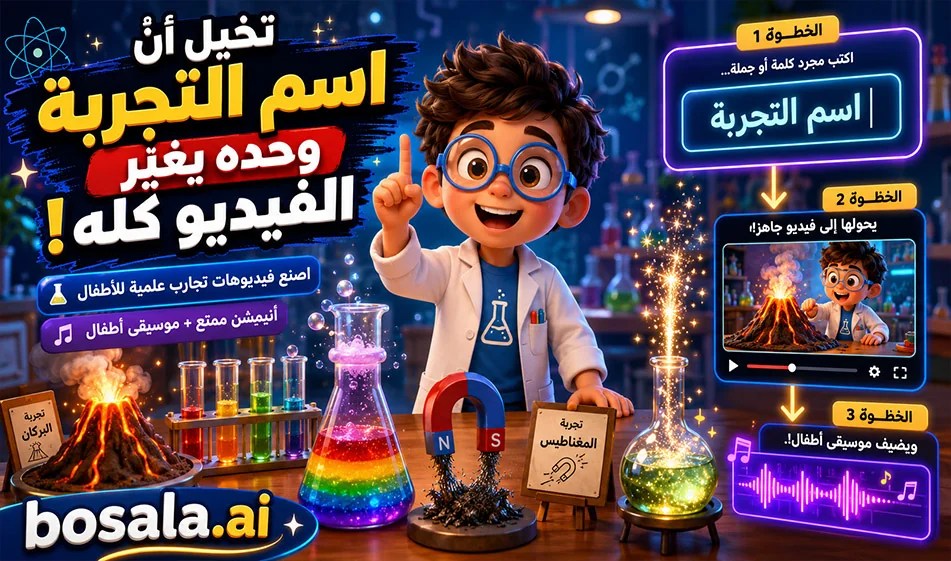
تكامل GeminiGen وMakeSong في صناعة فيديوهات تجارب علمية للاطفال
يمكنك من خلال GeminiGen وMakeSong صناعة فيديوهات انيميشن تعليمية للاطفال بطريقة سهلة ومتكررة. تضع البرومبت في اداة الفيديو، وتغيّر فقط اسم التجربة العلمية، ثم تولد الفيديو وتحمله. بعد ذلك تنتقل الى MakeSong، وتكتب وصفا بسيطا للموسيقى، فتحصل على موسيقى اطفال مرحة تناسب المشهد، ثم تجمع الفيديو والصوت في برنامج مونتاج مثل CapCut.
نبذة
هذه الطريقة مناسبة جدا لصناعة سلسلة تعليمية ثابتة، لانك لا تحتاج في كل مرة الى بناء الفكرة من الصفر. لديك برومبت واحد ثابت، وشخصية ثابتة، ومختبر ثابت، وتغيّر فقط اسم التجربة. وبعد الفيديو، تضيف موسيقى مرحة من MakeSong ليصبح المشهد اكثر جاذبية للاطفال.
الموقعان
الفيديو: https://geminigen.ai/app/video-gen/veo
وموقع إضافي للفيديو : https://www.mindvideo.ai/invitation-landing?utm_source=invitation&invite_code=1BCHJ2HX
موقع الموسيقى: https://www.makesong.com/
كيف تعمل الفكرة؟
تبدأ داخل GeminiGen، وتلصق البرومبت كما هو. بعد ذلك تذهب فقط الى السطر الاول وتكتب اسم التجربة العلمية بدل النص الموجود بين القوسين. ثم تضغط على التوليد وتحمل الفيديو الناتج.
بعدها تنتقل الى MakeSong، وتكتب وصفا قصيرا للموسيقى التي تريدها، مثل موسيقى اطفال مرحة وخفيفة ومليئة بالفضول، ثم تولد الموسيقى وتحملها. وفي النهاية تضع الفيديو مع الموسيقى داخل برنامج مونتاج.
لماذا هذه الطريقة مفيدة؟
لانها توفر الوقت، وتجعل السلسلة سهلة التكرار. يمكنك استخدام نفس القالب في كل مرة مع تجارب مختلفة مثل البركان، الكهرباء، قوس قزح، او غيرها. وهذا يجعلها مناسبة جدا للمحتوى التعليمي للاطفال.
مثال على وصف الموسيقى
يمكنك كتابة وصف مثل:
Cheerful children’s background music, playful, educational, bright, light percussion, soft xylophone, fun science mood, magical and curious atmosphere
او بالعربية:
موسيقى اطفال مرحة وتعليمية، خفيفة، مبهجة، مليئة بالفضول والاكتشاف، مناسبة لفيديو تجربة علمية قصيرة
البرومبت المستخدم
Experiment topic: [اكتب اسم التجربة هنا]
Create an 8-second children’s educational video in a high-quality 3D animated family-friendly style, inspired by premium cinematic kids animation.
The video takes place inside a bright, colorful school science lab.
Main character:
A cute recurring child scientist named Leo, around 9 years old, wearing a small white lab coat, round glasses, and colorful sneakers. Leo is expressive, smart, warm, playful, and highly engaging for children.
Core instruction:
Use the experiment topic written only at the top of this prompt. Understand it correctly, analyze the science idea, and automatically create the best child-friendly visual experiment for it. Choose the correct props, tools, reactions, movement, colors, and simple explanation based on the experiment topic.
Scene setup:
Inside a cheerful school science lab with colorful shelves, beakers, safe school science tools, and soft warm lighting. Leo stands beside a science table where the experiment is prepared. The environment should feel fun, educational, safe, and magical for kids.
Video structure:
0:00 - 0:02
Leo smiles, points to the experiment setup, and introduces it with excitement. The camera gently pushes in.
0:02 - 0:05
The main science action happens clearly and visually according to the experiment topic. Add bright child-friendly effects, simple motion, expressive reactions, glowing science elements, and strong visual clarity.
0:05 - 0:08
Leo explains the result in one very simple Arabic sentence and reacts with joy, curiosity, or amazement. End on a strong hero shot showing Leo and the final experiment result clearly.
Arabic dialogue:
Generate simple spoken Arabic dialogue automatically based on the experiment topic written at the top. The dialogue must be short, clear, educational, and suitable for children aged 6 to 11. Leo should explain the science idea in a very easy and exciting way.
Audio:
No music.
Use only suitable sound effects that match the experiment, such as bubbling, soft eruption, energy hum, water sounds, crackling, spinning, fizzing, air whoosh, light sparkle, or gentle lab ambience, depending on the experiment topic.
Important constraints:
No subtitles.
No captions.
No on-screen text.
No watermark.
No logo.
No dangerous real-life instructions.
Keep the same Leo character, same lab environment, same lighting, same 3D cartoon style, and same educational tone across the whole series.
Make the animation safe, playful, cinematic, colorful, and highly engaging for children.
Duration exactly 8 seconds.
الخلاصة
هذا التكامل بين GeminiGen وMakeSong مناسب جدا لصناعة فيديوهات تجارب علمية للاطفال بطريقة سهلة وسريعة. تكتب اسم التجربة فقط، تولد الفيديو، ثم تضيف موسيقى مناسبة، وبعدها تجمع كل شيء في المونتاج. والنتيجة تكون سلسلة تعليمية مرحة ومتناسقة وسهلة التكرار.