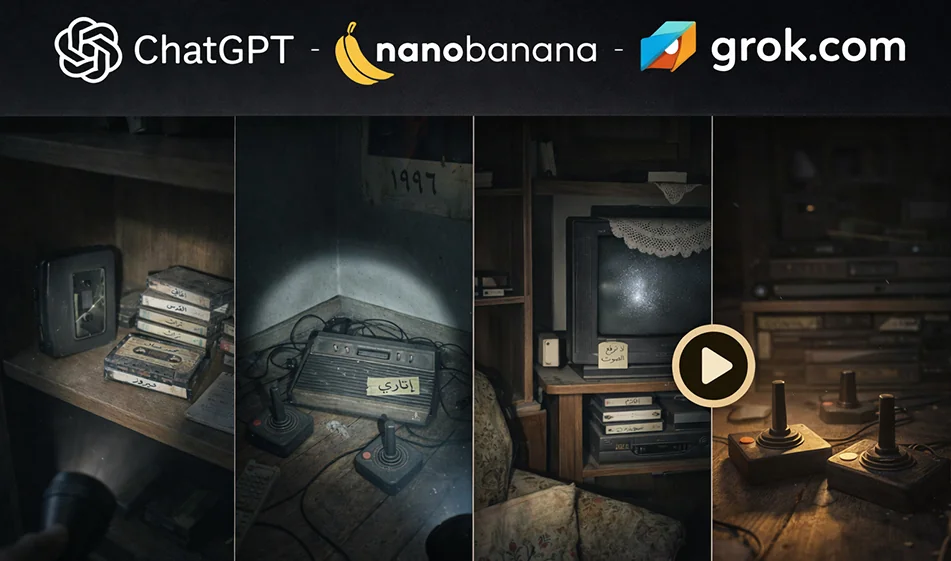
Compass tip: The "vintage" trend from zero to cinematic video in minutes (ChatGPT + NanoBanana + Grok)
- What is the old things trend? And why is it spreading?
- The idea is simple: take an old object (radio, film camera, school notebook, old toy...) and turn it into a short visual story filled with nostalgia and wonder.
- People love this trend because it combines: memories + visual transformation + a quick story.
✅ Workflow (3 tools) in a practical way
1) Chat GPT: Writes the story for you and prepares the prompts
- What do you ask it to do?
- It writes 6 sequential scenesfor you (each scene is one or two sentences).
- It establishes the visual style (cinematic, noir, warm, vintage, etc.).
- It writes a ready-made prompt for each scene for you to paste into NanoBananas.
- Ready-made request template for ChatGPT (copy as is):
- "I want a trend of old things about (name of object). Write me 6 consecutive scenes for a 9:16 vertical video.
- Write a separate prompt for each scene to generate a realistic cinematic image.
- Keep the location, lighting, and angle as consistent as possible.
- No text inside the image, no logos, no watermarks.
- Make each scene clear and lead into the next scene.
2) Nano Banana: Generating “still scenes” in the same style
- How do you succeed here?
- Use a fixed style template that yourepeat in every scene, changing only the "scene description."
- The goal: All images look like they are from the same movie.
- Fixed style template for Nano Banana (place it at the beginning of each scene):
- “Cinematic realistic, nostalgic old objects trend, warm moody lighting, shallow depth of field, film grain, dust particles, soft shadows, high detail, vertical 9:16, no text, no logo, no watermark.”
- Then write the scene description (from ChatGPT) such as:
- “Old radio on a wooden table covered with dust, close-up, morning light through window.”
- Then for the next scene: “A hand gently wipes dust, tiny particles floating, same table, same angle.”
3) Grok: Move the scenes and convert them to video
- It is best to animate each scene for 2–4 seconds and then merge them.
- Ask for very simple movement:
- Push-in (slow approach)
- Lightparallax (simple depth)
- Noshake
- Prompt Ready to go (copy as is):
- “Animate this image into a 3–4 second vertical 9:16 cinematic shot.
- Very smooth slow camera push-in, subtle parallax, stable frame, no jitter.
- Keep the object shape unchanged, keep lighting consistent, realistic motion only.
- No text, no logo, no distortion.”
Quick example of a ready-made scenario (purpose: old movie camera)
- Scene 1: Old camera on a wooden table, dust visible.
- Scene 2: A hand slowly opens the cover, dust particles fly.
- Scene 3: A slight glimmer on the lens as if it has "woken up."
- Scene 4: Warm light reflecting on the lens, suggesting memories.
- Scene 5: Close-up of details (buttons and scratches).
- Scene 6: Final "Hero Shot " of the object as if it were a museum piece.
Common mistakes that reduce the quality of the trend
- Changing the lighting and background between scenes (appears as if they are separate photos).
- Requesting too much movement (causes distortion of the object).
- Writing text inside the image (appears unstable).
- Not fixing the angle (loses the sense of stop motion/sequence).
⭐ Golden Compass Tip
- Make each video a "single idea": one object + one transformation + one strong ending.
- Repeat the same template on 10 different purposes, and you will get a ready-to-publish trend series.
For more AI tools: bosala.ai