Advivi: An AI-powered tool for creating professional video and image ads from a single product photo
· 4 min read
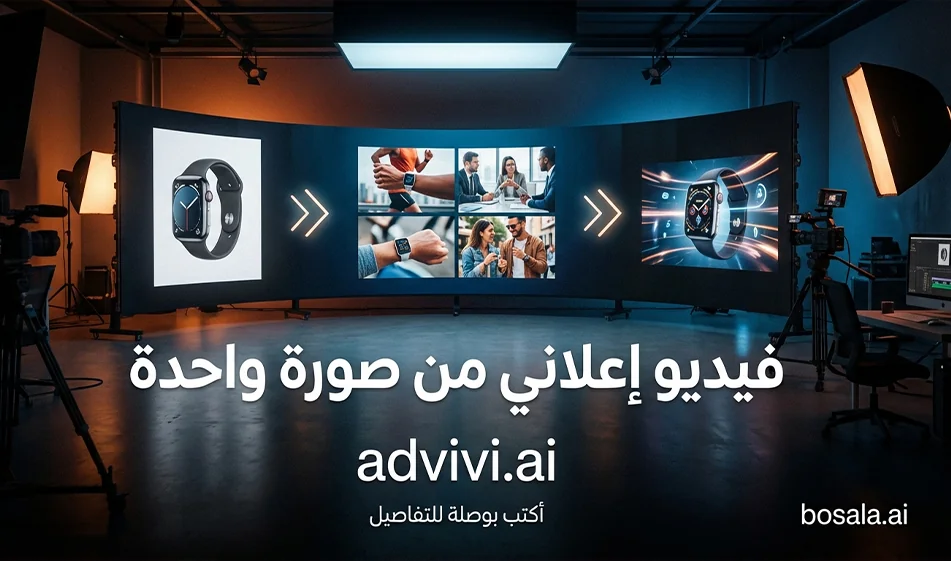
Advivi :AnAI-poweredtoolfor creating professional video and image ads from a single product photo
Tool link: https://www.advivi.ai/
If you want an ad ready for publication without filming or complicated editing, the Advivi toolworks with a simple and practical approach:
Upload the product image and enter its name, and the tool automatically generates a series of ad stills. It then animates these stills and transforms them into videos with creative movements and transitions. Finally, the tool provides editing options—such as rearranging the clips, adding music, and adjusting the tempo—before exporting.
What exactly does the tool do?
The tool typically goes through three distinct stages
Stage 1: Generating ad image frames
After uploading a product image and entering its name, the tool analyzes the shape and colors and generates multiple shots, such as
A hero shot of the product in the center
A close-up shot showing the texture and shine
An environmental or mood shot, such as a studio background or a trendy backdrop
A final display shot suitable for advertising
Step 2: Automatically animate the images
Instead of leaving the shots as static images, the tool automatically animates them using
a smooth zoom
gentle panning
Camera pan
Quick or cinematic transitions
light effects such as glows, particles, or reflections
Stage 3: In-App Editing
After generating and animating your shots, you can
select only the shots you want
Arrange them as an opening scene, followed by a feature shot, then a hero shot
Shorten the duration of each shot
Adjust the transition speed
add music or choose a suitable beat
Apply practical tips
Example: A Coke commercial made from a single image
This category of products works very well with this type of tool because the packaging is clear and easy to position
How we implemented it in the best way
We uploaded a high-quality image of the product
We included only the product name
We let the tool generate several shots
We selected the 4 best shots
Then we let the tool automatically arrange them
After that, we arranged them within the tool as follows
2 seconds of an eye-catching opening:
4 seconds of the product and its movement
2 seconds of a static final shot of the protagonist
The best way to quickly create a powerful ad
This method gives you results close to an agency-produced ad in a short amount of time
1. Don’t create a long ad from the start
Start with just 8 to 12 seconds
2. Produce only 3 versions for the campaign
A clean studio version
A dark, luxurious version
A colorful, trendy version
Then publish the best one and don’t confuse your audience with ten versions
3. Do not include Arabic text in the design
Place the ad without text
Then write the name, description, and price later in clear Arabic font within Canva or any editor
4. Stick to just one idea
One feature and one offer
Because clutter reduces viewer retention
Compass criteria for judging the quality of your ad
Before publishing the video, check these points
Product and label consistency
No distortion of the logo or text on the packaging
Smoothness of motion
No annoying shaking or jerky movement
Lighting stability
No flickering or sudden color changes
Clean background
The background does not distract from the product
Strength of the final shot
The final second must be a clear and steady shot of the subject
Free Use and How to Make Smart Use of It
The tool often offers a free trial or free credit when you first start using it
It’s best to take full advantage of this free offer
Start with just one project
Choose a single, clear product, such as a beverage, perfume, or a box
Create an 8- to 10-second ad
Don’t create too many versions in your first attempt
Just two versions, then choose the best one
If the result is good, move on to the second product
If the result is weak, change just one element
such as reducing movement or simplifying the background
Pricing in general and how to understand it quickly
These tools usually offer two types of plans
A credit-based system
Each generation consumes credits
The longer the video, the higher the quality, or the more copies you generate, the more credit is consumed
This is suitable if you produce ads sporadically or run monthly campaigns
Monthly subscription
The user pays monthly for a higher number of renders, higher quality, or faster export
This is suitable if you produce content daily or work for multiple clients
Bousla’s tip for choosing the right plan without wasting money
Don’t pay until you’ve tested the tool’s effectiveness on 3 different products you have
If it works easily with three products, it will work with the rest
At that point, a subscription makes sense
Common Mistakes and How to Avoid Them
Overcrowded Shots
Stick to just four to six shots
Exaggerated movements
Ask for smooth, slow camera movement
Distracting, busy backgrounds
Ask for a clean background or a simple studio
Arabic text in the render appears with errors
Make the video text-free and add the Arabic text later
Summary
Advivi is perfect for anyone who wants to quickly create professional video ads and images from a single photo
Its strength lies in automatically generating multiple clips, then animating and converting them into a video within the same tool with simple editing
Start with the free trial using a short clip and just two versions
Then decide on a subscription or credit plan based on your weekly output
For more AI tools, visit bosala.ai
About Advivi
- Generates video ads from a product link or idea through a chat interface
- Optimizes content for TikTok, Instagram, Shopify and Amazon
- Creates ready-to-run ads with transitions, trending aesthetics and CTAs
- Formats videos vertically for Reels and TikTok and also outputs widescreen
- Pulls product page data from Shopify and Amazon without manual entry
- Lets you set target audience and tone, then refine or export to your ad manager
Related Tips
- A video prompt that gives you the feel of GTA with an Arabic twist
- 2 million free tokens to create videos! on Seedance
- How to Create a Series of Educational Videos Using ChatGPT, PixVerse, and Nabat?
- An Explanation of GeminiGen AI for Creating Videos and Images for Children
- A brief overview of Vidu and how to create entertaining animated videos