A comprehensive comparison of Command AI and SupportGuy: Which is better for your productivity?

A comprehensive comparison of Command AI and SupportGuy: Which is better for your productivity?

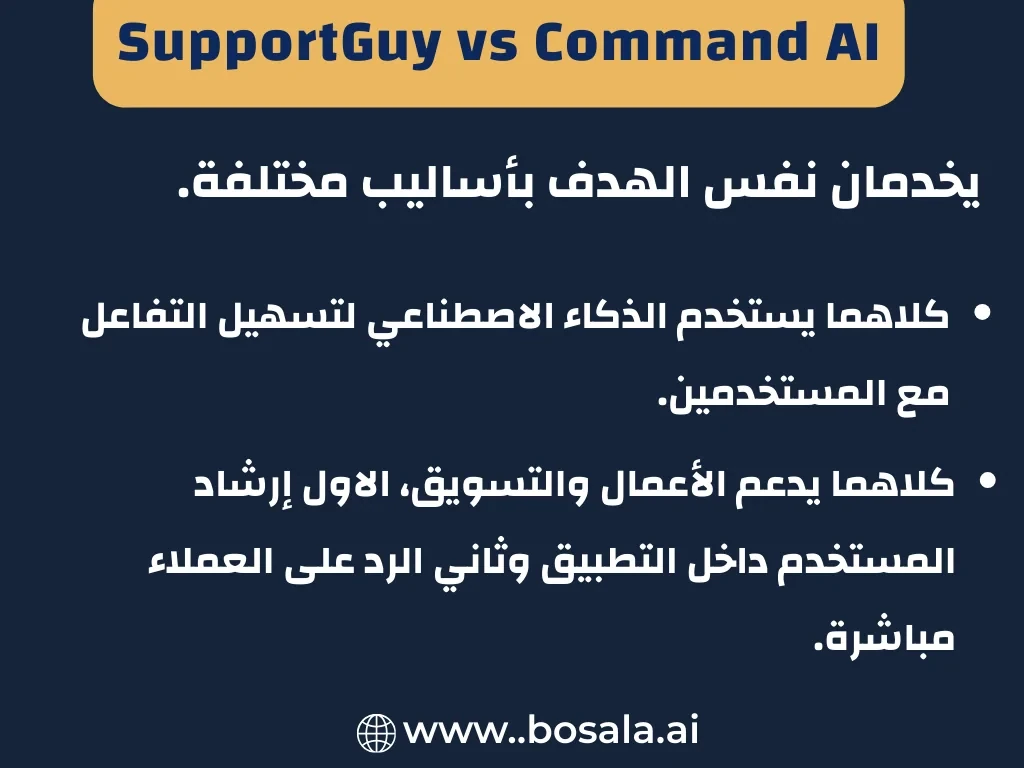
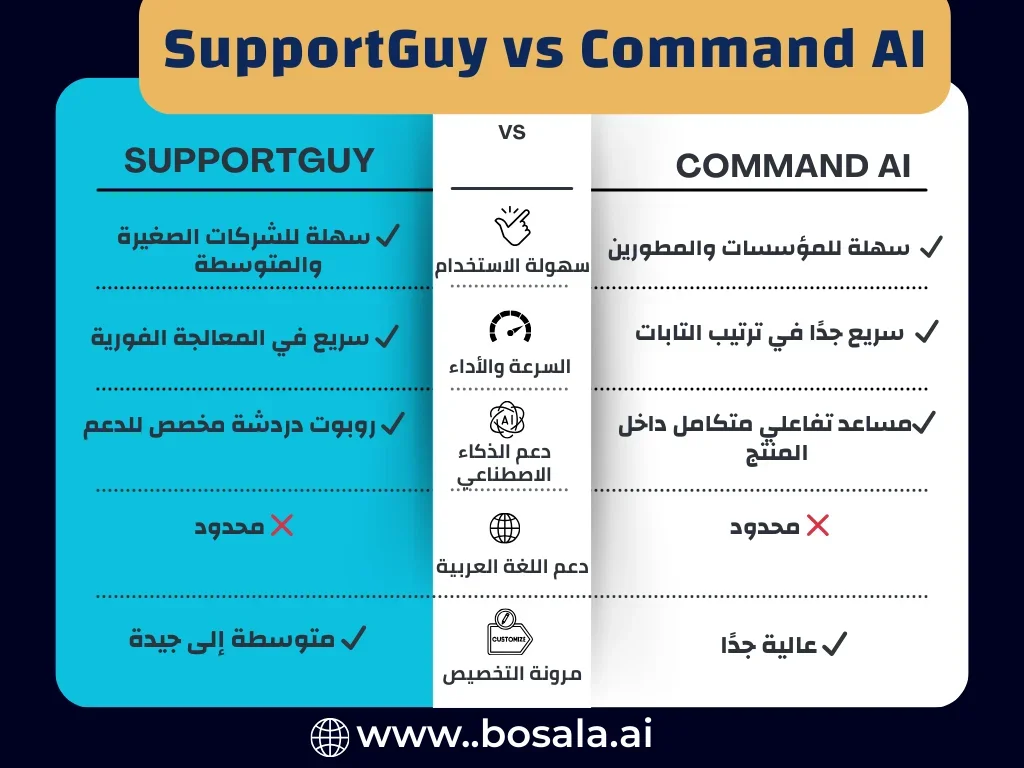
A comprehensive comparison between Command AI and SupportGuy shows the differences in AI, productivity, support, customization, and integration to determine which tool is best suited for each company.


Image Gallery
A comprehensive comparison of Command AI and SupportGuy: Which is better for your productivity? - Image 1A comprehensive comparison of Command AI and SupportGuy: Which is better for your productivity? - Image 2A comprehensive comparison of Command AI and SupportGuy: Which is better for your productivity? - Image 3A comprehensive comparison of Command AI and SupportGuy: Which is better for your productivity? - Image 4A comprehensive comparison of Command AI and SupportGuy: Which is better for your productivity? - Image 5
August 14, 2025 04:50 PM GMT
About SupportGuy

🖼️ Tool Name:
SupportGuy

🔖 Tool Category:
AI-powered customer support assistant; falls under Smart Assistant, Productivity & Automation, and Business & Marketing.

✏️ What does this tool offer?
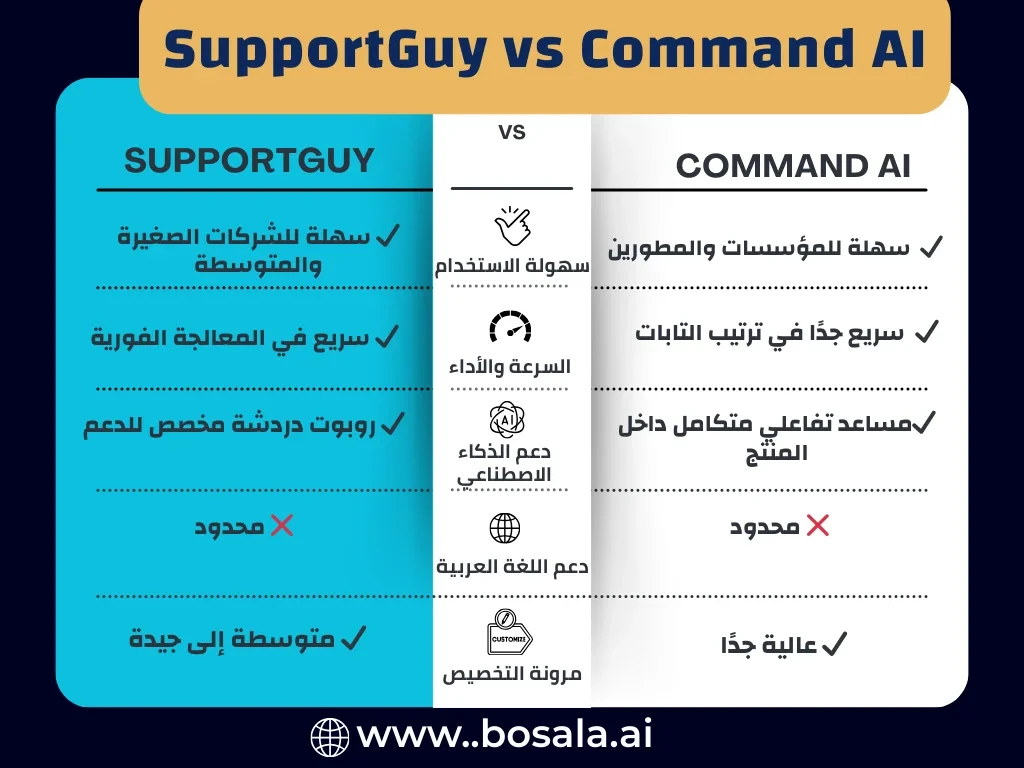
SupportGuy is an AI chatbot platform—mostly delivered via Google Colab or GitHub—that enables businesses to provide 24/7 customer support using ChatGPT technology. It can be embedded into websites, Slack channels, or used as a standalone tool. The bot is customizable with your knowledge base (web pages, FAQs, documentation) and includes knowledge management, analytics, and reporting features.

⭐ What does the tool actually deliver based on user experience?

  • Provides instant, personalized customer support around the clock, increasing efficiency by handling multiple conversations simultaneously.

  • Easy integration into websites with customizable branding to match your business style.

  • Knowledge base training: Supports FAQs, documents, and web pages as sources to train the bot to give accurate responses.

  • Includes analytics and reporting tools to monitor performance and optimize support workflows

  • Also deployable as a Slack bot—quickly searchable with a simple slash command like /supportguy.

🤖 Does it include automation?
Yes — SupportGuy automates:

  • Multi-conversation handling and 24/7 support capability.

  • Response generation based on your knowledge sources.

  • Embedding via simple code or Slack integration for quick deployment.

💰 Pricing Model:
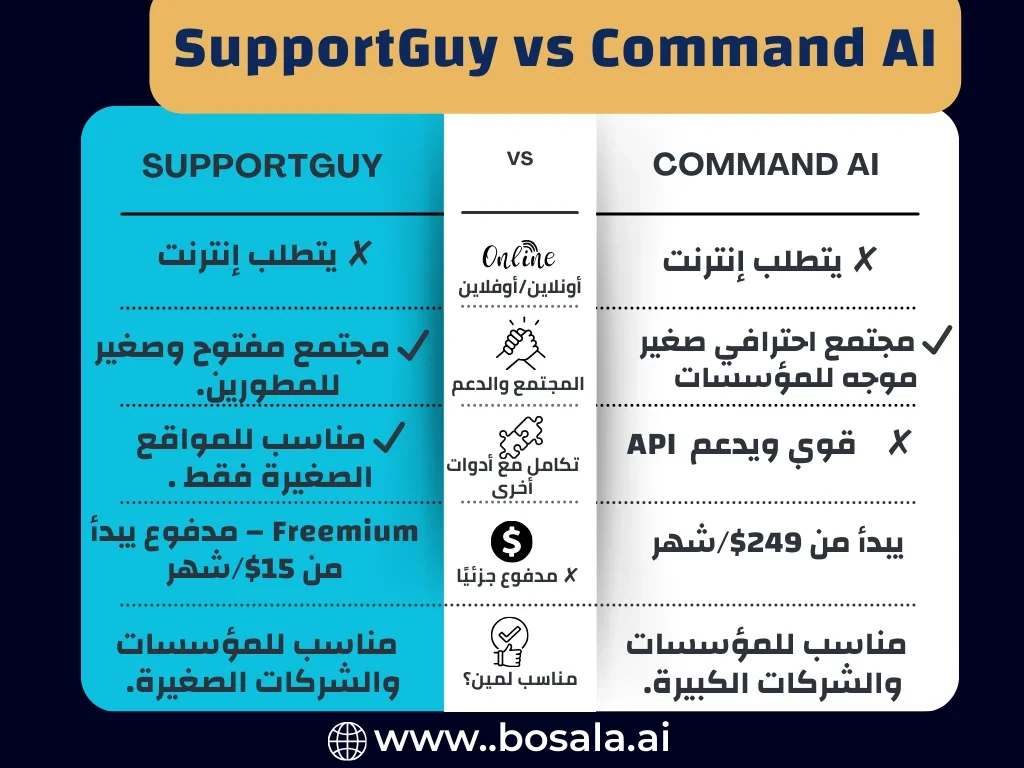
Freemium-based entry, leveraging free trial availability. Paid plans start from approximately $15/month, scaling based on usage and features.

🆓 Free Plan Details:

  • Offers a free version or trial, especially useful for testing the AI chatbot quickly.

💳 Paid Plan Details:

  • Paid tiers start around $15/month for basic support setup.

  • Premium plans typically include features like multiple chatbots, increased message capacity, additional document uploads, priority support, and removal of branding.

🧭 Access Method:

  • Delivered through Google Colab or GitHub—you run the code to deploy the chatbot; this is not a traditional SaaS.

  • Alternatively, embed the bot on your website or use it within Slack.

🔗 Experience Links:

https://www.supportguy.co

About CommandBar

🖼️ Tool Name:
CommandBar (now Command AI, formerly known as CommandBar)

🔖 Tool Category:
AI-powered in-app user assistance platform; falls under Smart Assistant, Productivity & Automation, and Business & Marketing.

✏️ What does this tool offer?
CommandBar (Command AI) embeds an intelligent, non-intrusive AI assistant—called Copilot—into your software. It enhances user experience through natural-language interaction, self-guided onboarding, proactive nudges, help search, and co-browsing capabilities (where the assistant can guide users through tasks visually). This makes complex tools easier to use and boosts product adoption and engagement. 

⭐ What does the tool actually deliver based on user experience?

  • Copilot: An AI chat assistant trained on your documentation that helps users navigate your product, find features, and complete tasks.

  • Spotlight search: A universal search bar to quickly locate features or information inside the product.

  • Nudges, product tours, checklists, and in-app surveys: Contextual, user-friendly guidance that surfaces at the right moment—without annoying pop-ups.

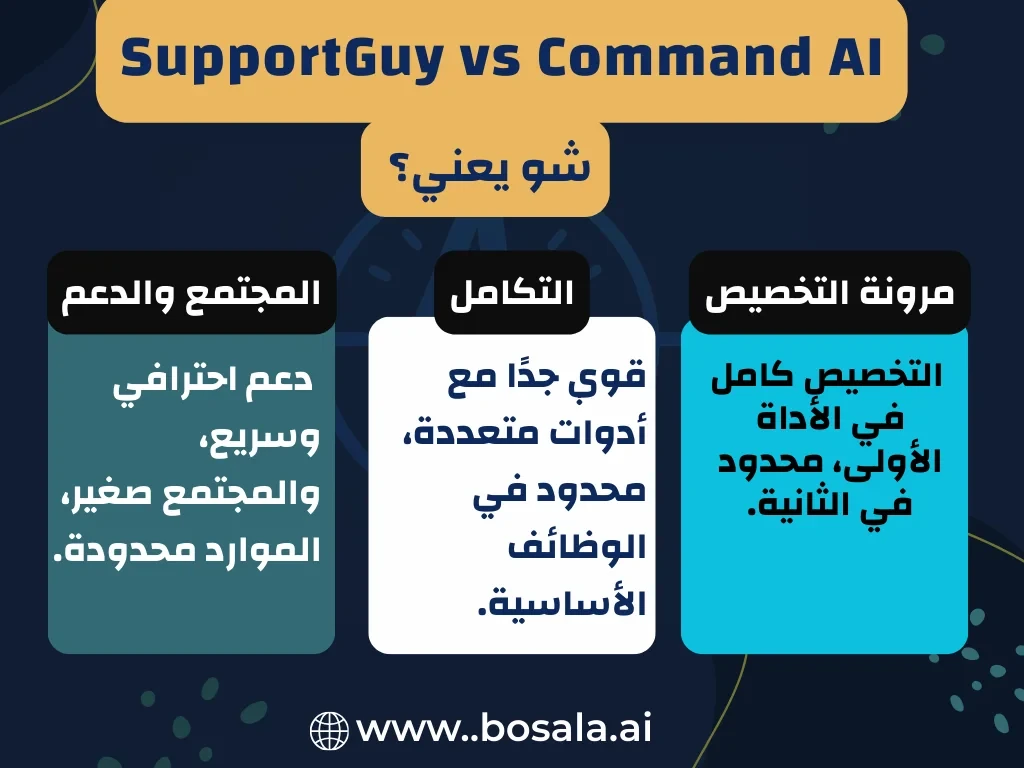
  • API integrations & co-browsing: Copilot can trigger multi-step actions, call APIs, or walk users through tasks visually.

🤖 Does it include automation?
Yes — Command AI automates:

  • Help delivery via natural-language chat and guided tours.

  • Personalized nudges based on user behavior rather than rigid rules.

  • Real-time execution of actions or navigation on behalf of the user.

💰 Pricing Model:
Tiered subscription pricing designed for enterprise use — starting from around $249/month.

🆓 Free Plan Details:
No free tier; however, free trials or demos may be available upon request for evaluation.

💳 Paid Plan Details:
Plans include features such as Copilot, nudges, integration access, analytics, and scalability for product-led teams. Specific tiers are enterprise-focused and customizable.

🧭 Access Method:

Accessible via an embeddable widget or script snippet, that integrates into web, mobile, or desktop applications. Configuration and deployment are managed through its dashboard.

🔗 Experience Links:

https://command.ai
Related Tips

No related tips found.