Description

️ Tool Name: 🖼
Recast

Categories: 🔖

  • Social Media Templates and Video Editing Automation
  • Video, Editing, and Motion Graphics
  • Video Summarization and Clips
  • Content Writing and Scripting
  • Content Management and Publishing
  • Content Calendars and Scheduling
  • Cross-platform publishing and collaboration
  • Text-to-Speech / Speech-to-Text

️ What does this tool offer? ✏
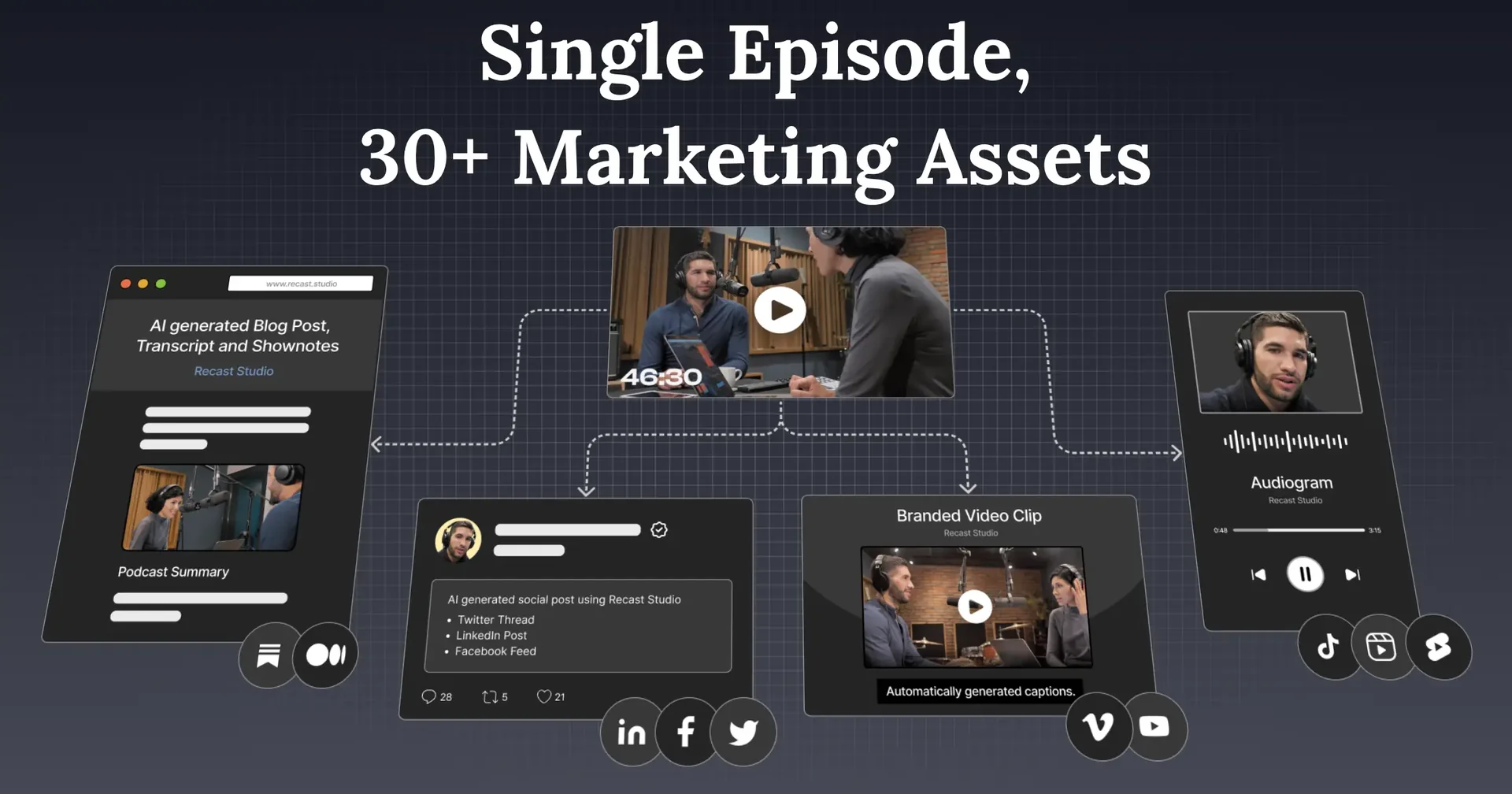
Recast is an AI-powered platform for editing and repurposing video content, designed for marketing teams and content creators. It allows you to convert webinars, podcasts, interviews, and long Zoom recordings into short clips ready for publication on TikTok, Instagram, YouTube, Facebook, LinkedIn, and X, with the ability to publish or schedule content directly from within the platform. Recast – Official Website

The platform can also generate text-based content from recordings, such as episode notes, blog posts, LinkedIn posts, and email marketing copy.

Recast relies on text-based editing,where users can select the text they want to keep or delete, while the platform automatically trims the video and synchronizes the subtitles. It also offers features to discover the best moments, add subtitles and comments, remove filler words and long pauses, and automatically reframe the video to focus on people and key scenes.

The platform also allows users to add logos, text overlays, music, and B-rollfootage ,as well as voice-overs in more than 20 languages. It also provides a collaborative workspace that enables teams to share projects, add notes, and collaborate on content.

Recast includes a suite of specialized tools, including a short-form video generator, a podcast summarizer, an Audiogramgenerator, a subtitle generator, a podcast-to-article or video converter, and tools for creating YouTube videos and podcasts. Recast – Official Website

What does it actually offer based on user experience? ⭐

  • Convert long videos into short clips ready for publishing.
  • Automatically discover the best moments using artificial intelligence.
  • Edit videos by modifying the text instead of traditional frame-by-frame editing.
  • Removes filler words and long pauses.
  • Automatically add subtitles and captions.
  • Reframe the video to focus on people and important scenes.
  • Add logos, text, music, and B-roll footage.
  • Create episode notes, blog posts, LinkedIn posts, and email scripts from recordings.
  • Publish or schedule content directly to social media platforms.
  • Support for audio transcription in over 20 languages.
  • Provide a workspace for team members to collaborate, share projects, and add notes.
  • Specialized tools for creating short clips, Audiograms, subtitles, YouTube content, and podcasts.

Does it include automation? 🤖
Yes. Recast relies primarily on automation and artificial intelligence to speed up the video repurposing process. After uploading a recording, the platform can detect the best clips, remove filler words and pauses, reframe the video, add subtitles, and sync them with the content. Content can also be published or scheduled directly from the platform, reducing the need to perform these steps manually on each platform.

Pricing Model: 💰
Freemium — Recast offers a free trial, along with paid plans with monthly subscriptions and discounted rates for annual payments. Recast’s official pricing page

🆓 Free Plan Details:

FeatureDetails
Price$0
Credit60 one-time credits
Credit CalculationEach credit equals one minute of uploaded video
UploadUp to 5 minutes of video per month
Maximum Export1 minute per exported video
Audio TranscriptionOver 20 languages

Paid plan details: 💳

PlanPriceCreditVideo exportMaximum per Video
Starter$14 per month when billed annually — $170 per year1,800 credits300 minutes per month15 minutes
Professional$26 per month when billed annually — $310 per year4,320 credits600 minutes per month60 minutes

Paid plans include AI features such as a clip generator, automatic video reframing, and filler word removal,with voice transcription support for over 20 languages.

How to access the tool: 🧭

How to accessStatus
WebAvailable
AppNot specified
APINot specified
Add-onNot specified

Link to the demo or official website: 🔗

Recast – Official Website

Official Recast prices


Pricing Details

As for pricing, Recast currently offers a free trial at $0 that includes 60 one-time credits, with each credit equaling one minute of uploaded video. The plan allows you to export up to 5 minutes of video per month, with a maximum of one minute per exported video. The Starter plan costs $14 per month when billed annually—$170 per year—with a 16% discount, and provides 1,800 credits granted in full at the start of the billing cycle, in addition to the ability to export 300 minutes of video per month, with a maximum of 15 minutes per video. The Professional plan costs $26 per month when billed annually—$310 per year—with a discount of up to 30%, and provides 4,320 credits according to the table shown, with the ability to export 600 minutes of video per month, up to a maximum of 60 minutes per video. All plans include support for audio transcription in over 20 languages, while paid plans include AI features such as a clip generator, automatic video reframing, and the removal of filler words and silences.