Description
️ Tool Name: 🖼
Transkribieren
Categories: 🔖
Text and Images to Video
Text to Speech / Speech to Text
Meeting Summaries and Notes
Summaries, Headings, and Ideas
Motion graphics, captions, and subtitles
Education and Research
️ What does this tool offer? ✏
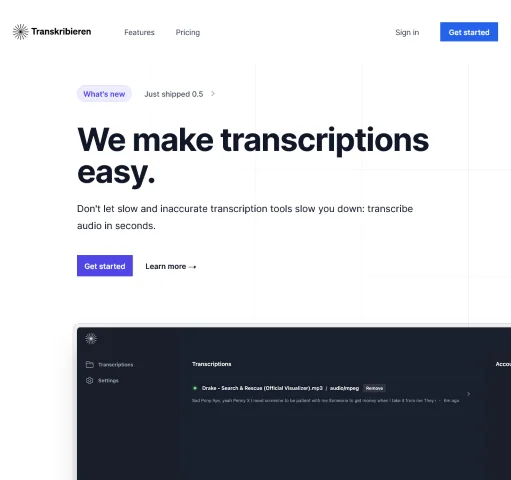
Transkribieren is an integrated, AI-powered workspace that combines multiple tools for transcribing audio and video and converting content to text, with the goal of simplifying the processing of audio and video files and streamlining workflows.
The platform allows you to convert audio files to text, including MP3, WAV, M4A, FLAC, OGG, and AACformats, and supports converting video files to text, including MP4, MOV, AVI, MKV, and WebM.
It also allows you to transcribe YouTube clips directly by entering the link, as well as create subtitles in SRT and VTT formats.
Transkribieren provides tools for transcribing interviews, with the ability to automatically identify speakers and distinguish each speaker’s speech, as well as using artificial intelligence to generate summaries.
The platform supports over 99 languages with automatic language detection and allows you to export transcripts and results in multiple formats, including Word, PDF, SRT, VTT, TXT, JSON, and HTML.
The platform combines importing, transcribing, analyzing, and exporting into a single workspace.
Regarding privacy and security, Transkribieren states that it does not retain user data or use it to train AI models, either on its own or through third-party AI providers. It also notes its compliance with GDPR and CCPAstandards, the use of AES-256 encryption at rest andTLS 1.2 or later during data transmission, as well as its SOC 2 Type 2 certification and annual penetration testing. (Confirmed based on the information provided)
What does it actually offer based on user experience? ⭐
- Converting audio files to text.
- Converting video files to text.
- Transcribing YouTube clips via a link.
- Creating subtitles in SRT and VTT formats.
- Transcribing interviews.
- Automatically recognize and identify speakers.
- Generate summaries using artificial intelligence.
- Support for over 99 languages with automatic language detection.
- Export results to Word, PDF, SRT, VTT, TXT, JSON, and HTML.
- Combines transcription, import, analysis, and export tools into a single workspace.
- Free plan available to try out the transcription capabilities.
Does it include automation? 🤖
Yes. Transkribieren uses artificial intelligence to automate audio and video-to-text conversion, speaker recognition, summary generation, and content analysis.
Its paid plans also include AI Actions, chat, and image generation, allowing you to process imported content and use it for additional tasks within the workspace. (Confirmed based on the information provided)
Pricing Model: 💰
Freemium / Paid Subscription — Transkribieren offers a free plan, along with two paid plans: Ascentand Summit. The platform also allows users to choose between monthly or annual billing through the pricing settings. (Confirmed based on the information provided)
🆓 Free Plan Details:
| Feature | Discover |
|---|---|
| Price | €0 per month |
| Unloading | One hour of unloading per month |
| Languages | 57 languages |
| Support | Email support |
| Goal | Experience Transkribieren's capabilities in audio transcription |
Paid Plan Details: 💳
| Plan | Price | Features |
| Ascent | €19.90 per month | 20 hours of transcription per month, support for 57 languages, email support, export to Word, AI Actions, text-to-speech, and image generation |
| Summit | €49.90 per month | 100 transcription hours per month, support for 57 languages, email support, export to Word, AI Actions, text-to-speech, and image generation |
According to the information provided, Ascent is the most popular plan, while Summit is aimed at professional users who need a higher transcription capacity.
How to access the tool: 🧭
| Access Method | Availability |
| Web | Available via the Transkribieren platform |
| App | Not mentioned in the provided information |
| API | Not mentioned in the provided information |
| Plugin | Not mentioned in the information provided |
Link to the demo or official website: 🔗