OdysseyGPT
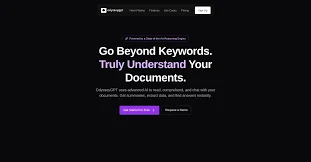
Description
🖼️ Tool Name:
OdysseyGPT
🔖 Tool Category:
AI-powered document analysis & retrieval assistant; falls under the category of Data Preparation & Cleaning, Writing Assistance / Text-to-Text, and Smart Workflows / Productivity Tools.
✏️ What does this tool offer?
OdysseyGPT allows users to upload documents (including PDFs, scanned files, handwritten notes) and instantly ask questions, get summaries, extract insights and work across multiple documents.
Key capabilities include:
Chat with any PDF or document; even supports scanned documents via OCR.
Works across multi-document collections (upload dozens of files, build a “Study Notebook”) so you can keep context and search across them.
Every answer comes with page-level citations linking back to the source document—useful for research, writing, and verification.
Accessible across platforms: Web app + Chrome extension + integrations with Drive, Dropbox, Zotero, mobile apps.
⭐ What does the tool actually deliver based on user experience?
• Users who deal with large amounts of reading (researchers, students, professionals) can save hours by converting hours of reading into minutes of insight thanks to instant Q&A with documents.
• The citation feature adds trust—when you get an answer, you can see exact page references, which improves academic/ professional workflows.
• The tool supports both individual users (students, solo researchers) and teams/enterprises needing to ingest large libraries of documents and make them searchable.
🤖 Does it include automation?
Yes — OdysseyGPT includes automated workflows:
• Automated ingestion and OCR of uploaded documents (including scanned or handwritten materials) to convert into searchable content.
• Automated answer generation when you query the documents: you ask a question, the system finds relevant passages, summarises and responds with citations.
• Automated multi-document management and notebook building—once documents are uploaded, the system maintains context across them so your queries can span the whole set.
💰 Pricing Model:
Freemium + paid tiers. The website mentions a “Lifetime Pro” one-time payment (e.g., ~$59) for power users, along with a free sandbox/trial.
🆓 Free Plan Details:
• A free sandbox version is available without needing to enter a credit card.
• Free plan likely limits number of documents, number of questions, or features (as implied by “Try it free / Limited queries”).
💳 Paid Plan Details:
• “Lifetime Pro” option (~$59 one-time) for advanced features: 1,000 documents/month, 2,000 questions/month, structured data extraction, priority support, API access.
• Team/Enterprise tiers presumably available including Chrome extension, integrations, collaborative features.
🧭 Access Method:
• Web app
• Chrome extension available via the website (as indicated by “Anywhere You Work”).
• Integrations with Google Drive, Dropbox, Zotero, mobile apps are mentioned in the website.
🔗 Experience Link: