الوصف
🖼️ اسم الأداة:
Gladia
🔖 التصنيفات:
- نص الى صوت / صوت الى نص
- تنظيف الصوت ومكساج
- أتمتة ووكلاء ذكية
- تكاملات وواجهات API
- وكلاء محادثة/صوت
- دعم العملاء وإدارة علاقات العملاء
- تلخيص اجتماعات وملاحظات
- البيانات والتحليلات
- قاعدة المعرفة والخدمة الذاتية
✏️ ما الذي تقدّمه هذه الأداة؟
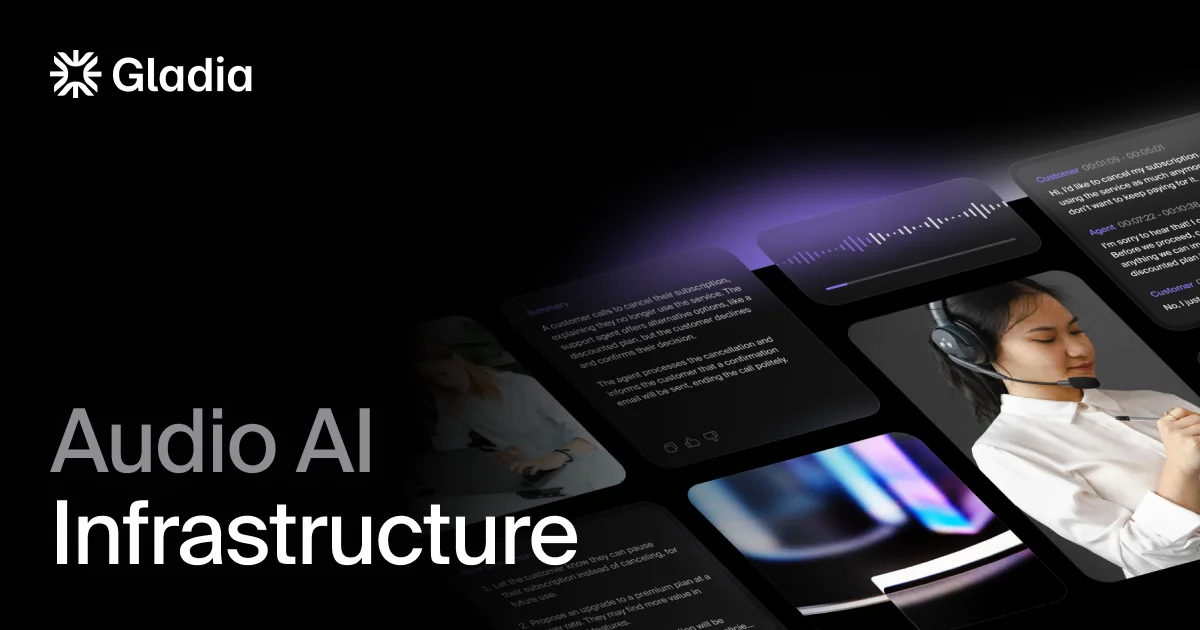
تعتمد Gladia على بنية تحتية صوتية مدعومة بالذكاء الاصطناعي، تتيح للشركات والمطورين تسجيل الصوت والفيديو، وتحويل الكلام إلى نص، ثم إثراء البيانات الصوتية وتحليلها من خلال واجهة API واحدة.
تدعم المنصة البث الصوتي المباشر ورفع الملفات وتسجيل الصوت من الميكروفون، مع دعم صيغ صوتية متعددة، كما توفر أدوات تطوير لـ Python وNode.js وإمكانات للتكامل مع تطبيقات وخدمات أخرى.
وتوفر Gladia قدرات متقدمة لتحويل الكلام إلى نص بأكثر من 100 لغة، مع اكتشاف اللغة والتبديل بينها، والتعرف على المتحدثين، والطوابع الزمنية على مستوى الكلمات. كما توفر طبقة Audio Intelligence لإثراء النصوص الناتجة بقدرات مثل فصل المتحدثين والترجمة وغيرها. وتدعم المنصة كذلك معالجة الصوت الفورية وغير المتزامنة.
ويقدم نموذج Solaria-3 تحسينات في تحويل الكلام إلى نص، وتذكر Gladia تحقيق معدل خطأ في الكلمات WER يبلغ 9.6% على الصوت الإنجليزي الواقعي، مع مكاسب في الإنجليزية والفرنسية والألمانية والإسبانية والإيطالية.
كما تركز Gladia على حماية البيانات والامتثال، وتشير رسميًا إلى دعم GDPR وHIPAA وAICPA SOC 2 Type II وISO 27001. وتوفر للمستخدمين الجدد 50 يورو من الأرصدة المجانية عند التسجيل، وهي أرصدة تمنح مرة واحدة ولا تُعاد شهريًا.
⭐ ما الذي تقدّمه فعليًا بناءً على تجربة المستخدمين؟
- تحويل التسجيلات والملفات الصوتية إلى نص باستخدام المعالجة غير المتزامنة.
- تحويل الكلام إلى نص في الوقت الفعلي للبث الصوتي والتطبيقات الصوتية المباشرة.
- دعم أكثر من 100 لغة.
- اكتشاف اللغة والتبديل التلقائي بينها.
- التعرف على المتحدثين وفصل كلامهم.
- توفير طوابع زمنية على مستوى الكلمات.
- إثراء النصوص الصوتية باستخدام طبقة Audio Intelligence.
- توفير إمكانات مناسبة لمساعدي الاجتماعات ومراكز الاتصال ووكلاء الصوت والمحتوى والإعلام.
- توفير واجهة API موجهة للمطورين لبناء تطبيقات صوتية بالاعتماد على قدرات المنصة.
- إتاحة تجربة المنصة من خلال Playground وتجربة النسخ الفوري وغير المتزامن.
🤖 هل تتضمّن الأتمتة؟
نعم. توفر Gladia إمكانات معالجة صوتية مؤتمتة من خلال واجهات API، بحيث يمكن إرسال الصوت إلى خدمات النسخ والتحليل ومعالجة النتائج برمجيًا. كما توفر المنصة نظام Auto Top-up في نظام الدفع، حيث يمكن إعادة تعبئة رصيد الحساب تلقائيًا عندما ينخفض إلى حد يحدده المستخدم.
💰 نموذج التسعير:
دفع حسب الاستخدام (Pay-as-you-go) قائم على كمية الصوت المعالَجة، مع نظام محفظة أرصدة مسبقة الدفع. توفر Gladia جميع الميزات واللغات الأساسية ضمن الخطط المدفوعة، بينما تعتمد خطة Growth على الالتزام المسبق بحجم استخدام للحصول على أسعار أقل، وتوفر Enterprise تسعيرًا مخصصًا.
🆓 تفاصيل الخطة المجانية:
| البند | التفاصيل |
|---|---|
| الأرصدة المجانية | 50 يورو |
| مدة الأرصدة | لا تنتهي صلاحيتها، وتُمنح مرة واحدة |
| الاستخدام التقريبي | أكثر من 80 ساعة من النسخ المسجل أو أكثر من 60 ساعة من النسخ الفوري وفق الأسعار الحالية |
| طريقة الحصول عليها | التسجيل في Gladia |
| إعادة الضبط | لا يوجد إعادة شهرية للأرصدة |
| بعد استهلاك الأرصدة | يمكن إضافة رصيد أو الانتقال إلى الاستخدام المدفوع |
| التجربة | إمكانية تجربة النسخ غير المتزامن والفوري عبر Playground |
تؤكد Gladia رسميًا أن الأرصدة المجانية البالغة 50 يورو هي منحة لمرة واحدة ولا تُعاد شهريًا.
💳 تفاصيل الخطط المدفوعة:
| الخطة | السعر | المزايا والفروقات |
| Starter | $0.61 / ساعة Async و**$0.75 / ساعة** Real-time | دفع حسب الاستخدام، 30 طلبًا متزامنًا للمعالجة الفورية، 25 طلبًا متزامنًا للمعالجة غير المتزامنة، اكتشاف اللغة والتبديل بينها، Speaker Diarization، أكثر من 100 لغة، GDPR وHIPAA وAICPA SOC 2 Type II، ودعم عبر مركز المساعدة وDiscord. |
| Growth | يبدأ من $0.20 / ساعة Async و**$0.25 / ساعة** Real-time | جميع مزايا Starter، طلبات متزامنة مرنة، خصومات مخصصة حسب حجم الاستخدام، إلغاء تلقائي لاستخدام البيانات في تدريب النماذج، أولوية في طابور المعالجة، وضمان تشغيل 99.9%. |
| Enterprise | تسعير مخصص | جميع مزايا Growth، طلبات متزامنة غير محدودة، إلغاء استخدام البيانات في تدريب النماذج افتراضيًا، Zero Data Retention، SLA، دعم مميز عبر Slack مخصص ومدير حساب، استضافة مخصصة، بنية تحتية مخصصة، وإمكانات توسع غير محدودة. |
تؤكد صفحة التسعير الرسمية الأسعار الحالية لـ Starter وGrowth، كما تؤكد أن Enterprise تعتمد على تسعير مخصص. وتوضح المقارنة الرسمية أن النسخ غير المتزامن والفوري، وفصل المتحدثين، ودعم أكثر من 100 لغة والطوابع الزمنية على مستوى الكلمات متاحة في الخطط الثلاث، بينما يبلغ ضمان التشغيل 99.9% في Growth وEnterprise فقط.
🧭 طريقة الوصول إلى الأداة:
| طريقة الوصول | التفاصيل |
| API | الواجهة الأساسية لدمج قدرات Gladia الصوتية داخل التطبيقات وسير العمل |
| Playground | متاح لتجربة النسخ الفوري وغير المتزامن |
| أدوات التطوير | دعم Python وNode.js وفق المعلومات المقدمة |
| تكاملات | دعم التكامل مع خدمات وأدوات خارجية وفق الإمكانات المتاحة للمنصة |
| الويب | يمكن التسجيل وإدارة الحساب واستخدام أدوات المطورين عبر منصة Gladia |
🔗 رابط التجربة أو الموقع الرسمي:
Gladia – الموقع الرسمي وصفحة الأسعار