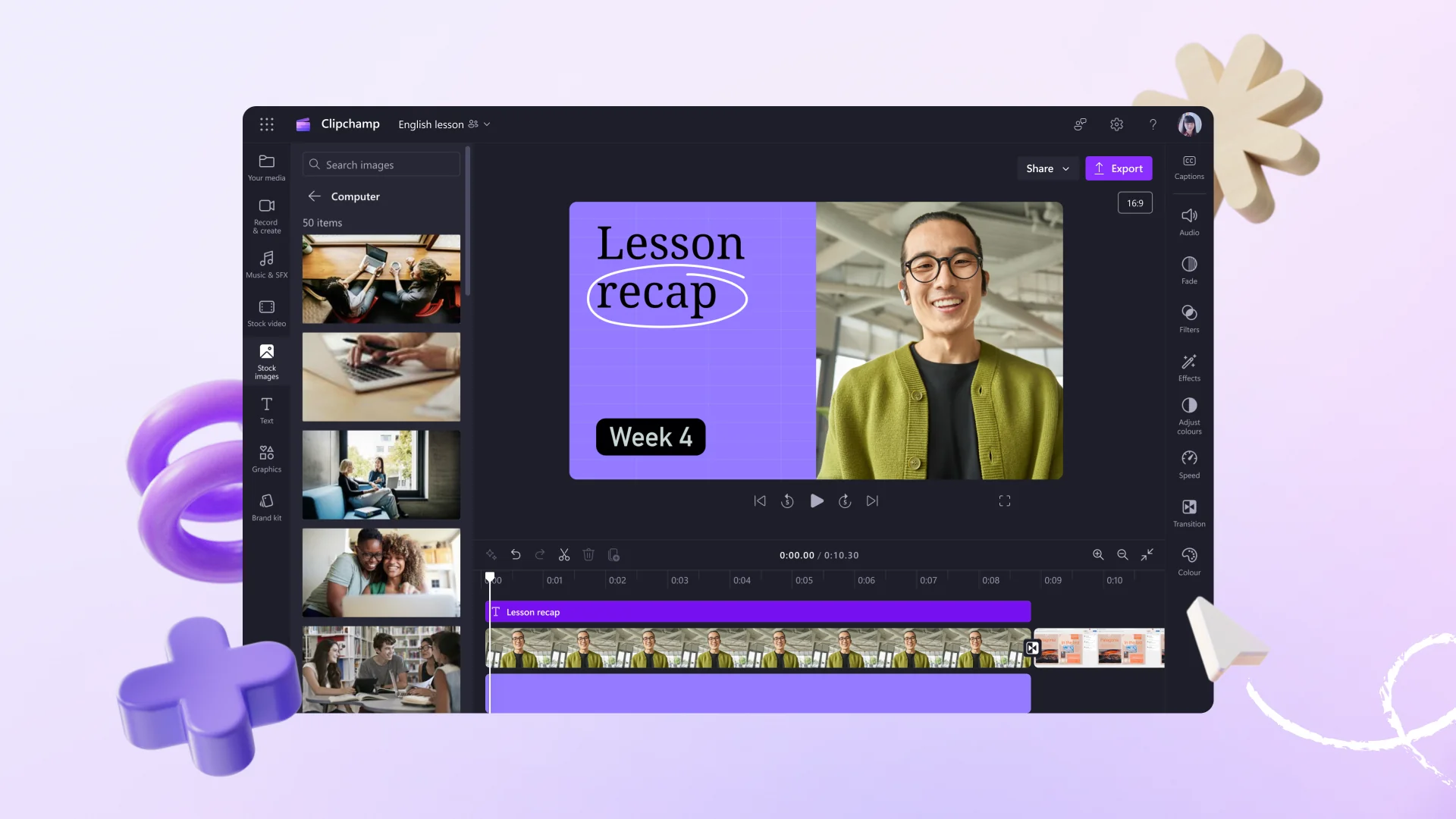
Description

🖼️ Tool Name:
Clipchamp

🔖 Tool Category:
AI-powered online video editor; it falls under the category of Editing, Enhancement & Upscaling and Motion, Titles & Subtitles tools for creators, businesses, and educators.

✏️ What does this tool offer?
Clipchamp, now owned by Microsoft, is a browser-based video editing platform that combines timeline editing, AI tools, stock assets, and text-to-speech generation. It’s designed for both beginners and professionals who want to quickly produce polished videos for social media, marketing, and presentations — without needing complex software installations.

What does the tool actually deliver based on user experience?
• Full timeline editor supporting multi-track audio, transitions, filters, and text overlays
• Built-in AI text-to-speech voiceover generator (multiple voices/languages)
• Smart video templates for YouTube, TikTok, Instagram, and business promos
• Auto-caption and subtitle generation with editable text layer
• Brand Kit feature to maintain consistent fonts, colors, and logos
• Access to Microsoft stock library: footage, music, and sound effects
• Direct export to social platforms or OneDrive integration
• Works entirely in-browser — no downloads or installations required

🤖 Does it include automation?
Yes — Clipchamp uses AI automation for:
Text-to-speech voice generation in 70+ languages and styles
Auto-captions and subtitle creation from spoken audio
Smart templates that adapt to aspect ratios and content types automatically
AI auto-cut and trimming suggestions for pacing and highlights
• One-click color-correction filters and background music sync

💰 Pricing Model:
Freemium + Subscription

🆓 Free Plan Details:
• Free plan includes unlimited exports at 1080p, basic editing tools, text-to-speech, and limited stock assets
• Some premium filters, effects, and stock media are watermarked in the free plan

💳 Paid Plan Details:
Essentials Plan – around $11.99/month (or $119.99/year)
 – Removes watermarks
 – Unlocks premium stock assets, brand kit, and advanced AI tools
• Business & Enterprise tiers available through Microsoft 365 subscriptions

🧭 Access Method:
• Web app via https://www.clipchamp.com
• Integrated with Microsoft 365 and Windows 11 (native video editor)
• Works on Edge, Chrome, and other modern browsers

🔗 Experience Link:

https://www.clipchamp.com

Pricing Details

💰 Pricing Model: Freemium + Subscription 🆓 Free Plan Details: • Free plan includes unlimited exports at 1080p, basic editing tools, text-to-speech, and limited stock assets • Some premium filters, effects, and stock media are watermarked in the free plan 💳 Paid Plan Details: • Essentials Plan – around $11.99/month (or $119.99/year)  – Removes watermarks  – Unlocks premium stock assets, brand kit, and advanced AI tools • Business & Enterprise tiers available through Microsoft 365 subscriptions