️ 🖼Tool Name:
AHelp
🔖 Categories:
- Education and Research
- Content and Text Writing
- Rewriting and Style Improvement
- Abstracts of Papers and Research
- Question Banks and Test Generation
️ ✏What does this tool offer?
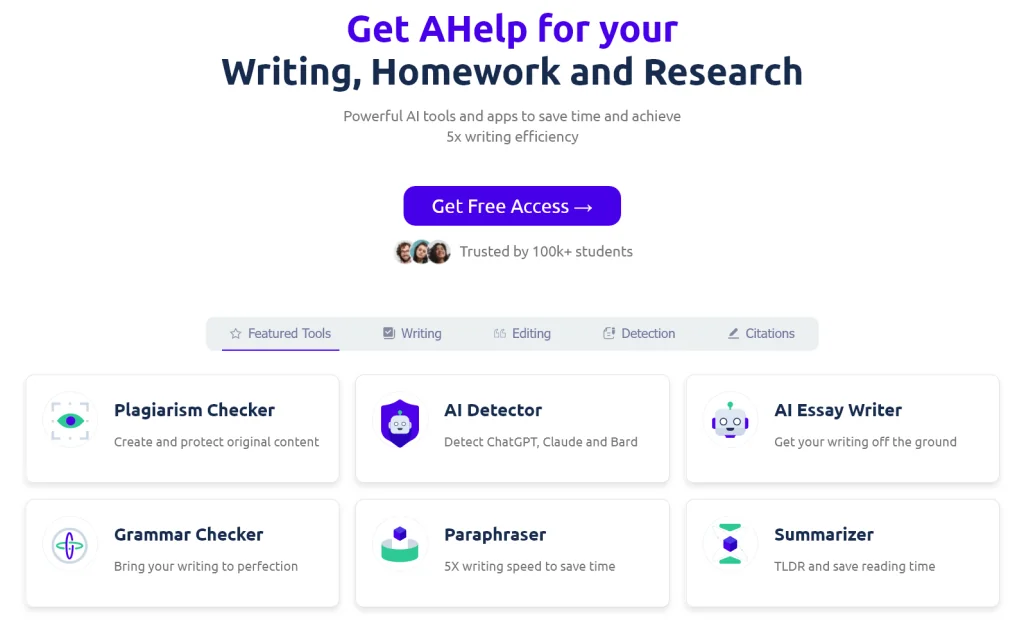
AHelp is a platform featuring a suite of AI tools designed for writing, assignments, and research, aimed at helping users save time and improve their writing and research efficiency. The platform offers more than 30 free tools for writing and studying, including Drafting, Writing, and Editing tools. The Drafting tools help generate ideas, create outlines, and gather sources in one place, while the Writing tools help with writing, rewriting, summarizing, and text processing; and the Editing tools help check grammar, detect plagiarism, review AI-generated content, and make final revisions. The platform includes tools such as Plagiarism Checker, Literature Review Generator, AI Essay Writer, AI Detector, Essay AI Checker, AI to Human Rewriter, Citation Generator, Summarizer, Grammar Checkers, and more, as well as free tools for generating group names, movie titles, and character names, and text-processing tools such as the Cursive Generator, Old English Translator, Word Counter, and Sentence Extender. The platform also provides research and assignment tools backed by a database of over 220 million academic sources. Users can enter an assignment topic or upload their own sources to generate a draft that can be edited, rewritten, and exported as a Word or PDF file. AHelp supports multiple languages and offers extensions for Chrome and Edge browsers. The platform cites marketing metrics including up to 5x writing efficiency, a 66% improvement in writing quality, and a 50% reduction in editing and writing time, along with a commitment to academic standards.
⭐ What does it actually offer based on user experience?
- Generating ideas and outlines, and gathering sources for assignments and research papers.
- Writing, rewriting, expanding, and summarizing articles and texts.
- Summarizing research and content.
- Checking for plagiarism and AI-generated content.
- Proofreading and grammar checking in multiple languages.
- Finding sources and creating citations.
- Generating answers and content for assignments based on academic sources.
- Upload your own sources to get results that are more contextually relevant.
- Edit the generated text directly within the editor using commands to shorten, expand, or rephrase it.
- Export documents in DOCX or PDF format.
- Provide a variety of free tools for creating text, names, titles, and word processing.
- Use the platform’s tools for research, writing, and editing all in one place.
🤖 Does it include automation?
Yes, the platform includes automation for a range of writing, research, and editing tasks, such as generating outlines, gathering sources, creating text, rephrasing, summarizing, proofreading, and checking for plagiarism and AI-generated content. The Homework Helper tool can also generate a draft based on the topic and sources specified by the user, then allow for direct editing and rewriting.
💰 Pricing Model:
Freemium / Monthly subscription / Annual subscription. AHelp offers a free plan, as well as the paid Essential and Productive plans, with monthly pricing and discounted rates for annual billing.
🆓 Free Plan Details:
| Feature | Details |
|---|
| Plan Name | Free |
| Price | $0 per month |
| Credits | 3 Credits per day, replenished every 24 hours |
| Plagiarism Check | Basic Plagcheck |
| AI-powered content detection | Basic AI Detection |
| Text Generation | Standard Text Generation |
| Ads | Ads include |
| Usage | Essential tools to help with homework, writing, and studying |
💳 Paid Plan Details:
| Plan | Price | Features and Differences |
|---|
| Essential | $4.17 per month when billed annually, or $49.95 per year; monthly price is $9.95 | 600 credits per day, Standard Plagcheck, Default AI Detection, Standard Text Generation, ad-free |
| Productive | $8.33 per month when billed annually, or $99.95 per year; monthly price is $19.95 | 6,000 credits per day, unlimited plagiarism checks, unlimited AI content detection, Improved Text Generation, ad-free |
The official pricing page notes that the annual subscription offers a 58% discount, and that prices do not include applicable taxes.
🧭 How to access the tool:
| How to Access | Details |
|---|
| Web | Available via the AHelp platform and the Learning Hub |
| Phone and tablets | Homework Helper tools are available on phones and tablets |
| Chrome | AHelp extension for Chrome |
| Edge | Add AHelp to Microsoft Edge |
🔗 Trial link or official website:
AHelp – Official Website
AHelp Learning Hub – Pricing and Subscriptions