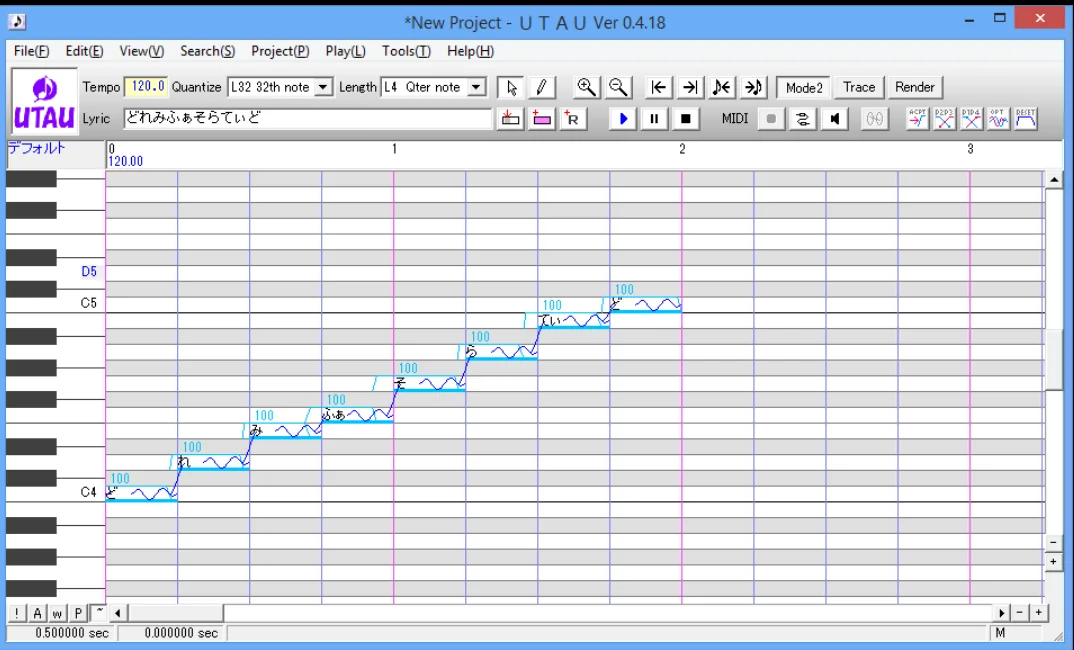
Description

Tool name:
UTAU

Tool category: 🔖

• Music and sound effects generation
• Text-to-speech / speech-to-text
• Entertainment and games

️ What does this tool offer? ✏
The program provides an environment for creating artificial singing by entering lyrics and melody to generate a digital singing voice using sound libraries known as Voicebanks. The program relies on a system that allows you to upload different voices and then use them to sing musical texts within the project.
The user can write lyrics, enter musical notes, and adjust the timing of the singing to obtain a complete song. The program also supports UST files that contain melody and lyrics data, allowing projects to be shared or used with different sound libraries.
The program's structure is based on Japanese characters such as Kanji, Katakana, and Hiragana,so the system needs to support these characters in order to function properly.

What does it actually offer based on user experience? ⭐
According to the program's educational documentation, digital music enthusiasts and audio producers use it to create songs using virtual voices. Users also rely on it to experiment with multiple sound libraries or to create melodies that are played through the program's synthetic voice.

Does it include automation? 🤖
Yes. The program relies on a voice synthesis system that converts text and melody into automated vocal performances using sound libraries. Additional tools such as resamplers and plugins can also be used to improve sound quality and adjust vocal performances.

Pricing model: 💰
The program is available for free to download and use.

🆓 Free plan details:
The program can be downloaded for free from official websites without a subscription fee. The free version includes all basic functions such as creating vocal projects, using sound libraries, editing musical notes, and exporting audio clips.

Paid plan details: 💳
The program does not offer paid plans, as it is provided as free software.

How to access the tool: 🧭
To use the program, you must first adjust the system settings in Windows so that the System Locale is in Japanese so that the program can read the non-Unicode characters used in files and sound libraries.
Then, you can download the program from the official website, unzip the file, run the installation file, and start installing the program on your device.

Trial link or official website: 🔗
https://utau.us/install.html

Pricing Details

TuneLab has a very simple pricing model: the software is available for free to download and use, with no subscription fees. The free version includes all the basic features, such as creating vocal projects, using sound libraries, editing musical notes, and exporting audio clips, allowing users to experience all the basic capabilities of the program without the need for any paid plan, as the program does not offer any paid options and remains completely free.