DataSquirrel
Data cleaning & visualization for insights gained.
Last updated
Features
- Turns CSV and Excel spreadsheets into insights without SQL, formulas or macros
- Cleans errors on upload, including inconsistent dates, empty rows, typos and mismatched data types
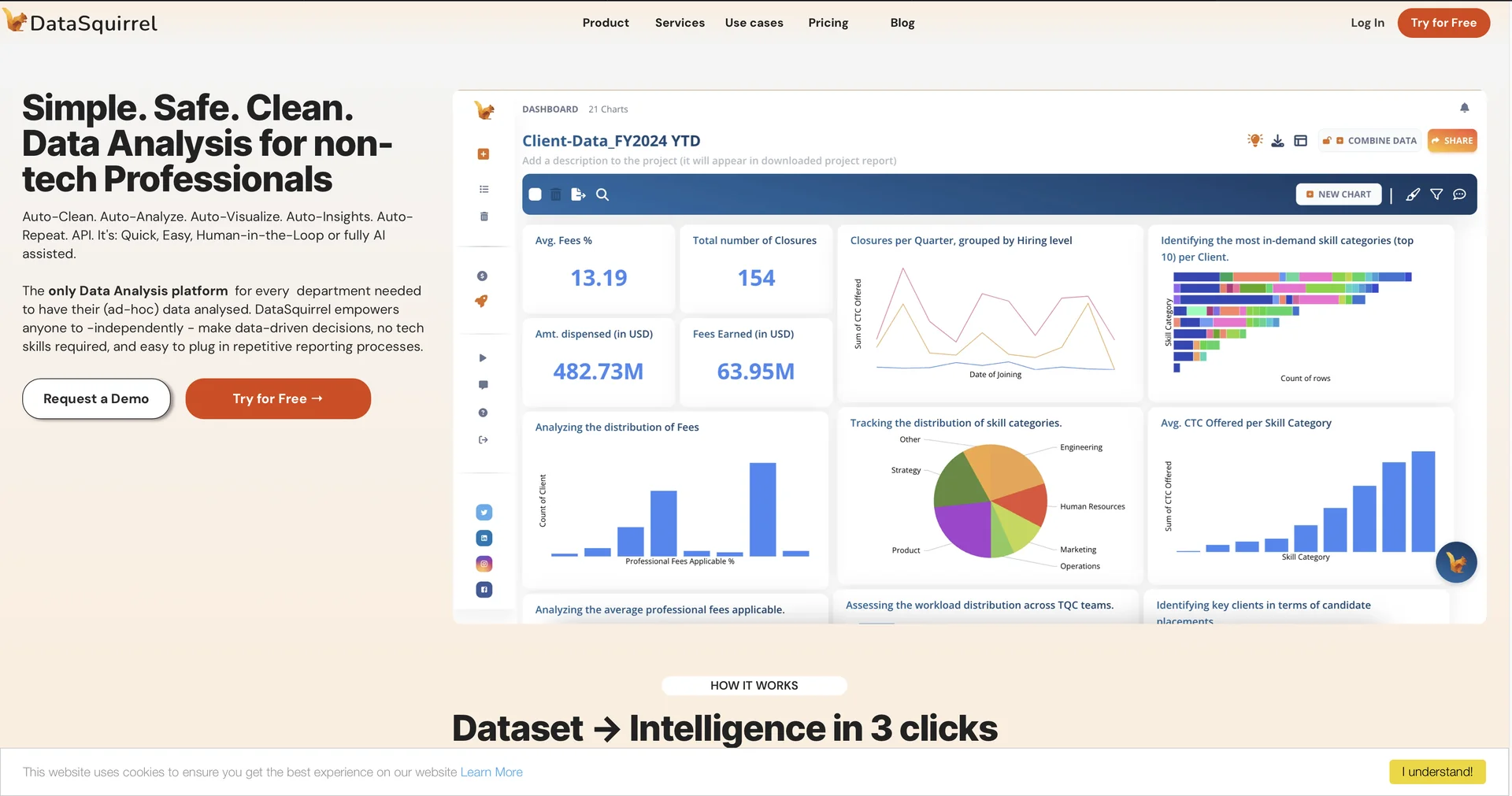
- Generates interactive dashboards, charts and PDF or PPTX summaries
- Answers natural language questions about datasets through the Squirby AI assistant
- Processes data locally with automatic anonymization, without sending raw spreadsheets to public LLMs
- Selects chart layouts automatically and highlights trends and anomalies
- Lets teams annotate charts, share dashboard links without sign-in and export cleaned datasets
Pricing Details
💰 Pricing Model
Item Details: Freemium SaaS Platform / Tiered Monthly & Annual Subscriptions.
General Concept: Operates on a freemium structure providing basic auto-analysis for smaller files, with paid tiers unlocking larger file upload limits, custom chart edits, AI copilot queries, and watermark-free exports.
🆓 Free Access Details
Feature: Free Starter Tier / Web Sandbox.
Details: Users can register for free access to test data auto-cleaning, upload standard datasets (up to ~500 rows / 1 MB file size), and explore AI auto-generated summaries.
Cost: Free ($0).
💳 Subscription Plans (Official Standards)
Upgrading unlocks higher file size limits, unlimited monthly datasets, custom domain/watermark removal, and AI query interactions.
| Subscription Tier | Standard Rate (Annual Discounts Available) | Primary Workspace Scope & Allowances |
|---|---|---|
| 🌱 Free Starter | $0 / month | Up to 1 MB file size, 500 rows per dataset, standard auto-insights, and basic dashboard views. |
| 🚀 Pro Plan | ~$29.00 / month | For active analysts. Up to 10 MB file size, unlimited datasets, full AI-suggested dashboards, smart data cleaning, and CSV/Excel exports. |
| 💼 Pro Plus Plan | ~$99.00 / month | For teams & heavy users. Up to 100 MB file uploads, watermark removal, 1,000 Squirby AI interactions, automated data sync, and priority support. |
Related Tips
- Have you tried researching with AI instead of traditional, cumbersome methods? · Content Management, No-Code Workflows…