Kalakar
Kalakar is an AI-powered tool for generating subtitles and captions for videos, with a special focus on South Asian languages. It supports multiple languages, including Arabic, English, Urdu, Hindi, and Persian. It helps content creators and editors generate automatic subtitles and customize their appearance using ready-made templates, enhance audio quality and remove background noise, and export subtitles in various formats. It also offers plugins for Adobe Premiere Pro and DaVinci Resolve Studio, as well as options for batch video processing and producing files with quality up to 4K, depending on the plan.
- Text-to-Speech / Speech-to-Text
- Audio Cleanup & Mixing
- Video Generation & Editing
- Motion, Titles & Subtitles
- Social Templates & Auto-Editing
Last updated
Features
- Automatically generate subtitles: Convert speech in videos into accompanying text using artificial intelligence.
- Multilingual support: Supported languages include Arabic, English, Hindi, Urdu, Bengali, Tamil, Persian, and others.
- Customizable translation templates: Use pre-made templates and adjust the appearance of the text to match the video's style and visual identity.
- AI-Powered Audio Enhancement: Reduces traffic noise, ambient noise, hissing, and static to improve audio clarity.
- Integration with video editing software: Use plugins within Adobe Premiere Pro and DaVinci Resolve Studio; compatibility requirements vary by version.
- Export subtitle files: Export subtitles in SRT or VTT format, depending on the features available in your plan.
- Exporting via the Alpha Channel: Create outputs with a transparent background to integrate subtitles into editing software, within the Studio plan.
- Batch Processing: Upload and process multiple videos at once, with support for uploading audio files in eligible plans.
- 1. Various export options: Supports resolutions up to 1080p at 30 frames per second or 4K at 60 frames per second, depending on the subscription.
Pricing Details
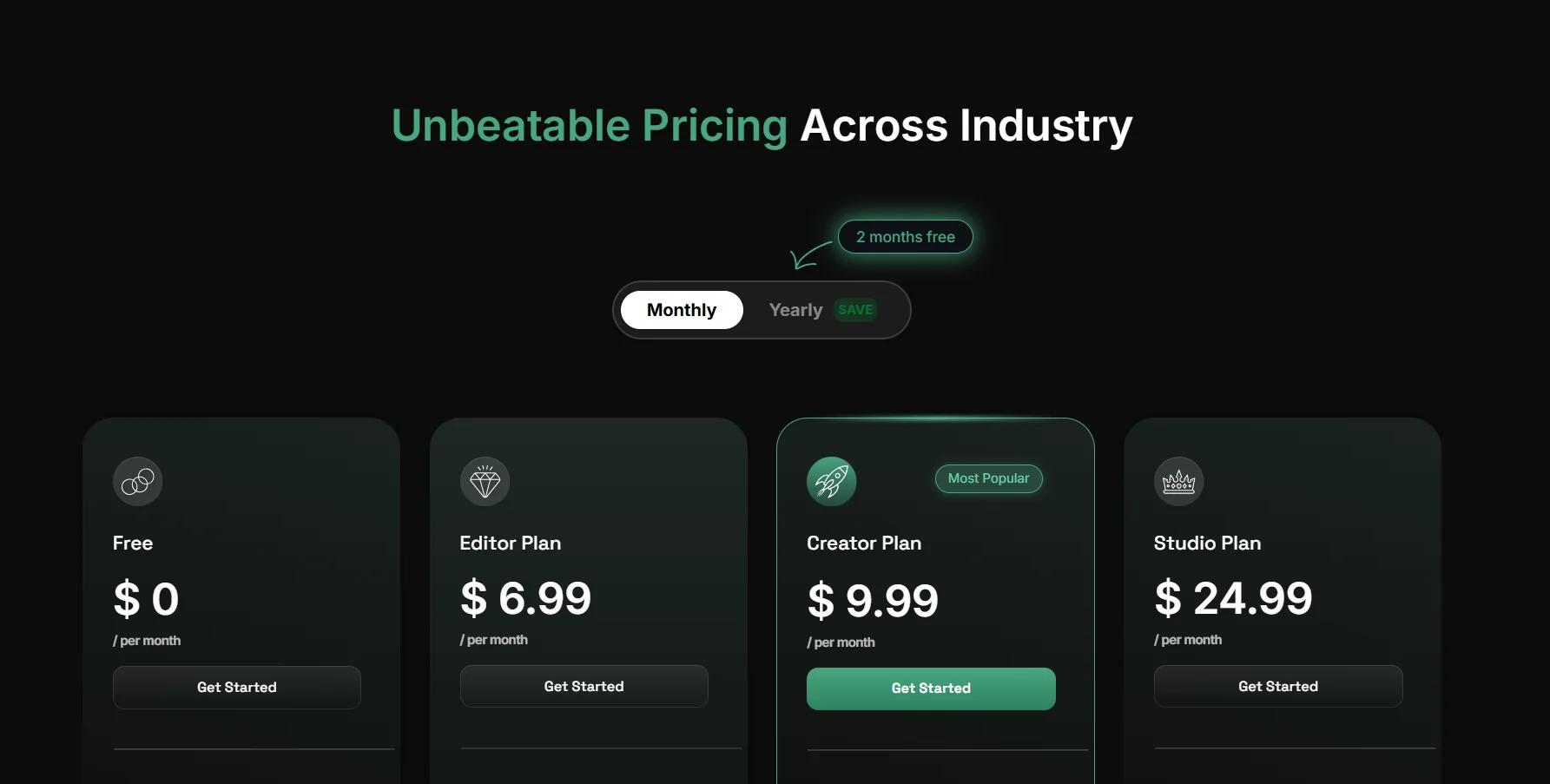
Kalakar offers four plans, with features and limits varying by subscription. The Free plan costs $0 per month, and includes 5 gigabytes of cloud storage, a five-minute trial, a maximum video length of two minutes, three audio enhancement credits, and basic export without a watermark. The Editor plan costs $6.99 per month, and adds two hours of transcription, 20 gigabytes of storage, audio enhancement for up to 50 videos, custom font uploads, unlimited batch processing, and export at 1080p and 30 frames per second. The Creator plan costs $9.99 per month and includes five hours of transcription, 60 GB of storage, a maximum video length of five minutes, unlimited audio enhancement, 4K export at 60 frames per second, green or blue screens, two hours of translation into English and over 70 languages, SRT and VTT file export, and audio file uploads. The Studio plan, priced at $24.99 per month, includes 12 hours of transcription, 150 gigabytes of storage, videos up to 30 minutes long, Alpha channel export, text export in DOCX, TXT, and MD formats, five hours of translation, and the ability to add an unlimited number of members to a shared workspace for $5 per member per month. The page mentions two free months when choosing the annual subscription, but you should check the pricing page to see the terms of the offer and the final annual cost.
Related Tips
- A video prompt that gives you the feel of GTA with an Arabic twist · Video Generation & Editing, Text and Images to Video
- 2 million free tokens to create videos! on Seedance · Video Generation & Editing, Text and Images to Video
- How to Create a Series of Educational Videos Using ChatGPT, PixVerse, and Nabat? · Audio & Voice, Text-to-Speech / Speech-to-Text…
- An Explanation of GeminiGen AI for Creating Videos and Images for Children · Video Generation & Editing, Text and Images to Video…
- A brief overview of Vidu and how to create entertaining animated videos · Video Generation & Editing, Text and Images to Video