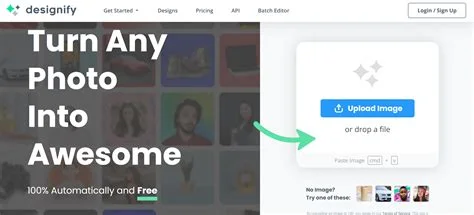
Description
🖼️ Tool Name:
Designify
✏️ What does this tool offer in 2026?
AI Background Removal: State-of-the-art precision that handles complex edges like hair or fur effortlessly.
Smart Shadows: Automatically adds realistic 3D shadows that match the lighting of the new background.
Color Enhancement: Instantly optimizes brightness, contrast, and saturation to make products "pop."
Batch Processing: A massive time-saver that allows you to upload up to 1,000 images at once and apply the same design to all of them.
Smart Templates: Offers a gallery of "Design Recipes" (e.g., "Amazon Listing," "Car Marketplace," "Fashion Editorial") that automatically format your photo for specific platforms.
Logo & Watermark Integration: Automatically place your brand's logo in the same spot across hundreds of photos.
API for Automation: Developers can integrate Designify’s engine directly into their own e-commerce platforms or mobile apps.
High-Resolution Downloads: Provides print-ready, high-definition outputs for pro-level marketing.
⭐️ What does it offer? (User Experience)
"The One-Click Studio": Rated 4.8/5 for its extreme ease of use. It’s famous for being "design-agnostic"—you don't need to be a designer to get professional results.
Consistency: Highly praised by car dealers and large retailers for making an entire catalog look unified and high-end in minutes.
🤖 Automation:
Auto-Workflow: You can set up a "Watch Folder" or use Zapier to automatically "Designify" any new photo you upload to your cloud storage.
💵 Pricing (January 2026 Status)
Designify operates on a subscription model, primarily geared toward volume and professional features.
🎁 Is the free version a trial or completely free?
It is Freemium. The free version is quite generous for casual social media use or testing, but it limits the download resolution and lacks the bulk-editing power needed for professional e-commerce.
⚙️ Access or Source:
Official Website
Platforms: Web-based (Desktop/Mobile), and a powerful REST API for developers.
🔗 Experience Link: