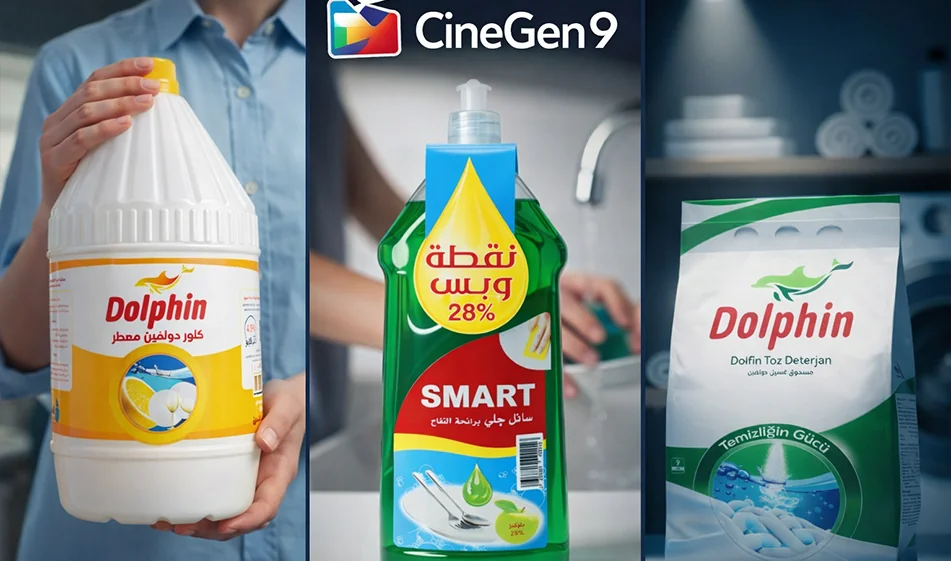
🧩 CineGen9: Automatically convert your product image into 9 professional advertising images
- What's the idea?
- CineGen9 isa tool that uses artificial intelligence to understand product images.
- All you have to do is upload one image,and the tool will automatically generate 9 advertising images with different compositions.
- No prompt and no typing required.
- What does the tool produce for you?
- Nine different advertising designs for the same product, such as:
- Different shooting angles (close-up, medium, overhead).
- Multiple backgrounds and scenes (clean studio, home scene, luxury feel, etc.).
- Different visual layouts (product in the center, on the side, with empty space for text, etc.).
- The goal is to get a ready-made "advertising package" from which you can choose the best for your campaign.
- How do you use it step by step?
- Prepare a clear image of the product (preferably with a simple background and good lighting).
- Upload the image to CineGen9.
- Wait for the automatic generation until the nine results appear.
- Choose the best three results based on product clarity and composition aesthetics.
- Then add it to Canva or any design editor:
- Product name
- Price or offer
- Call to action (order now/try it today)
- Brand logo
- Why is this tool useful for marketing?
- It saves a lot of time instead of designing each ad manually.
- Gives you many options to experiment with what works best on social media.
- It's greatfor online stores because it quickly produces "variations" of the same product.
- When are the results strongest?
- When the product image is:
- High resolution
- clear front angle
- Realistic colors, not exaggerated
- The background is uncluttered
- and when the product is alone in the image without many elements around it.
- Common mistakes to avoid
- Uploading a dark or low-quality image.
- An image with more than one product or too many accessories distracts the focus.
- Aproduct that is too small within the frame.
- Trying to write Arabic text inside the generated images (it is better to add the text later).
- Golden Compass Tip
- Don't publish all the results. Follow this rule:
- Choose two clean advertising images (simple background)
- and one "impressive" image (elaborate background)
- Then maintain a consistent identity: uniform color, uniform font, and consistent text space in each ad.
For more AI tools: bosala.ai