✨ ChatGPT + Canva: Create ready-to-use social media posts in minutes
· 3 min read
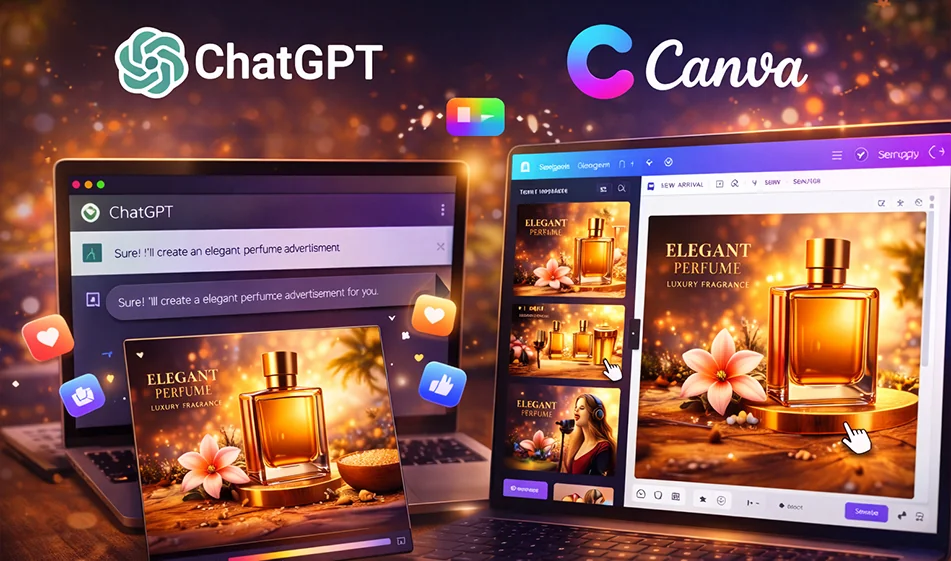
If you're wasting time writing text, then arranging the design, then adjusting the sizes for each platform, the practical solution is to combine two strengths:
ChatGPT prepares texts and ideas for you in multiple formats,and Canva quickly converts them into ready-made designs with customizable templates.
️ ⚙ Step-by-step workflow
- Define your goal: Product advertisement? Certificate of appreciation? Awareness post?
- Ask ChatGPT for a "text package" instead of a single text:
- A strong line to put on the design (Hook)
- A descriptive text for the post
- Call to action (CTA)
- 3 short/medium/long versions
- Also request a "design outline": colors, font, text distribution, and logo placement.
- Open Canva and choose a suitable template, then paste the texts into the template and edit them as layers.
- Export the required sizes:
- 1080×1350 for posts
- 1080×1920 for stories/reels
- 1920×1080 for cover or YouTube
- Make 3 copies A/B/C by changing only one element (background, color, or title line) to test which one works best.
✅ Ready-made template for ChatGPT (works for any post)
Copy this text and edit what's in brackets:
"Write me a social media content package about (topic). Give me:
- 5 short sentences to put on the design (each sentence 3–6 words).
- Ashort post description of 2–3 lines.
- Amedium post description of 5–6 lines.
- Ashort call to action.
- Design ideas for Canva: colors, font, text distribution, and image format suggestions.
Keep the language simple and appealing.”
🧴 Example 1: Perfume ad (ready to use)
What do you want from ChatGPT?
"Write a luxury perfume ad called (name of perfume). Give me:
- 5 short headlines to put on the design
- A short post text
- Medium post text
- 3 benefits in marketing language
- Color suggestions: black/gold or navy blue/silver
- Canva design suggestion: image of a bottle in the center, with a halo of light behind it, and text space above
How to quickly implement it in Canva?
- Select the "Luxury Product"template
- Place the perfume image in the center
- Keep the title very short on the design
- Leave space for the perfume name, price, or offer
Example 2: Certificate of Appreciation from Bousla for Artificial Intelligence
What do you want from ChatGPT?
"Write the text of an official certificate of appreciation from (Bousla for Artificial Intelligence) that includes:
- The title of the certificate
- Recipient's name (blank to be filled in later)
- Reason for the honor (blank to be filled in later)
- Date (blank)
- Signature line (Management/Bousla Team)
Also write 3 design styles: formal gold, formal blue, formal black."
How to implement it in Canva?
- Select the "Certificate"template
- Place the name in the middle of the certificate in clear, large font
- Add the Compass logo at the top or bottom
- Export a copy for printing (PDF) and a copy for social media (PNG).
🧭 Compass's golden tip
Don't just ask for "one text."Ask for a ready-made package: (design line + post description + CTA + design ideas + 3 copies).
This way, you can go from "one design" to "a whole campaign" in no time.
For more AI tools: bosala.ai
About Canva Image Generator
- Generates images from text prompts inside the Canva editor
- Multiple style presets such as photo-realistic, sketch and painting
- High-res output for social media, web and print
- Editable in Canva's drag-and-drop interface
- Integrates with other Canva design tools
About ChatGPT
- Answers with improved factual accuracy and a 400k token context window
- Offers Advanced Voice Mode with emotion understanding, real-time translation and natural interruptions
- Provides Canvas, a side-by-side workspace for writing and coding
- Remembers preferences, projects and instructions across conversations
- Generates short video clips with Sora integration for Plus and Pro users
- Available as native apps for Windows, macOS, iOS and Android
Related Tips
- How to Use the Pokecut Tool to Easily Extract Images
- A professional prompt for turning a meal name into a full recipe infographic
- Bosala Brand Studio Explains: How to Create a Complete Visual Identity from a Logo in Minutes?
- How to Create a Series of Educational Videos Using ChatGPT, PixVerse, and Nabat?
- An Explanation of GeminiGen AI for Creating Videos and Images for Children