Canva Image Generator
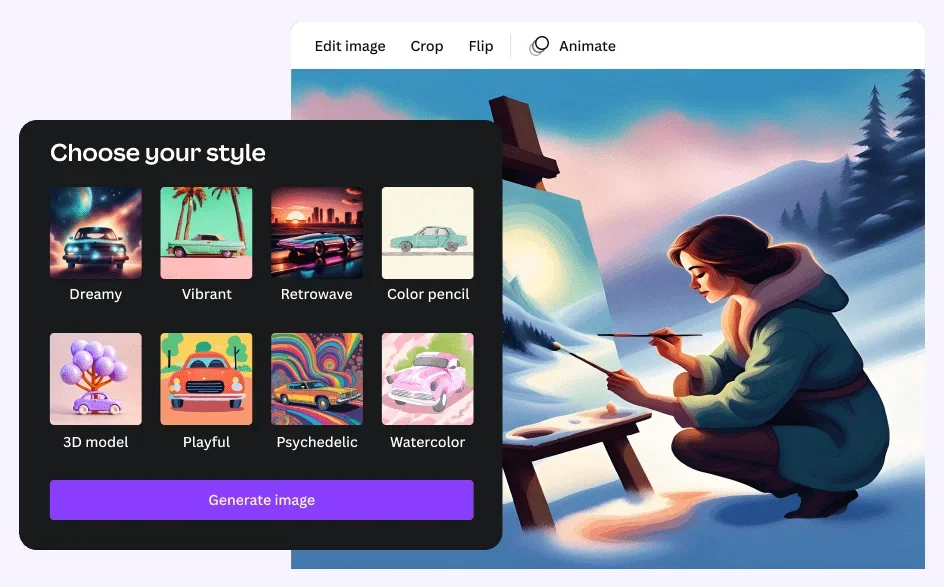
Description
🖼️ Tool Name:
Canva Image Generator
🔖 Tool Category:
AI-powered design assistant; it falls under the category of Image Generation and Design & Creativity.
✏️ What does this tool offer?
Canva Image Generator is a built-in feature within Canva that allows users to create AI-generated images directly from text prompts. It empowers designers, marketers, and content creators to produce unique visuals without needing traditional stock photos or illustration skills.
⭐ What does the tool actually deliver based on user experience?
• Text-to-image generation directly inside the Canva editor
• Multiple style presets (photo-realistic, sketch, painting, etc.)
• Seamless integration with other Canva design tools
• High-res image output suitable for social media, web, and print
• Easily editable within Canva’s drag-and-drop interface
• Ideal for presentations, posts, ads, and content mockups
🤖 Does it include automation?
Yes — Canva Image Generator automates:
• Generating unique images from user prompts
• Styling the output based on preset categories
• Instant placement and scaling within Canva projects
• Streamlining creative workflows by combining AI with design templates
💰 Pricing Model:
Freemium
🆓 Free Plan Details:
• Access to basic AI image generation
• Limited number of images per month
• Available within the free version of Canva
💳 Paid Plan Details:
• Canva Pro (~$12.99/month) includes:
– Higher image generation limits
– Access to premium styles and faster processing
– Full media library, brand kits, and collaboration tools
• Team and Enterprise plans available for larger organizations
🧭 Access Method:
• Web app (desktop and mobile)
• Built into Canva Editor
• No separate installation required
🔗 Experience Link: