How to Use the Pokecut Tool to Easily Extract Images
· 2 min read
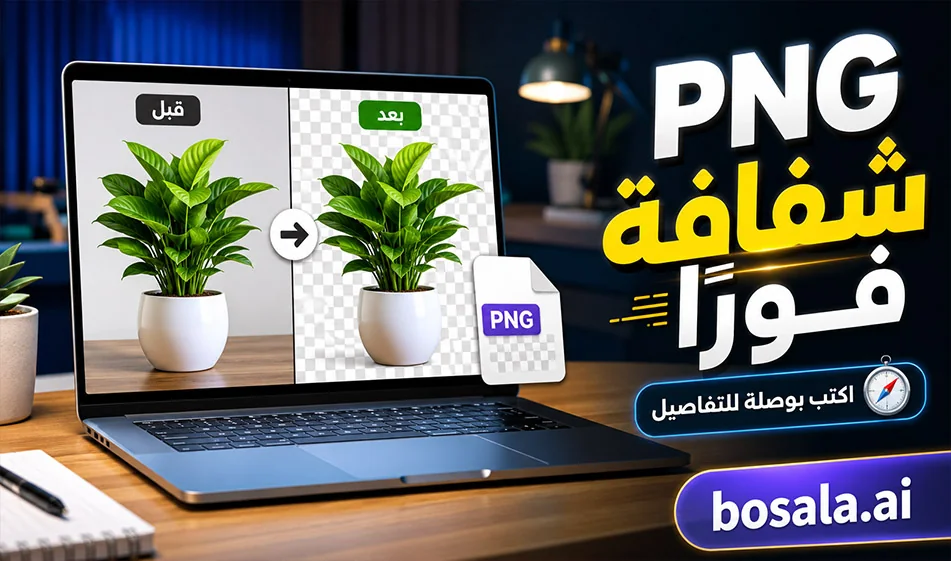
How to Use the Pokecut Toolto Easily Extract Images
Link: https://www.pokecut.com/tools/background-remover
Pokecut isa simple and useful tool for quickly removing backgrounds from images. All you have to do is upload the image, and the tool automatically removes the background, accurately identifying people, text, and objects, then lets you download the result as a PNG with a transparent background. The official website states that it is free, watermark-free, and supports multiple image formats.
Overview
If you want to cut out an image to use in a design, ad, or post, this tool will save you a lot of time. Instead of manual cutting, Pokecut identifies the main element within the image and separates it from the background in seconds, then gives you a ready-to-use file with a transparent background that can be used directly in any design.
Website
Pokecut
How does the tool work?
It’s very easy to use. Upload the image from your device or drag it into the tool, and the tool will automatically process the image and remove the background. You can then download the result as atransparent PNG file. The official website also notes that the tool supports uploading images in JPEG ,JPG ,PNG ,WebP, andBMP formats.
What makes Pokecut unique?
What sets it apart is that it doesn’t just handle people; it also supports products, animals, cars, and graphic elements. The platform also offers three different cropping modes:
a general mode for most images,
a face and head mode for portraits,
and a text and signature model to preserve the edges of letters clearly.
This means it’s ideal if your image contains a person, a product, or text that you want to extract cleanly.
What is the result?
The result is an image with a transparent background, ready for use in designs. The official page notes that the tool preserves fine details such as hair, sheer fabrics, fur, and thin edges, which is very important when you want a clean and convincing result.
Is the tool free?
Yes, the official page presents it as a free tool for removing backgrounds, and also notes that the output is watermark-free.
Conclusion
Pokecut is a great tool if you want to remove a background quickly and easily. Upload the image, and the tool isolates the main element—whether it’s people, text, or objects—and saves it as a PNG with a transparent background. It’s very useful for designs, posts, ads, and any use that requires a quickly and cleanly cut-out image.
About Category Image Design and Creation
Image Design and Creation
Tools in this category:
- Text2Infographic
- ChatSlide AI
- Molypix.ai
- Grok
- 3D AI Studio
- Banani
- PlayMix AI
- Storyteller AI
- Vmake AI
- Polarr AI Color Match
- +395 more
About Category Editing, Enhancement & Upscaling
Editing, Enhancement & Upscaling
Tools in this category:
- ScribeFast
- Cutback AI
- Magicroll.ai
- OptimizerAI
- Storyteller AI
- Vmake AI
- Polarr AI Color Match
- Remover ZMO AI
- Picjam.ai
- Modyfi
- +921 more
About Category Object & Background Editing
Object & Background Editing
Tools in this category:
Related Tips
- A professional prompt for turning a meal name into a full recipe infographic
- Bosala Brand Studio Explains: How to Create a Complete Visual Identity from a Logo in Minutes?
- An Explanation of GeminiGen AI for Creating Videos and Images for Children
- A Comparison of VisualGPT and NoteGPT for Creating Free Images and Designs on GPT Image 2
- AI Room Designer Explained: How to Redesign Rooms in Your Home Using a Single Photo?