Podnotes
Description
️ 🖼Tool Name:
Podnotes
🔖 Categories:
- Article and Post Generation
- Content and Text Writing
- Content Management and Publishing
- Content Calendars and Scheduling
- Insights and Analytics
- Text-to-Speech / Speech-to-Text
- Summaries, Headings, and Ideas
- Video Summarization and Clips
- Video, Editing, and Motion Graphics
- Automation and Smart Agents
- Integrations and APIs
️ ✏What does this tool offer?
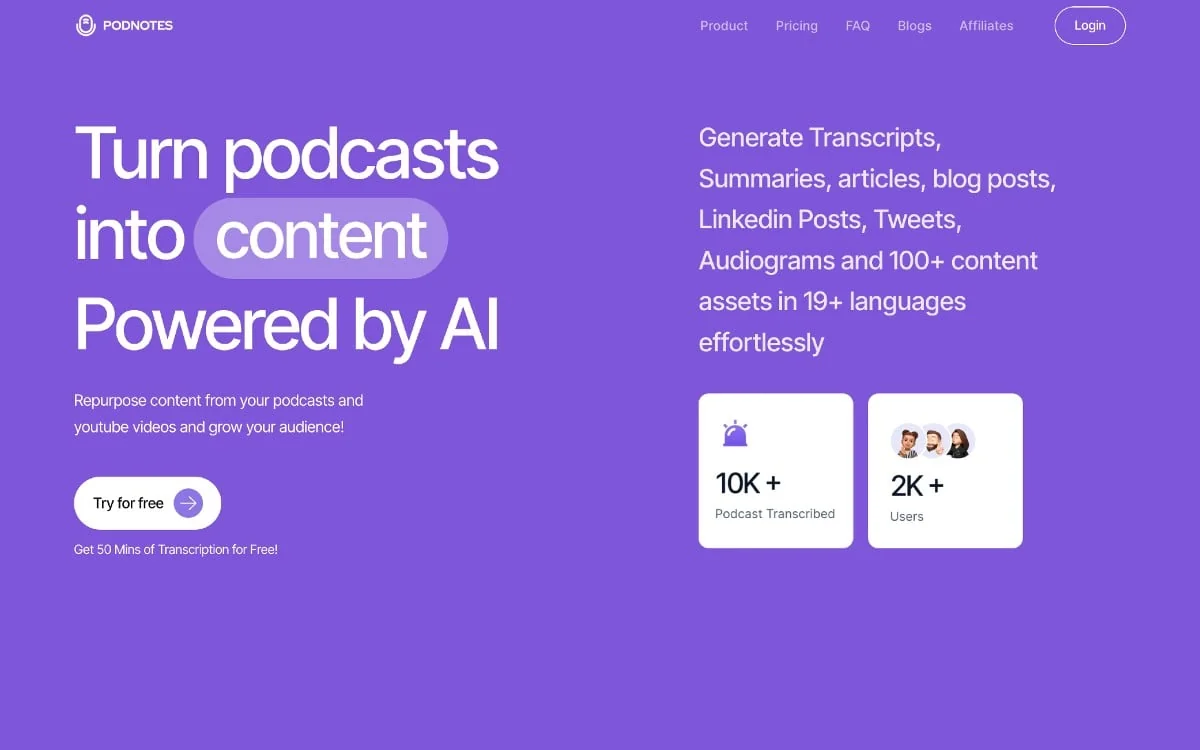
Podnotes is an AI-powered platform designed to repurpose podcast content, recordings, audio and video files, and YouTube clips, converting them into text content that’s ready for use and publication.
The platform allows users to upload audio files, enter YouTube links, and add podcast episodes via RSS, then automatically process the content and generate a range of outputs, including:
- Transcripts.
- Summaries.
- Notes.
- Timestamps.
- Timestamps.
- Audio speaker identification within plans that support this feature.
- Create high-quality content based on the original material.
- Convert podcast content into articles, posts, and marketing content.
- Create content for platforms such as LinkedIn, Twitter/X, and Reddit.
- Create tweet threads.
- Create email newsletters.
- Create SEO-optimized articles.
- Create captions and content for Instagram.
- Creating customized content based on user needs.
- Create audiograms.
- Create content using a library of over 100 writing styles and templates.
- Support for over 19 input and output languages.
- Organize episodes and content using folders and tags.
- Provide shareable podcast pages that include episode information and the generated content.
- Provide Magic Chat to interact with podcast content, perform contextual searches, and ask questions about a specific episode or group of episodes.
- Integrations with other tools, including Notion.
- Provides free standalone tools for creating content from YouTube, audio files, media files, and RSS feeds, as well as tools for creating summaries, titles, blog posts, and timestamps.
⭐ What does it actually offer based on user experience?
According to the information provided in the tool’s description, Podnotes’ practical use focuses on converting long audio or video content into a set of ready-to-use text outputs. Among its most notable features are:
- Converting recordings, podcasts, and YouTube clips into transcribed text.
- Summarizing episodes and long-form content into summaries and notes.
- Extracting and organizing information from episodes.
- Reusing episode content across various formats and platforms.
- Creating articles, posts, and marketing content from the original material.
- Create Audiograms from podcast content.
- Search within podcast content and interact with it through Magic Chat.
- Organize episodes using folders and tags.
- Create shareable pages for podcast content.
- Use content in more than 19 languages.
- Choose from a variety of typography styles in a library of over 100 styles and templates.
Note: The available information does not include independent user reviews or testimonials that can be attributed to actual user experience; therefore, statements such as “easy to use,” “very accurate,” or “better than competitors” cannot be added without an independent source.
🤖 Does it include automation?
Yes. Podnotes relies on artificial intelligence to automate large parts of the content conversion and repurposing process.
When you upload a recording, podcast, media file, or YouTube link, the platform can process the content and generate transcripts, summaries, notes, and various other types of content from it, rather than having to perform these tasks manually.
The higher-tier plans include the One-Click Content Generator feature, which allows you to create content with a single click, as well as features such as the Content Calendar,Guest Research Tool, andAudio Diarization. Magic Chat also enables contextual search and lets you ask questions about podcast content.
💰 Pricing Model:
Freemium / Paid Subscription — Podnotes offers free registration and 50 minutes of free audio transcription for a trial, while paid plans start at $29 per month, with annual billing available at a 20% discount . An Enterprise plan is also available at a custom price.
🆓 Free Plan Details:
| Feature | Details |
|---|---|
| Recording Cost | Free |
| Free voice transcription minutes | 50 minutes |
| Purpose | Try the tool |
| Source | Official Website |
The official website states that free registration grants users 50 minutes of audio transcription to try out the app. The website’s pricing page does not provide additional details about the limits of the free plan beyond these minutes.
💳 Paid Plan Details:
| Plan | Monthly Price | Annual Price Listed | Transcription Minutes | Features |
| Solo Cast | $29/month | $348 per year, or $279 after a 20% discount | 350 minutes | Unlimited summaries and content, unlimited Audiograms, upload audio files of any size, create high-quality content, and permanently save notes, summaries, and content |
| Plus | $49/month | $588 per year, or $439 after discount | 700 minutes | All core features: unlimited summaries and content, unlimited Audiograms, upload audio files of any size, create high-quality content, and permanently save content |
| Studio | $79/month | $948 per year, or $659 after discount | 700 minutes | All Plus features, plus Audio Diary, one-click content creation, content calibration, and guest search tool |
| Network | $119/month | $1,428 per year, or $929 after discount | 1,800 minutes | All Basic and Advanced features, including Audio Diarization, one-click content creation, content calendar, and guest search tool |
| Agency | $199/month | $2,388 per year, or $1,399 after discount | 3,200 minutes | All advanced features, including Audio Diarization, one-click content creation, content curation, and the guest search tool |
| Enterprise | Custom pricing | Custom pricing | Custom minutes | Unlimited summaries and content, unlimited audiograms, upload audio files of any size, permanent content storage, Audio Diarization, one-click content creation, content curation, and guest search tool |
Note on annual pricing: The official website confirms the availability of an annual plan with a 20%discount ,while the detailed annual prices listed above are the figures provided in the information cited. The official pricing page displays monthly prices and indicates a 20% discount for annual billing, without showing all the final annual prices in the text extracted from it.
Officially Confirmed Benefits of Paid Plans:
- Solo Cast: 350 transcription minutes.
- Plus: 700 minutes of transcription.
- Studio: 700 minutes of transcription with Audio Diary, One-Click Content Generator, Content Calendar, and Guest Research Tool.
- Network: 1,800 minutes with advanced features.
- Agency: 3,200 minutes with advanced features.
- Enterprise: Custom number of transcription minutes with advanced features.
🧭 How to access the tool:
| Access Method | Status |
| Web | Available and confirmed |
| Desktop app | Unconfirmed |
| Mobile App | Unconfirmed |
| API | Unconfirmed |
| Browser extension | Unconfirmed |
| Integrations | Available, including integration with Notion |
The tool is available via the web, and the official website allows you to sign up and try the service through the Podnotes dashboard. The platform also mentions integrations with other tools such as Notion.
🔗 Trial link or official website: