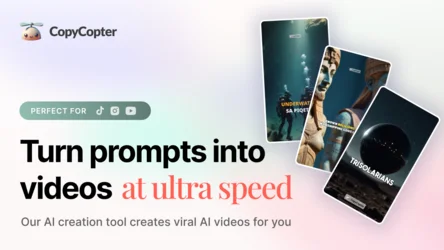
Tool name:
CopyCopter Studio
Tool category: 🔖
• Video, editing, and motion graphics
• Motion graphics, titles, and subtitles
• Text and images to video
• Image design and creation
️ What does this tool offer? ✏
CopyCopter Studio is an advanced AI-powered video and motion graphics editing platform for content creators who demand cinematic precision and complete control over their work. The platform provides powerful editing tools including a multi-track timeline, curve-based animation, and high-precision layer management, enabling users to edit clips, images, text, and graphics on a per-frame basis.
The platform offers a comprehensive asset library containing all previous projects and AI-generated outputs, with drag-and-drop functionality and quick access to any element. The style engine also offers options for choosing appropriate templates and styles, with full control over the appearance, whether cinematic, realistic, or artistic, with the ability to modify instructions to obtain accurate results. CopyCopter Studio supports motion graphics, including titles, shape layers, and overlays, with precise animation based on Bézier curves, importing transparent SVG and PNG files, and access to Google fonts for titles.
The platform also offers advanced export options, including cloud export, direct content sharing to platforms such as YouTube and TikTok, support for different aspect ratios, auto-saving, and management of multiple project copies. With its educational resources and dedicated community, the platform helps content creators turn their ideas into high-quality videos in a precise and professional manner.
What does it actually offer based on user experience? ⭐
Users can create professional videos and animated images with complete control over the fine details of their projects. The platform provides a precise frame-by-frame editing experience, with the ability to control layers, text, graphics, and animation using artificial intelligence, making it suitable for producing high-quality professional content that is compatible with the requirements of different platforms.
Does it include automation? 🤖
Yes, CopyCopter Studio relies on artificial intelligence to automate large parts of the production process, such as image generation, image-to-video conversion, complete project production, effects addition, and precise animation. The system allows for rapid content creation while maintaining high accuracy and saving time compared to traditional methods.
Pricing model: 💰
CopyCopter Studio uses a freemium model with free copies and paid monthly plans based on point consumption per operation, where the cost of creating images and videos is calculated according to the complexity and length of the project.
🆓 Free plan details:
The free version gives users 20 points upon registration, enough to produce approximately one video, to experience the quality of design, animation, and automatic translation.
Paid plan details: 💳
Hobby plan: $19 per month, gives you 50 points to produce about 5 videos per month, includes unlimited editor, 9 AI voices, and no watermark.
Growth Plan: $27 per month, gives you 200 credits to produce about 20 videos per month, with support for additional languages, HD quality, and connection to one TikTok or YouTube channel.
Pro Plan: $49 per month, gives you 600 credits to produce about 60 videos per month, with support for 29 languages, unlimited media library, and technical support via Discord.
Massive Plan: $84–120 per month, gives you around 1,500 points to produce around 150 videos per month, intended for agencies and high-volume content creators.
The system is based on point consumption per operation: generating an image requires 1–2 points, converting an image to video requires 6–24 points depending on complexity, and producing a complete video project consumes 10–130 points depending on the length of the video and the features used, accurately reflecting the cost of each operation within the platform.
How to access the tool: 🧭
CopyCopter Studio can be accessed via the official website. Create an account to try the free version or subscribe to any of the paid plans to use the advanced video editing tools.
Trial link or official website: 🔗
https://copycopter.ai/