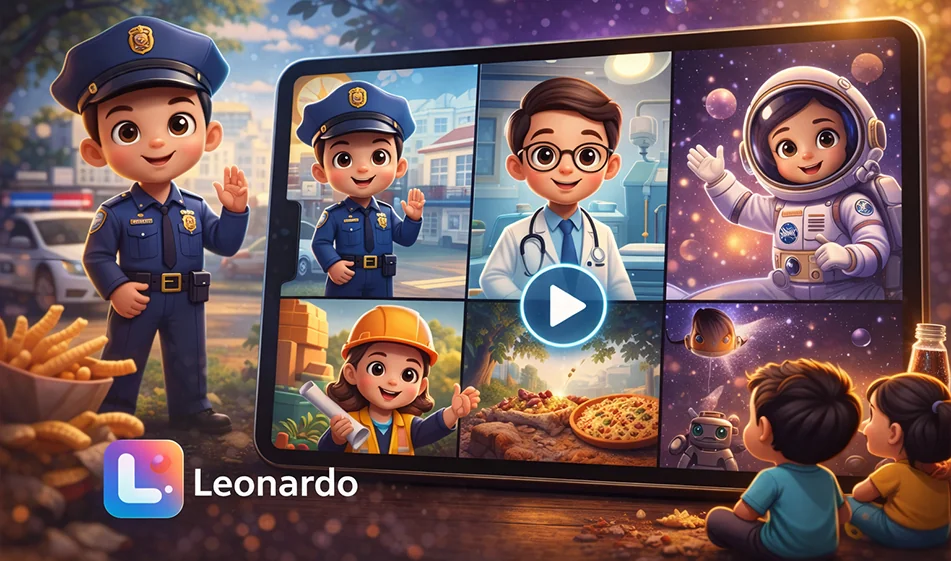
“Kids Pretend to Be a Professional at Home” videosare among the most effective ways to keep children engaged, because they combine play with learning: a short scene, clear action, and a single sentence introducing the profession. The great thing here is that you can create an entire series (police officer/firefighter/paramedic/pilot/engineer…) featuring the same character and using the same style in a short amount of time.
Link to the tool on Leonardo:
https://app.leonardo.ai/image-generation/video
✅ Ready-made prompts (copy and paste as is)
1) The Police Officer
Create a 6-second 3D animated video in the style of Pixar, featuring a cute Arab child at home pretending to be a police officer while playing.
Same character in all videos: A cute 5-year-old Arab boy with a soft, round face, large brown eyes, short dark hair, a warm smile, innocent and expressive features, and a playful energy. The 3D design should resemble the Pixar style and be very appealing to children, with the same features and proportions in every video.
Consistent style across all videos: Pixar-style 3D animation, warm cinematic lighting, cheerful colors, soft textures, a beautiful and cozy home environment, playful and clear movement, strong facial expressions, high quality, 9:16 vertical video, no on-screen text, no subtitles, no music, only the child’s voice and sound effects appropriate for the scene.
Scene: The living room at home is transformed by the child’s imagination into a small, cute police station made of toys, miniature traffic lights, and colorful barriers. The child is wearing a toy police uniform and carrying a toy walkie-talkie, walking confidently among toy cars, then raising his hand and directing traffic in a playful manner. The child says in Modern Standard Arabic: "I am a police officer; I help people and maintain order." Sound effects only: light footsteps, the sound of a toy walkie-talkie, soft toy car sounds, a cheerful and friendly atmosphere.
2) Firefighter
Create a 6-second 3D animated video in the style of Pixar, featuring a cute Arab child inside a house playing dress-up as a firefighter.
Same character in all videos: A cute 5-year-old Arab boy with a soft, round face, large brown eyes, short dark hair, a warm smile, innocent and expressive features, and a playful energy. The 3D design is in the style of Pixar and very appealing to children. The same features and proportions are used in every video.
Consistent style across all videos: Pixar-style 3D animation, warm cinematic lighting, cheerful colors, soft textures, a beautiful and cozy home environment, playful and clear movement, strong facial expressions, high quality, 9:16 vertical video, no on-screen text, no subtitles, no music—just the child’s voice and sound effects appropriate for the scene.
Scene: The living room is transformed by the child’s imagination into a small indoor fire station, complete with a toy ladder, a firefighter’s helmet, a cartoon fire truck, and very gentle, non-scary smoke resembling cotton clouds. The child is wearing a children’s firefighter costume and carrying a small toy hose, running to rescue a teddy bear on a chair. The child says in Modern Standard Arabic: "I am a firefighter; I put out fires and help everyone." Sound effects only: light, quick footsteps, the sound of toy water, a very soft fire siren, and cheerful movement sounds.
3) The Paramedic
Create a 6-second 3D animated video in the style of Pixar, featuring a cute Arab child inside a house playing dress-up as a paramedic.
Same character in all videos: A cute 5-year-old Arab boy with a soft, round face, large brown eyes, short dark hair, a warm smile, innocent and expressive features, and a playful energy.The 3D design is Pixar-style and very appealing to children, with the same features and proportions in every video.
Consistent style across all videos: Pixar-style 3D animation, warm cinematic lighting, cheerful colors, soft textures, a beautiful and cozy home environment, playful and clear movement, strong facial expressions, high quality, 9:16 vertical video, no on-screen text, no subtitles, no music, only the child’s voice and sound effects appropriate for the scene.
Scene: The child’s imagination transforms the bedroom into a cute first-aid corner inside the house, featuring a small bed for the teddy bear, a toy first-aid kit, a doctor’s stethoscope, and soft lights resembling an ambulance in a playful, non-scary way. The child wears a little paramedic outfit and examines his teddy bear carefully with a smile. The child says in Classical Arabic: “I am a paramedic; I help patients quickly and with care.” Sound effects only: the sound of a medical bag opening, a light cartoonish heartbeat, small footsteps, a reassuring and warm atmosphere.
4) The Pilot
Create a 6-second 3D animated video in the style of Pixar, featuring a cute Arab child at home playing while pretending to be a pilot.
Same character in all videos: A cute 5-year-old Arab boy with a soft, round face, large brown eyes, short dark hair, a warm smile, innocent and expressive features, and a playful energy.The 3D design is Pixar-style and very appealing to children, with the same features and proportions in every video.
Consistent style across all videos: Pixar-style 3D animation, warm cinematic lighting, cheerful colors, soft textures, a beautiful and cozy home environment, playful and clear movement, strong facial expressions, high quality, 9:16 vertical video, no on-screen text, no subtitles, no music, only the child’s voice and sound effects appropriate for the scene.
Scene: The child’s room transforms in his imagination into a magical airplane cockpit made of pillows, cardboard, and light-up buttons, with a window showing beautiful clouds outside as if the plane were flying. The child is wearing a little pilot’s outfit and a captain’s hat, sitting and holding the toy steering wheel with confidence and joy. The child says in Classical Arabic: "I am a pilot; I fly the plane in the sky." Sound effects only: the gentle sound of buttons, the soft hum of an airplane, the movement of clouds, and soft play sounds.
5) The Engineer
Create a 6-second 3D animated video in the style of Pixar, featuring a cute Arab child inside a house playing while pretending to be an engineer.
Same character in all videos: A cute 5-year-old Arab boy with a soft, round face, large brown eyes, short dark hair, a warm smile, innocent and expressive features, and a playful energy.The 3D design is in the style of Pixar and very appealing to children, with the same features and proportions in every video.
Consistent style across all videos: Pixar-style 3D animation , warm cinematic lighting, cheerful colors, soft textures, a beautiful and cozy home environment, playful and clear movement, strong facial expressions, high quality, 9:16 vertical video, no on-screen text, no subtitles, no music—just the child’s voice and sound effects appropriate for the scene.
Scene: A corner of the house is transformed by the child’s imagination into a small, beautiful engineering workshop containing building blocks, children’s blueprints, a small hard hat, and colorful toy models of bridges and towers. The child wears a small engineer’s helmet and a cute work jacket, then proudly places the final building block on top of a tower. The child says in Classical Arabic: “I am an engineer; I build houses and beautiful things.” Sound effects only: the sound of blocks being assembled, light footsteps, soft toy sounds, a playful and creative atmosphere.
1) The educational concept that makes the series successful
- A consistent character in every clip: the same child with the same facial features and basic clothing (with only the work uniform changing).
- Very short duration: 6 seconds is enough to explain“Who amI? What do I do?”
- A single home setting transformed by the child’s imagination into the world of the profession (policestation/fire station…).
- A single sentence in Standard Arabic: “ ” + only subtle effects (no music and no text on screen).
2) Steps for creating a video on the Leonardovideo generator page (practical guide)
- Open the link above, then select the video generation mode.
- Adjust the basic settings (if available):
- Aspect ratio: Vertical 9:16
- Duration: 6 seconds
- Quality: Highest available quality
- Paste the prompt (below) as is, then click Generate.
- View the result and focus on 3 points:
- Are the child’s features stable?
- Is the movement clear and smooth?
- Is the sentence in Classical Arabic understandable?
- If errors appear (changes inthe face/exaggeratedmovement/distortion):
- Regenerate the model once or twice (this is normal).
- Don’t change the entire prompt; adjust just one line, such as:“softer movement” or“without exaggerated expressions.”
Important note: If the audio doesn’t come out as you want (or there’s no sound), create the video without music and then add the child’s voice and sound effects later in any simple editor. The idea will still work because it’s short and clear.
3) How do you ensure the child’s character remains consistent across all videos?
- Never change the child’s description between clips. Copy the same“same character…” paragraphinto every prompt.
- Maintain the same style: warm cinematic lighting + cheerful colors + soft textures + a cozy home.
- Make the only change: the character’s outfit + the room’s fantasy decor.
- If there is an option within the tool such as “Seed” or “Reference,” enable it to maintain consistency in facial features.
4) How to post the series to boost engagement
- Post one profession per day (5 days = a complete series).
- End each video with a question (in the description or comments):
“Which profession do you want to see in the next part?” - Make the first second“catchy”: a small funny gesture or a hand gesture before the sentence.