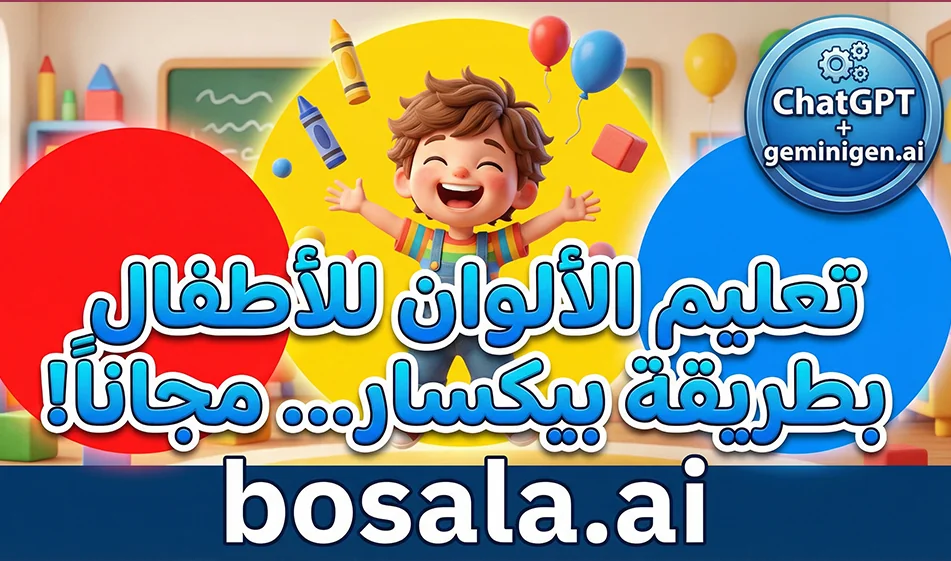
Smart integration for creating educational videos for children about colors in a child-friendly 3D style

Smart integration for creating educational videos for children about colors in a child-friendly 3D style

A Smart Solution for Creating Educational Videos for Kids About Colors in a Child-Friendly 3D Style

Here’s a tip from Busla for creating fun, short videos for kids about colors, using two tools
The first for writing the idea and prompts correctly
and the second to generate videos ready for publication in a child-friendly 3D style similar to Pixar’s

The idea is simple
Ask ChatGPT to write a very short script divided into scenes, then copy the prompt for each scene and generate it in Geminigen.ai as short clips, and then combine them into a single video

Website link: https://geminigen.ai/app/video-gen/grok

Why this approach works with children

The information is presented within a short story rather than as a direct lesson
Each scene explains only one color
The videos are short, so you watch them to the end and they automatically replay
The cute characters help children associate the color with something they love

The golden rule before you start

One video teaches only one color
Or two colors at most if the video is 30 seconds long
Keep the words simple and appropriate for ages 4 to 7

Step-by-step practical steps

Step 1: Generate the idea and script in ChatGPT

Type this request exactly as shown, then just change the color

Write me an educational video for children aged 4 to 7 about a single color: red
Duration: 20 seconds
Divide the video into 4 short scenes
For each scene, give me
the narrator’s text in Modern Standard Arabic—just one line
A visual description of the scene in a childlike, 3D style similar to Pixar
Note that the video is in 9:16 vertical format
End with a simple question for the child
and do not put any text on the screen

You will receive 4 ready-made prompts for each scene

Step 2: Generate clips in geminigen.ai

Open Video Generation and apply these settings
Aspect ratio: 9:16
Duration: 5 to 6 seconds per clip
No text in the video
Child’s voice only if available, or you can add audio later

Paste the prompt for the first scene, then generate
Repeat for the second scene, then the third, then the fourth

Tip: Compass
Generate only two versions for each scene, then choose the best one
If errors appear, don’t change the entire prompt
Change just one line, such as making the movement smoother or reducing the elements in the background

Step 3: Compilation and Publishing

Arrange the four clips in order
Add a voiceover in Modern Standard Arabic if no suitable audio is available
Then publish it as Shorts and Reels

A ready-made template for a single-color video prompt

Copy it into geminigen.ai and change only the color name

A 3D educational video for children in a childlike style similar to Pixar, 9:16 vertical aspect ratio, 6 seconds long
A cute 5-year-old Arab boy with big eyes and a warm smile inside a colorful playroom
He holds up a red object and says a short sentence in Classical Arabic about the color red
Warm lighting, cheerful colors, soft textures, simple and clear movement, strong facial expressions
No text on screen, no subtitles, no music

A ready-made example of a video about the color red in 4 scenes

You can use it as is or ask ChatGPT to write similar ones for each color

Scene 1
A child opens a toy box and a soft red light appears
Narrator
Today we’re going to learn about the color red

Scene 2
A cartoon red apple jumps up and waves at the child
Narrator
This is a delicious red apple

Scene 3
A red toy car drives by at a gentle speed, leaving a beautiful red trail
Narrator
And this is a beautiful red car

Scene 4
The child holds up a red balloon and asks
Narrator
Can you see anything red in your house?

Tips from Bousla to increase views

Make the first second a visual hook, such as the color appearing as a gentle flash or a surprise from a box
Use the same child and the same room in every episode to maintain consistency
End each video with a simple question to encourage comments
What color do you want to see in the next episode?

March 31, 2026 11:58 AM GMT
About ChatGPT

🖼️ Tool Name:

ChatGPT 

✏️ Key Features:

  • GPT-5.1/5.2 Models: Massive improvements in factual accuracy, reducing hallucinations by nearly 26% compared to older models. It supports a 400k token context window (roughly 300 pages of text).

  • Advanced Voice Mode (unfied): A seamless voice experience that understands emotions and tone. It can perform real-time translation and allows for natural interruptions.

  • Canvas & Coding: A dedicated workspace for writing and coding where you can edit side-by-side with the AI, now supporting direct "code edits" in desktop apps.

  • Memory & Personalization: The AI remembers your preferences, past projects, and specific instructions across all conversations unless you turn it off.

  • Sora Integration: Plus and Pro users can generate short, high-quality video clips directly within the chat.

⭐️ User Experience Highlights:

  • "The Senior Partner": Developers treat it as a senior pair-programmer that anticipates modular hooks and coding standards.

  • "Ambient Intelligence": With the 2026 updates, ChatGPT is often used hands-free via mobile or smart glasses for real-time visual translations and "how-to" overlays.

💵 Pricing Plans (2026 Status)

OpenAI has expanded its tiers to cater to everyone from casual users to high-end researchers.

PlanPriceKey Features
Free$0Access to GPT-5.1, limited Search, and ~5 DALL-E images/day.
Go~$5 /moAn affordable "middle tier" for basic premium features in specific regions.
Plus$20 /moFull access to GPT-5.2, Advanced Voice, Sora video (limited), and early access to new tools.
Pro$200 /moUnlimited reasoning (o1 Pro), highest compute priority, and expert-level analysis tools.
Team$25 - $30 /userShared workspace, admin console, and higher security for business data.

🎁 Is the free version a trial or completely free?

 It is Free Forever. OpenAI continues to offer free access to its latest models (like GPT-5.1) to support global AI literacy. However, during peak times, free users may be moved to "Mini" models, and they have strict caps on "Thinking" modes and image generation.

⚙️ Access or Source:

  • Official Website: 

  • Desktop: Native apps for Windows and macOS (Note: Voice mode on Mac is now unified via the web/app bridge).

  • Mobile: Highly optimized apps for iOS and Android with "Advanced Voice" as the central feature.

🔗 Experience Link: 

https://chatgpt.com/

About Awesome ChatGPT Prompts

Tool name:
Prompts.chat

Tool category: 🔖

• Generating articles and posts
• Generating images from text
• Text and images to video
• Content and text writing
• Video ideas and scripts
• Automation and smart agents
• No-code workflow

️ What does this tool offer? ✏
Prompts.chat is the world's largest open-source library of AI-oriented prompts, supporting multiple models such as ChatGPT, Claude, Gemini, Llama, Mistral, and others. The platform started as Awesome ChatGPT Prompts and aims to collect organized and reliable prompt examples that can be used directly with any modern smart assistant. The library contains thousands of prompts categorized by use, such as teaching children, generating images and videos, translation, creative writing, programming, and analysis, making it easy for users to quickly and accurately find the right prompt for each task.
The platform offers several ways to access content, whether through the web interface for browsing and searching, downloading files in CSV format, or through the GitHub library. Users can also contribute by adding new prompts to be automatically integrated into the library, in accordance with the CC0 1.0 license, which allows free copying, modification, and publication without the need to refer to the original author.

What does it actually offer based on user experience? ⭐
Practical experience shows that Prompts.chat provides a comprehensive environment for browsing and sharing open-source prompts in an organized and secure manner. Users also benefit from thousands of prompts categorized by purpose and function, as well as educational tools such as the interactive prompting book, which covers techniques from the basics to advanced strategies such as Chain-of-Thought, few-shot learning, and the use of intelligent agents. There is also an entertainment section dedicated to children to teach them how to interact with artificial intelligence through interactive games and stories, making the platform suitable for developers, designers, content creators, and novice users alike.

Does it include automation? 🤖
The platform does not offer direct automation tools for content generation, but it supports the integration of prompts with various AI models, and the library can be used within other applications or tools via MCP interfaces or extensions such as Claude Code Plugin and CLI, enabling automation when integrated with these systems.

Pricing model: 💰
Prompts.chat is a completely open-source library, and there are no fees to access the content or use the available prompts.

🆓 Free plan details:
Users can access all open-source prompts for free, whether through direct web browsing, CSV file downloads, or using the GitHub library. Any user can also contribute by adding their own prompts to be integrated into the library at no cost.

Paid plan details: 💳
There are no paid plans, as the library operates entirely under a CC0 1.0 license for free and open-source use.

How to access the tool: 🧭
The library can be accessed via the official GitHub website or the platform's web interface. The library can also be hosted locally or a private copy can be created with a custom logo and themes, with support for authentication and integration with other AI tools via APIs or extensions.

Link to the trial or official website: 🔗
https://github.com/f/prompts.chat