Head-to-head comparison: Unity AI or Rosebud AI?
· 1 min read
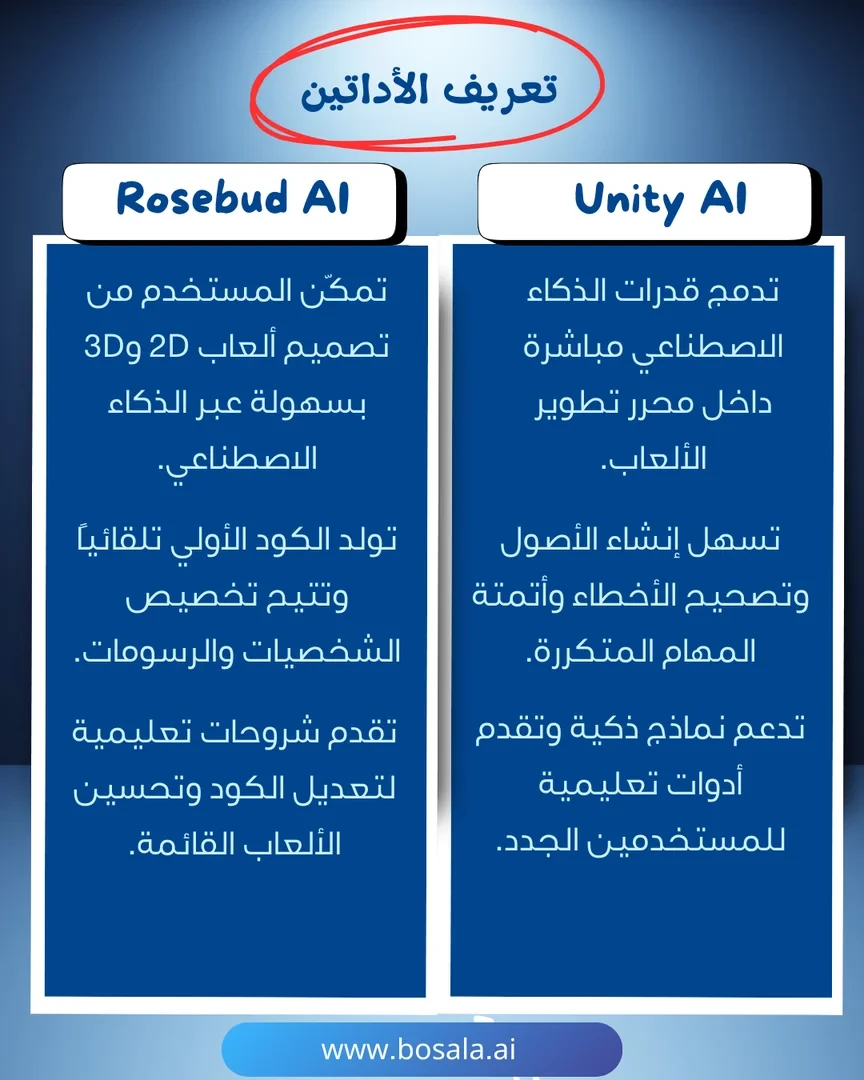
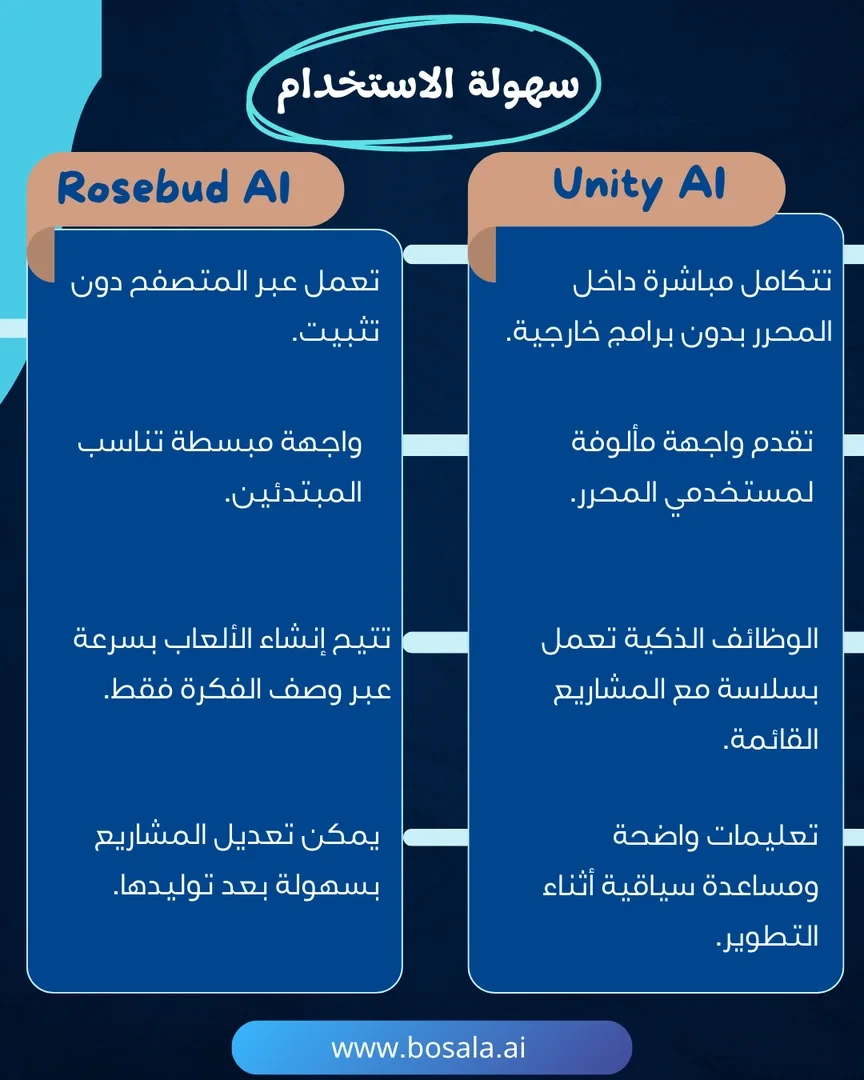
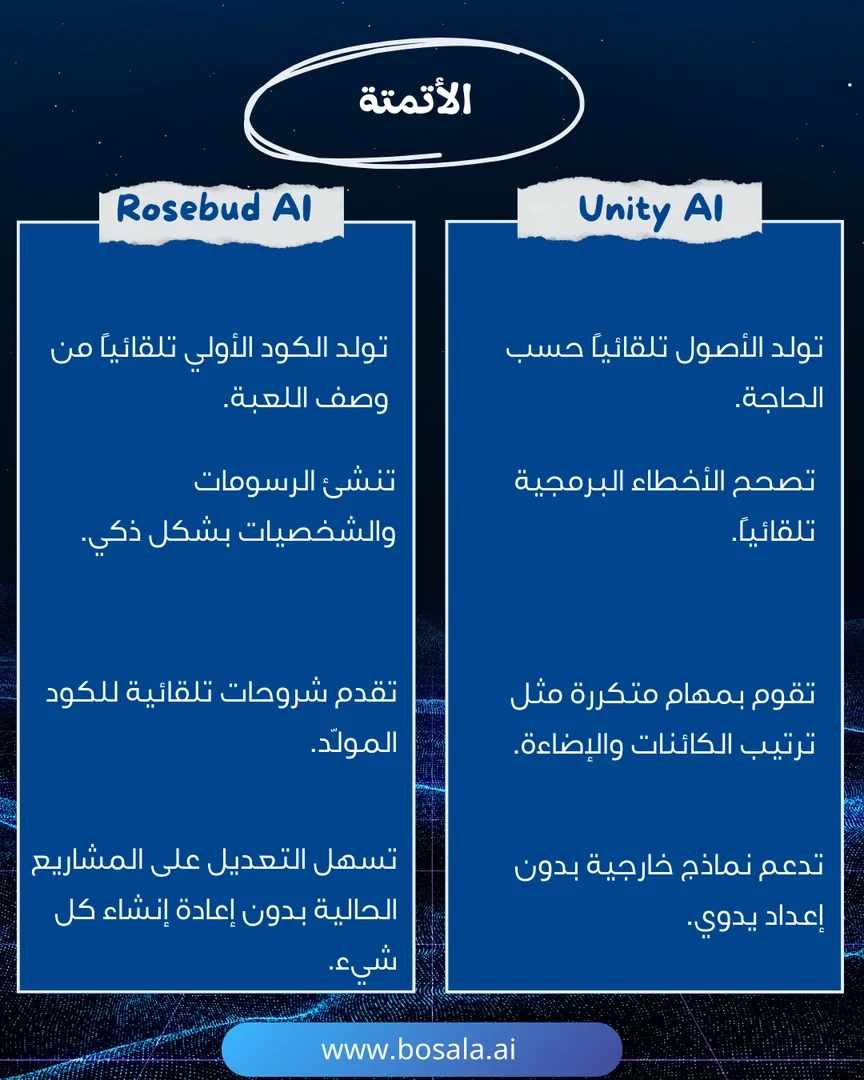
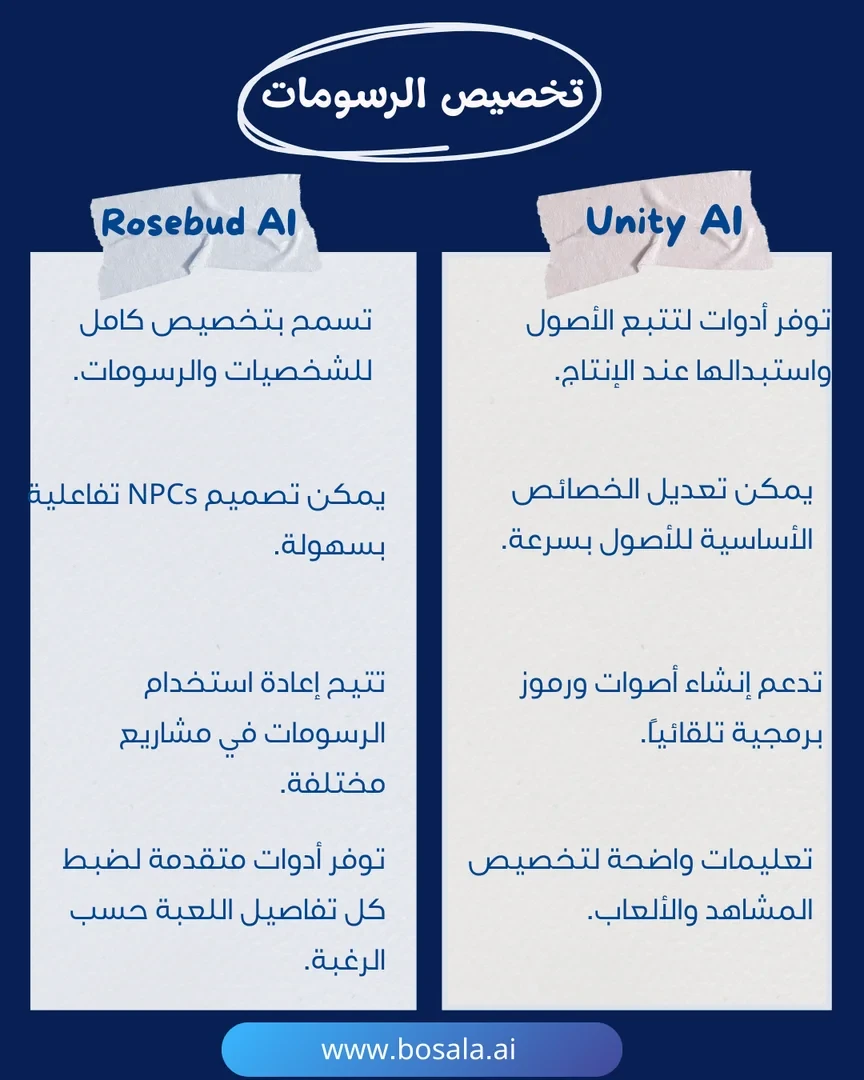
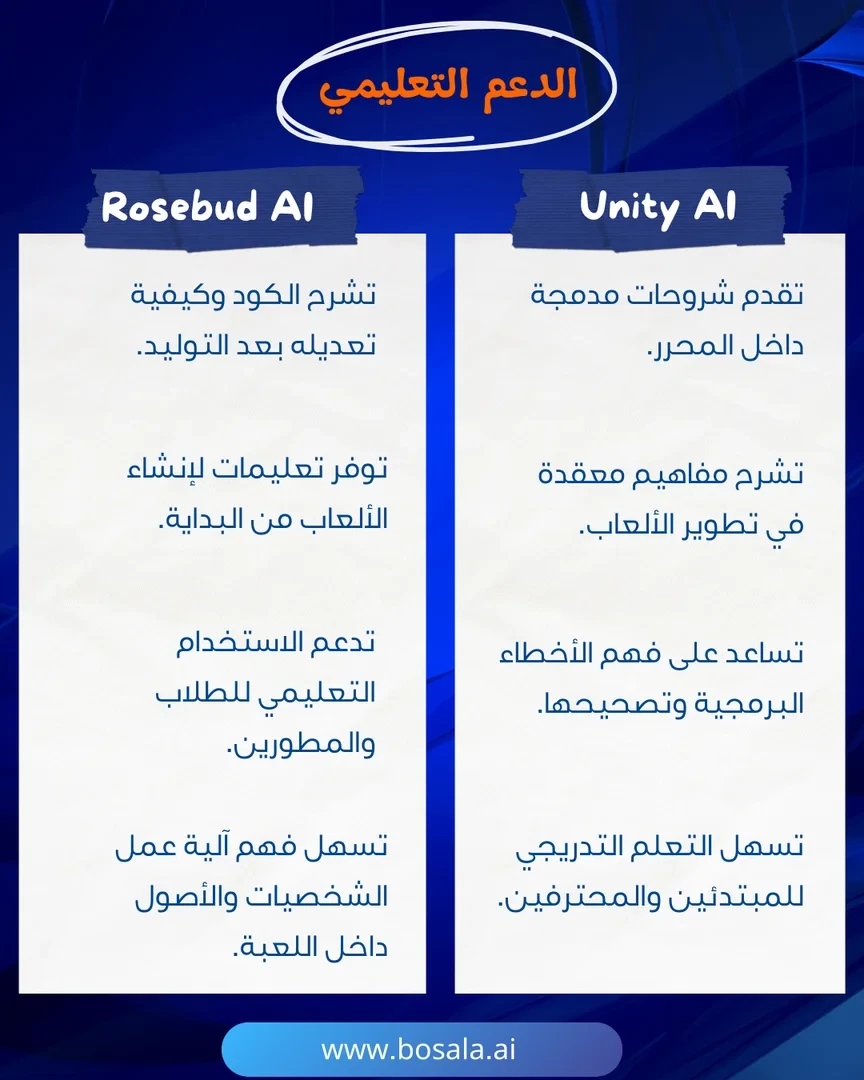
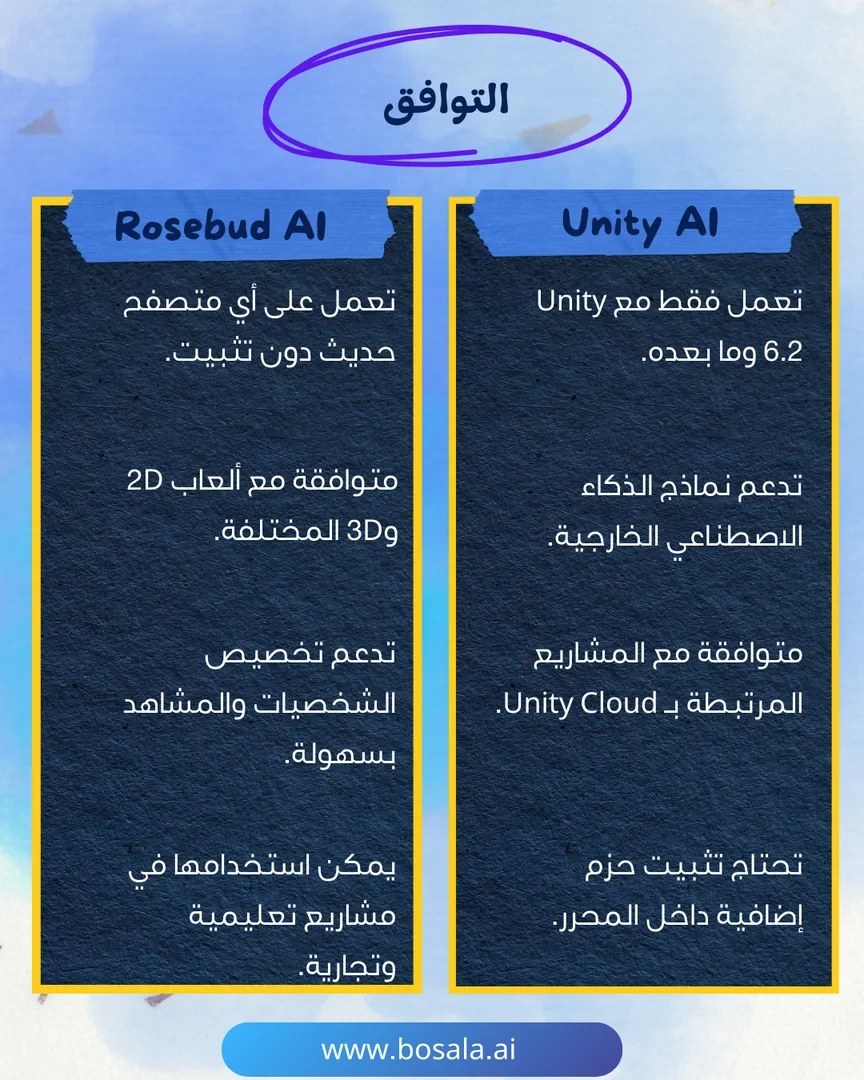
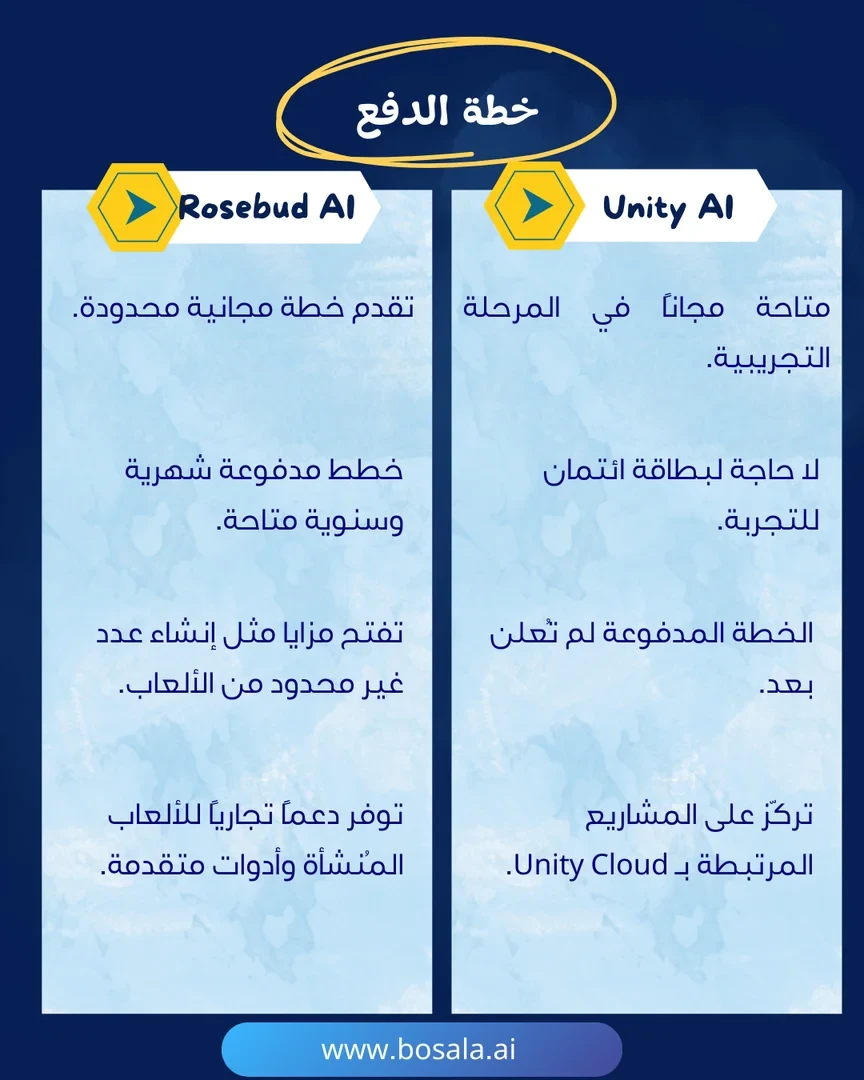
In the race for AI-powered game engines, Unity AI and Rosebud AI stand out with innovative options that open up new horizons for developers and creators. One integrates AI directly into the game editor to speed up large-scale projects, while the other allows for fast, cross-browser game creation without the need for deep programming expertise.
Check out the slides below to find out which one is right for you.
Image Gallery

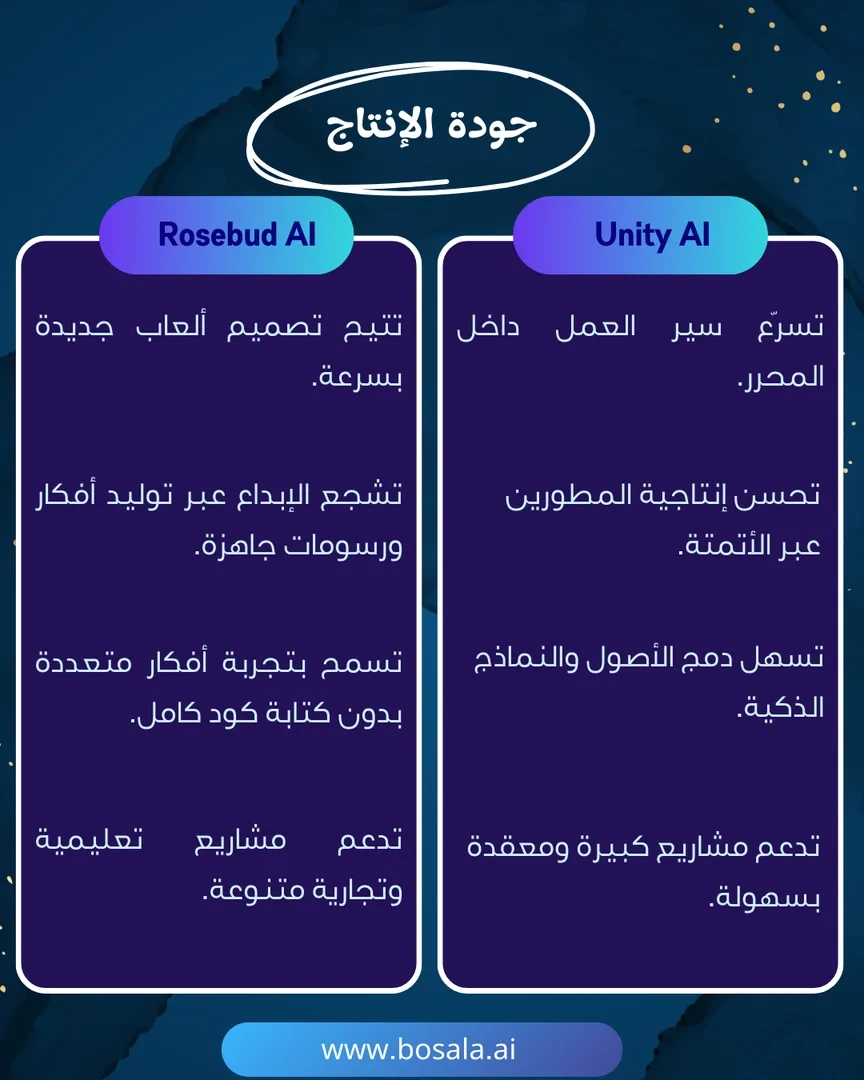
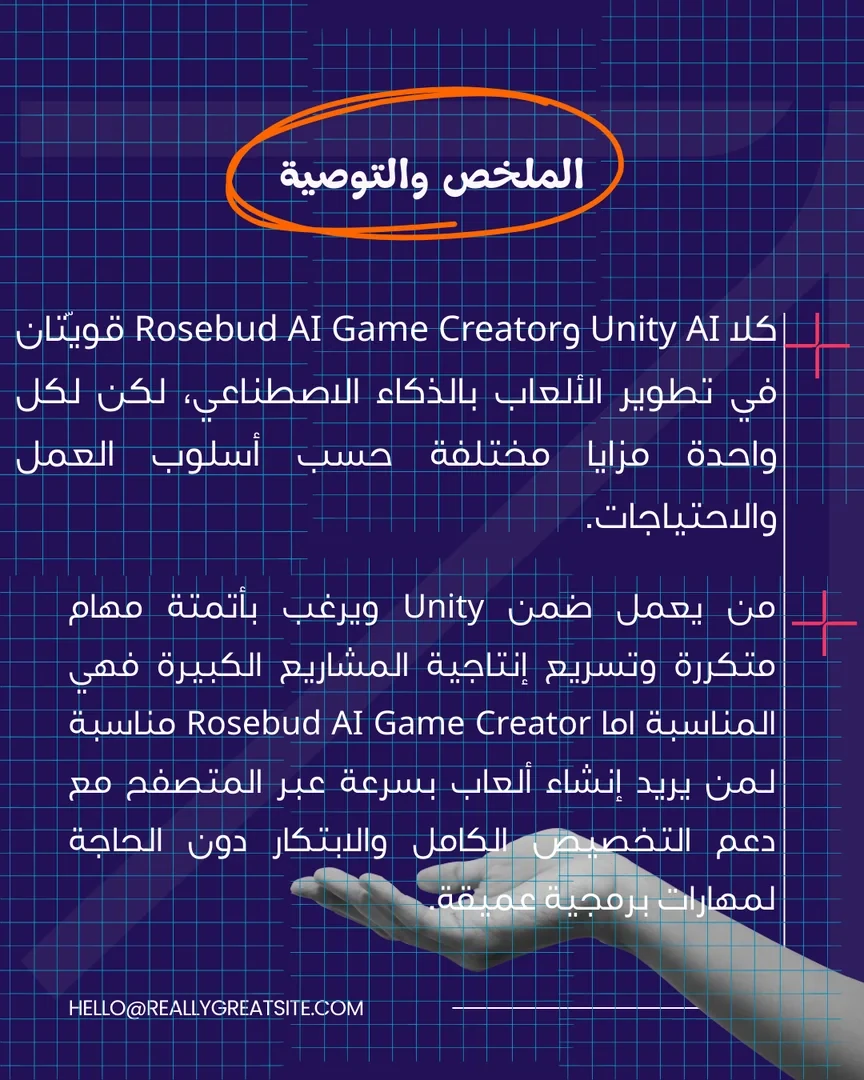
About Rosebud AI Game Creator
- Turns a text description into a playable game that runs in the browser
- Generates initial code automatically and lets you edit it
- Creates 2D and 3D games, visual novels and RPGs
- Generates images, sprite sheets, skyboxes and 3D models
- Removes image backgrounds and resizes images
- Adds AI-powered NPCs that respond to players
- Modifies projects later with new text commands
- Builds interactive websites and apps from templates
- Shares projects through a direct link
About Unity AI
- Provides AI tools built into the Unity editor, including Unity AI Agent
- Develops and publishes projects for web, desktop and mobile
- Supports AR and VR project development
- Gives access to Unity Cloud services
- Supports MCP and the command-line interface (CLI)
- Automates cloud and on-premises builds on the Enterprise plan
Related Tips
- Integrating Claude and JXP Veo to Create Fun Science Videos for Kids
- ChatGPT and MindVideo: An Easy Way to Create Educational Videos for Kids Using 3D Animation
- Head-to-head comparison: Socratic or MagicSchool.ai?
- Leaving your ideas on paper... means missing your chance, while v0.dev turns them into a living project right away!
- 😲 Do you think 3D modeling requires experience?