Head-to-head comparison: Hinds or Scribbe AI?

Head-to-head comparison: Hinds or Scribbe AI?

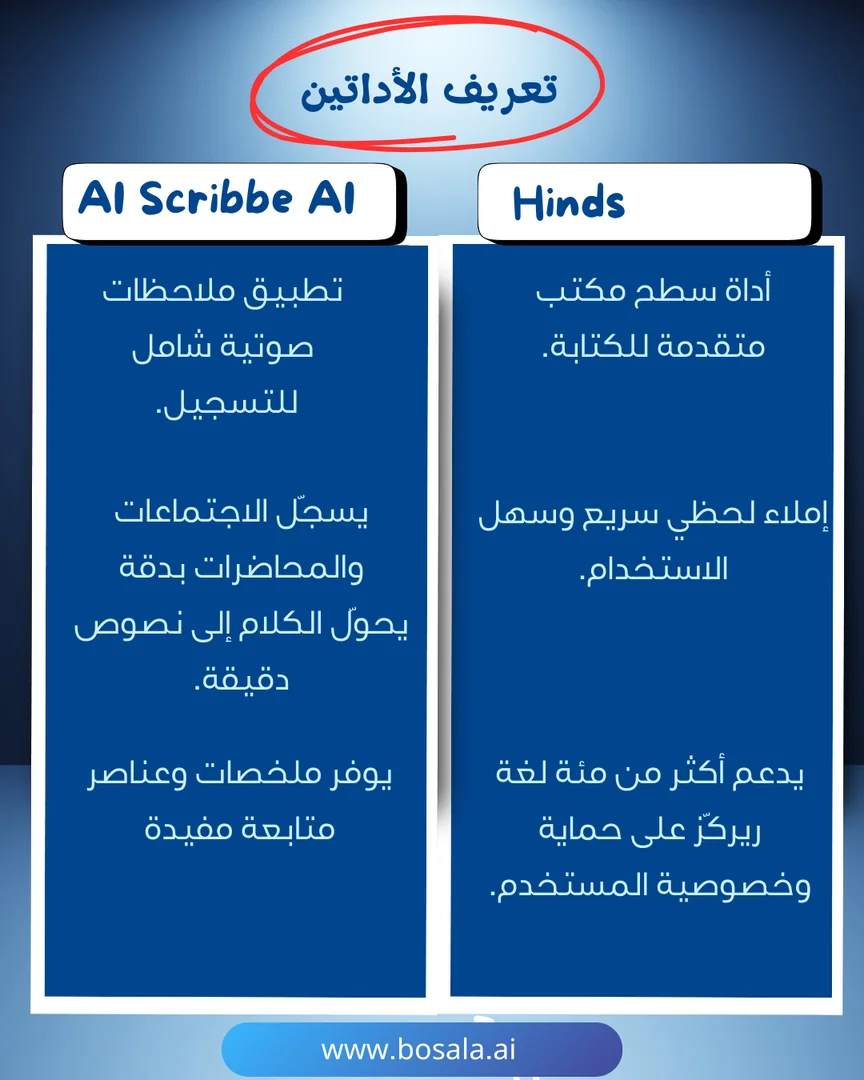
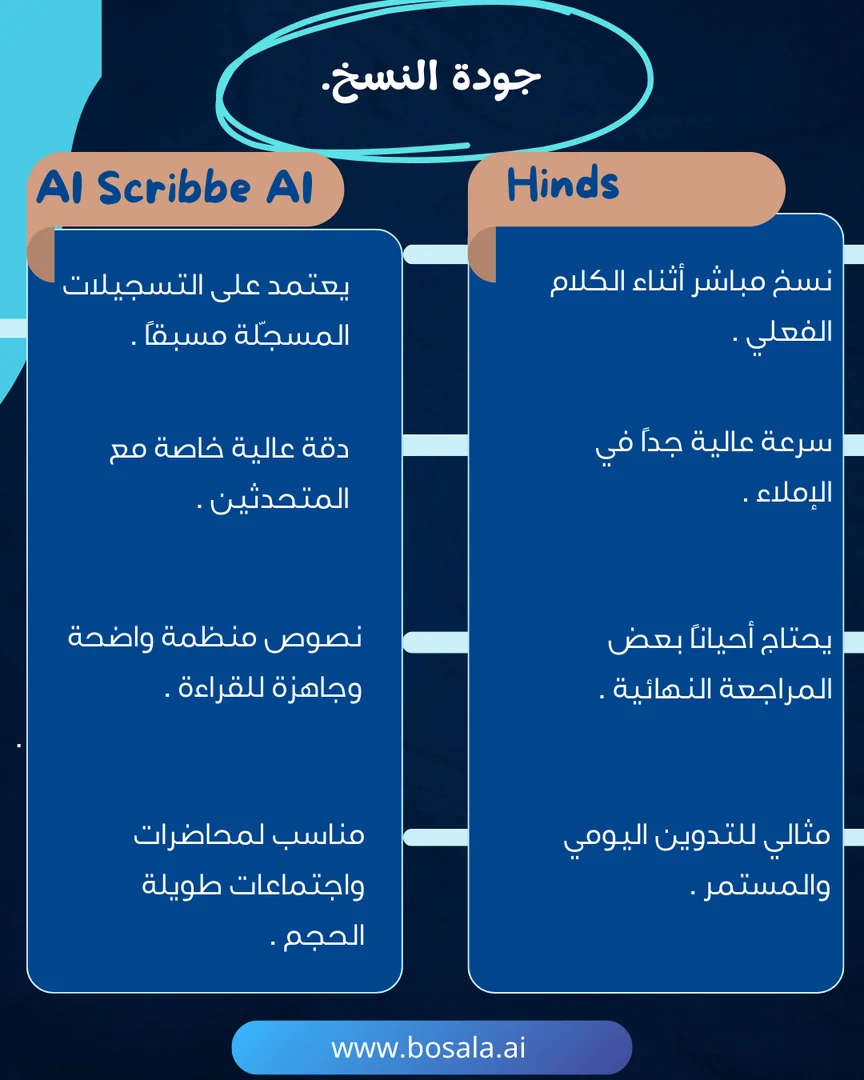
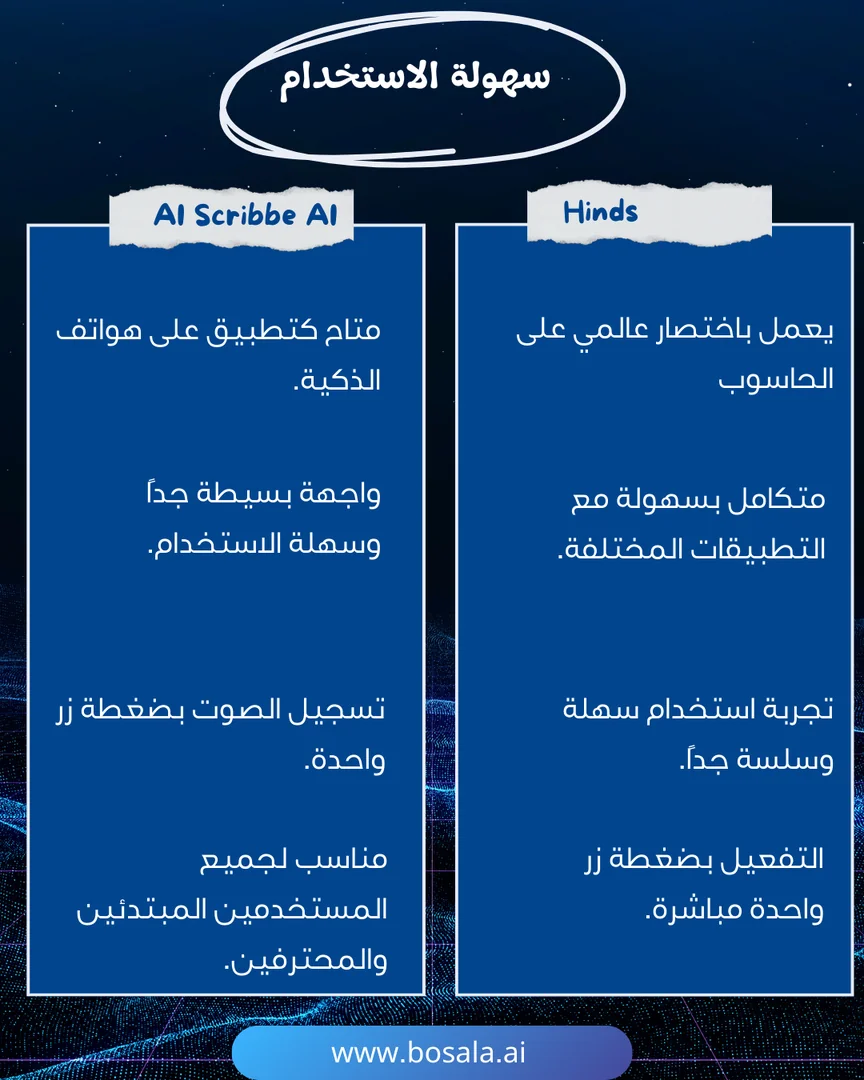
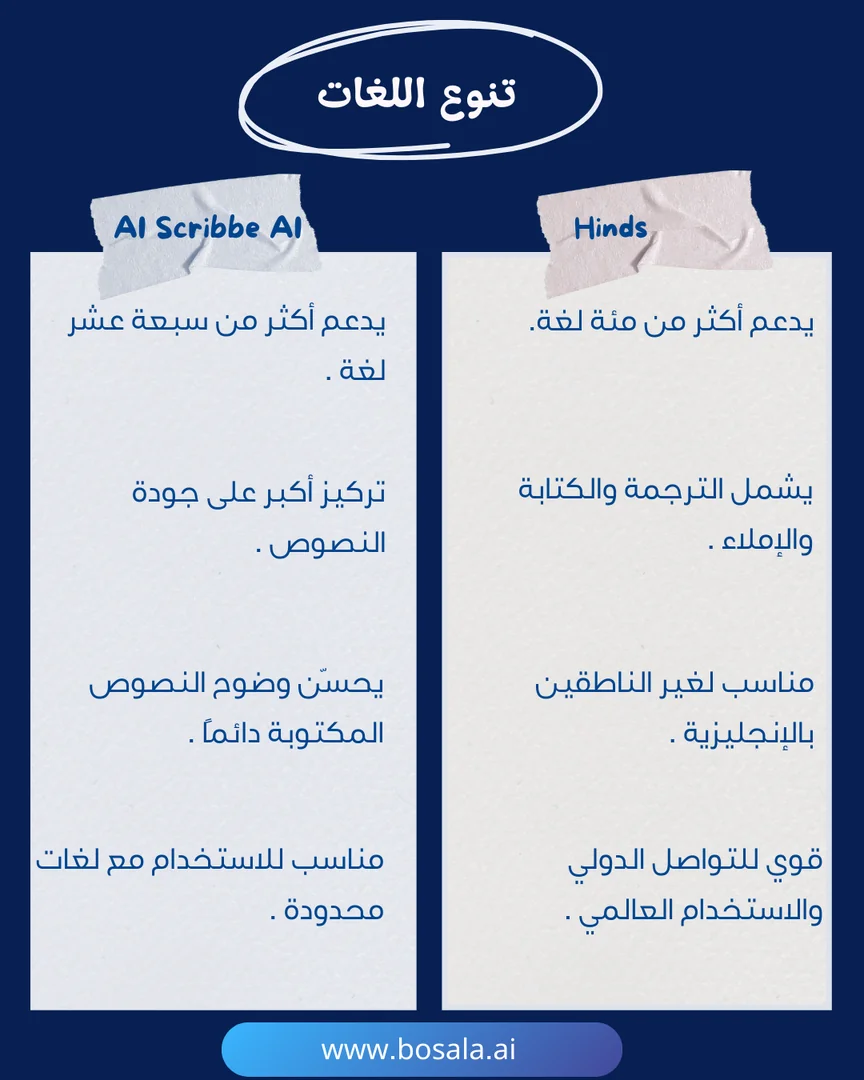
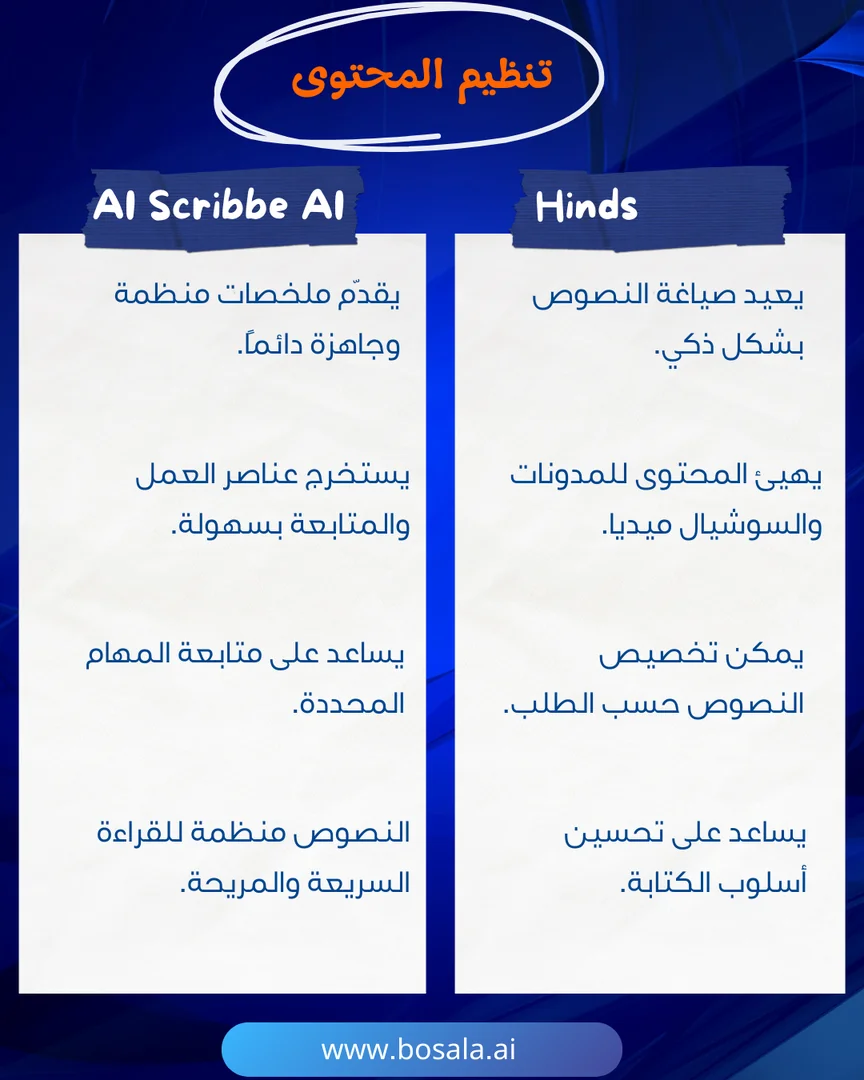
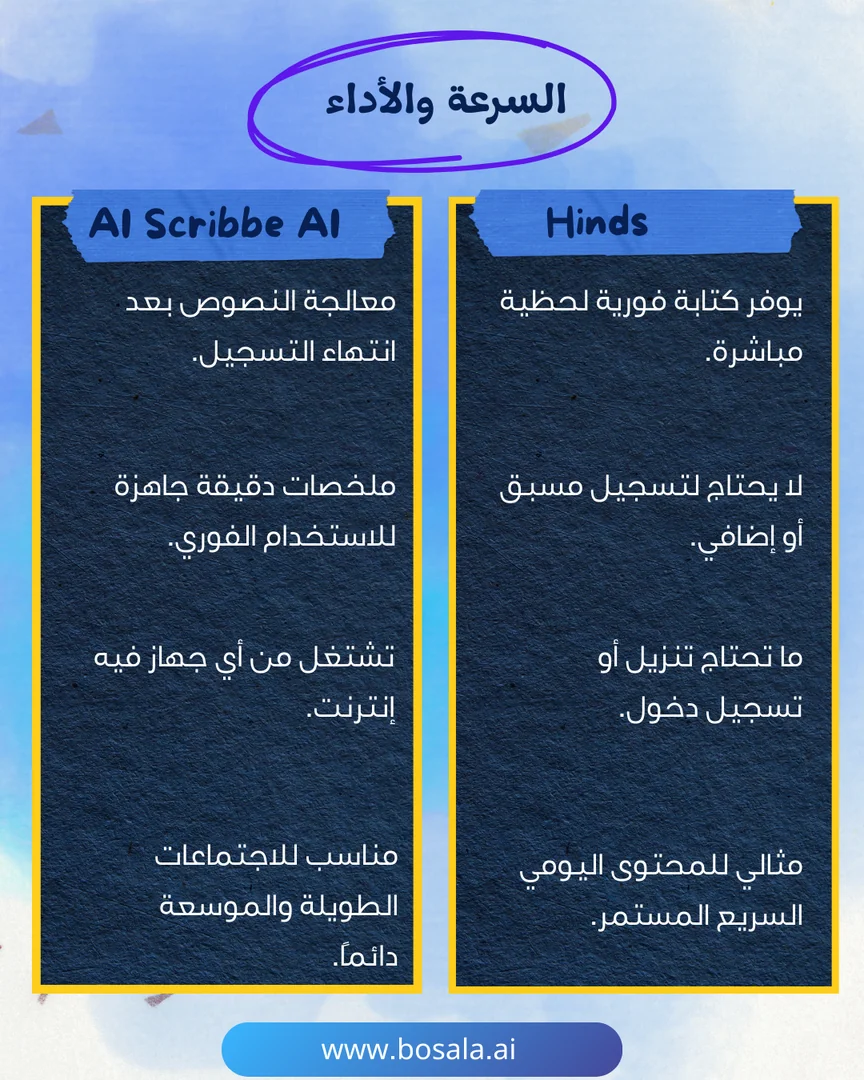
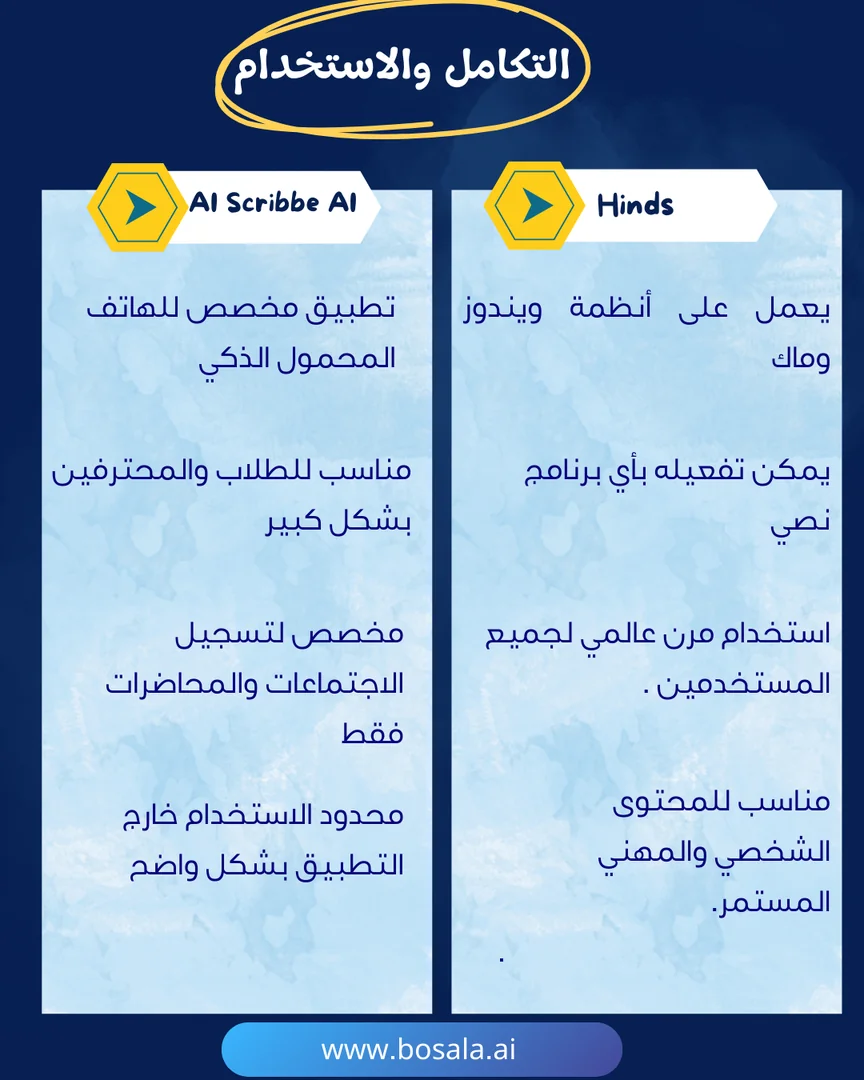
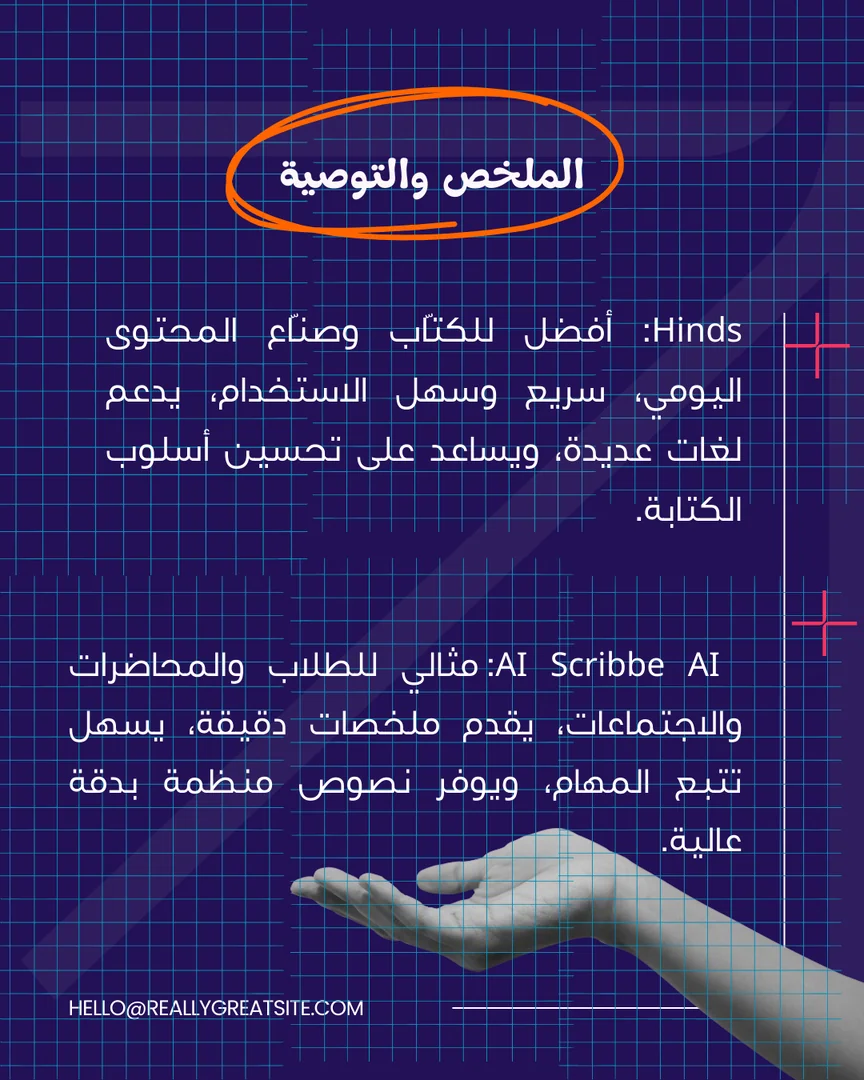
If you're looking for a tool to turn speech into accurate text or to write content instantly and smoothly, the comparison between Hinds and Scribbe AI will interest you. The former focuses on speed, multilingualism, and ease of everyday writing, while the latter is geared towards students and meetings with structured texts and precise summaries.

Image Gallery
Head-to-head comparison: Hinds or Scribbe AI? - Image 1Head-to-head comparison: Hinds or Scribbe AI? - Image 2Head-to-head comparison: Hinds or Scribbe AI? - Image 3Head-to-head comparison: Hinds or Scribbe AI? - Image 4Head-to-head comparison: Hinds or Scribbe AI? - Image 5Head-to-head comparison: Hinds or Scribbe AI? - Image 6Head-to-head comparison: Hinds or Scribbe AI? - Image 7Head-to-head comparison: Hinds or Scribbe AI? - Image 8Head-to-head comparison: Hinds or Scribbe AI? - Image 9Head-to-head comparison: Hinds or Scribbe AI? - Image 10
September 25, 2025 10:22 AM GMT
About Heynds

️ 🖼Tool Name:
Heynds

🔖 Categories:
Text-to-Speech / Speech-to-Text

Automation and Smart Agents

Habit Tracking and Focus

Productivity and Scheduling

️ ✏What does this tool offer?
Heynds is an AI tool for Mac that acts as a writing and voice-to-text assistant. It allows users to quickly convert their speech to text using voice dictation, reducing the need for manual typing and helping them create messages, notes, and text content faster and more easily.

Heynds also provides educational content through its blog that focuses on improving productivity with AI, developing voice-to-text workflows, and automating writing for Mac users.

The blog covers the use of voice dictation by developers for writing code, creating development requests and documentation, and converting voice notes into professional emails, as well as addressing punctuation and voice dictation issues on Macs and troubleshooting dictation errors.

It also covers techniques for converting audio files to text and compares speech-to-text software on Macs in terms of workflow, privacy, app support, and pricing.

What does it actually offer based on user experience?

  • Convert speech to text using voice dictation.
  • Speed up writing messages, notes, and text content.
  • Reduces the need for manual typing.
  • Support for voice-to-text workflows on Macs.
  • Providing tutorials on how to use voice dictation.
  • Provide guidance for developers on using voice dictation to write code.
  • Help create development requests and documentation using dictation.
  • Convert voice memos into professional emails.
  • Provide solutions to punctuation and voice dictation issues on Macs.
  • Provide guides for troubleshooting voice dictation issues.
  • Provide content on converting audio files to text.
  • Compare speech-to-text tools on Macs in terms of workflow, privacy, app support, and pricing.

🤖 Does it include automation?
Yes, Heynds relies on speech-to-text technology to reduce manual typing and speed up the process of creating text content. The platform and its blog content also focus on automating writing and optimizing workflows using voice and artificial intelligence.

💰 Pricing model:
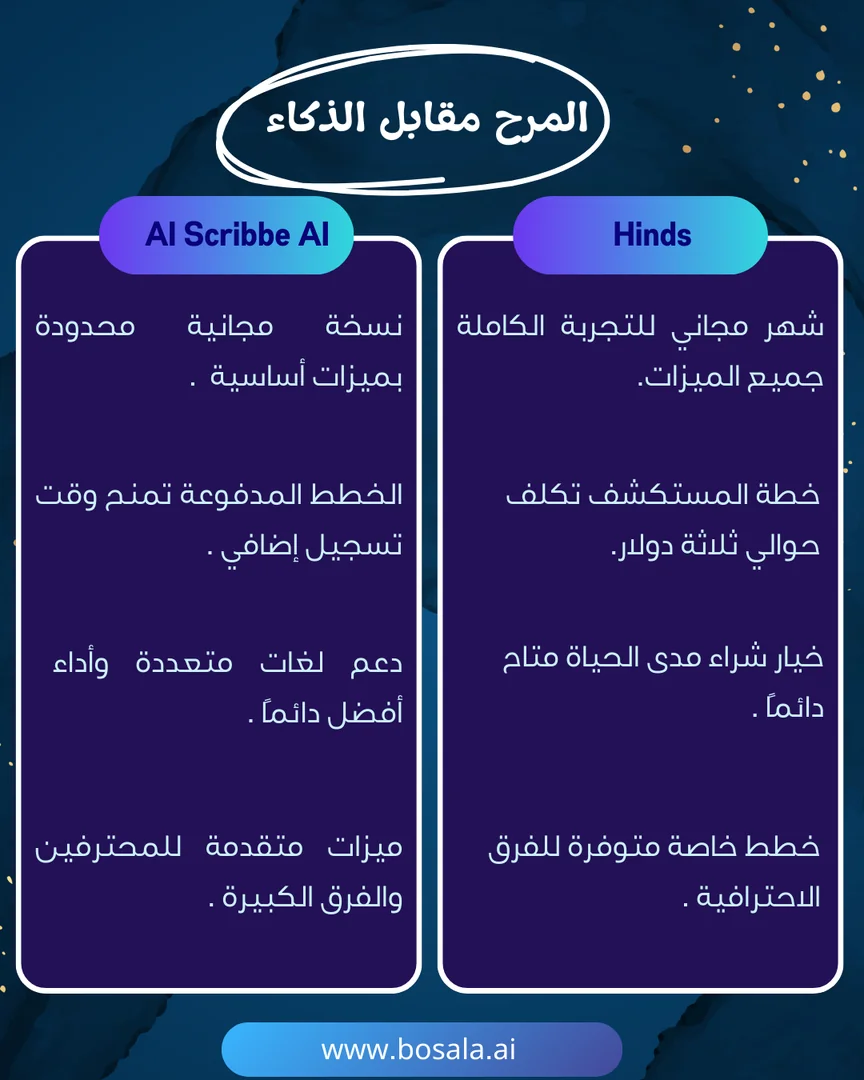
Paid subscription + custom plan for organizations. The Explore plan is available for individual users, and the Enterprise plan is available for teams and companies.

🆓 Free Plan Details:

PlanPriceDetails
ExploreFirst month freeAll Heynds features, access to an exclusive community, lifetime updates, no API keys required, and 24/7 support. After the first month, the regular price is $3.99 per month,with the option to cancel at any time.

💳 Paid Plan Details:

PlanPriceKey Features
Explore$3.99 per month after the first monthAll Heynds features, an exclusive community, lifetime updates, no API keys required, and 24/7 support.
EnterpriseCustom PricingAll Heynds features, a custom quote based on your team’s needs and number of users, comprehensive end-to-end encryption and private AI servers (both coming soon), and dedicated 24/7 support.

🧭 How to access the tool:

Access MethodDetails
WebThe Heynds website and official blog are available.
AppYes, the tool is designed for Mac.
APIThe Explore plan does not require API keys.
AdditionalNot mentioned in the provided information.

🔗 Demo link or official website:
Heynds – Official Blog

About Scribbe AI Note Taker

️ 🖼Tool Name:
cribbl

🔖 Categories:
Meeting Summaries and Notes

Text-to-Speech / Speech-to-Text

Notes and Analytics

Automation and Smart Agents

Customer Support and CRM

Content Management and Publishing

Tasks and Projects

️ ✏What does this tool offer?
cribbl is an AI-powered tool for recording, transcribing, and summarizing meetings—without needing to add a bot to the call. It works with Google Meet, Zoom, and Microsoft Teams,automatically recording or transcribing the meeting, then generating meeting notes and action items using AI.

The platform also enables quick searching for key moments in meetings using video, text, and AI, with the ability to easily share meetings with others.

Scribbl for Teams offers a range of features tailored for teams, including a shared meeting library, integration with customer and task management systems, smart workflows to automate post-meeting tasks, as well as centralized management tools and permissions.

What does it actually offer based on user experience?

  • Record meetings without having to add a bot to the call.
  • Transcribe meetings into text.
  • Summarizing meetings using artificial intelligence.
  • Automatically generate meeting notes.
  • Create action items and tasks.
  • Search for key moments within meetings.
  • Search using video, text, and AI.
  • Share meetings with others.
  • Support for Google Meet, Zoom, and Microsoft Teams.
  • Record, transcribe, and summarize meetings for individuals on the free plan.
  • Unlimited meetings on the Pro plan.
  • Unlimited AI-powered conversations with meetings on the Pro plan.
  • A shared meeting library for teams.
  • Automatically share meetings with team members on the Team plan.
  • Integration with CRM systems.
  • Integration with task management systems.
  • Automate post-meeting tasks through smart workflows.
  • Provide centralized management tools and permissions for teams.

🤖 Does it include automation?
Yes. cribbl uses artificial intelligence to automate meeting recording, transcription, summarization, and the creation of notes and action items.

It also provides teams with smart workflows to automate post-meeting tasks, including meeting sharing and integration with CRM and task management systems.

💰 Pricing model:
Freemium — cribbl offers a free plan for individuals, as well as two paid plans: Pro andTeam.

🆓 Free Plan Details:

PlanPriceDetails
Lite$0Record, transcribe, and summarize up to 10 meetings per month,with no time limit per meeting, AI-generated notes and action items, and video recordings retained for two months. No credit card required.

💳 Paid Plan Details:

PlanPriceKey Features
Pro$13 per user per monthUnlimited meetings, unlimited meeting duration, AI-generated notes and action items, one-yearvideo recording retention ,and unlimited AI-powered meeting chats.
Team$20 per user per monthAll Pro features, plus automatic meeting sharing among team members and integrations with CRM systems.

🧭 How to access the tool:

AccessDetails
WebYes, available via the Scribbl platform.
AppNot mentioned in the provided information.
APINot mentioned in the information provided.
Add-onNot mentioned in the provided information; works with Google Meet, Zoom, and Microsoft Teams without needing to add a bot to the call.

🔗 Demo link or official website:
cribbl – Official Pricing Page