Warp AI
Description
🖼️ Tool Name:
Warp AI
🔖 Tool Category:
AI-powered smart terminal emulator designed to enhance developers' command-line experience.
✏️ What does this tool offer?
Warp AI is a modern terminal emulator built with Rust, integrating AI to provide an advanced development experience. Features include:
Smart command suggestions: Offers context-aware command suggestions to help developers write commands faster and more accurately.
Error explanation and fixing: When errors occur, Warp AI helps understand the cause and suggests fixes, reducing debugging time.
Real-time collaboration: Allows developers to share sessions and commands with their teams in real-time, boosting effective collaboration.
Modern user interface: Features a clean, organized UI that makes navigation and usage efficient.
Cross-platform support: Available on macOS, Windows, and Linux, ensuring wide compatibility.
⭐ What does the tool actually deliver based on user experience?
Users praise:
Improved productivity: Speeds up command writing and reduces errors, increasing efficiency.
Ease of use: Modern UI and smart suggestions make it accessible even to beginners.
Enhanced collaboration: Session and command sharing improve teamwork and knowledge exchange.
🤖 Does it include automation?
Yes, Warp AI includes automation features such as:
Agent Mode: Automates execution of multiple tasks, like code building and fixing.
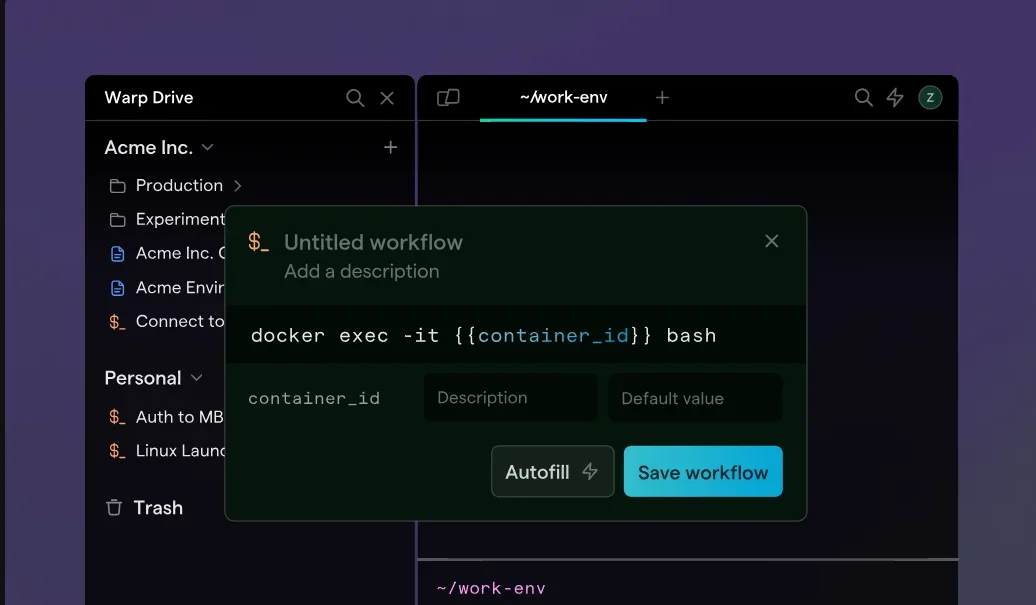
Warp Drive: Enables teams to centrally share commands, notes, and notebooks for easier access and management.
💰 Pricing Model:
Warp AI offers a flexible pricing model:
Free plan: Provides access to core features with some limitations.
Paid plan: Offers additional features such as team support, performance enhancements, and access to advanced tools.
🆓 Free Plan Details:
Grants access to essential features, allowing users to try before upgrading.
💳 Paid Plan Details:
Includes:
Team support: Manage multiple teams with customizable permissions.
Performance improvements: Faster, more stable experience.
Advanced features: Access to additional productivity tools.
🧭 Access Method:
Available via the official website where users can download and install the tool on their systems.
🔗 Experience Link:
Start using Warp AI by signing up on the official Warp AI website.