Heuristica
Description
️ 🖼Tool Name:
Heuristica
🔖 Tool Category:
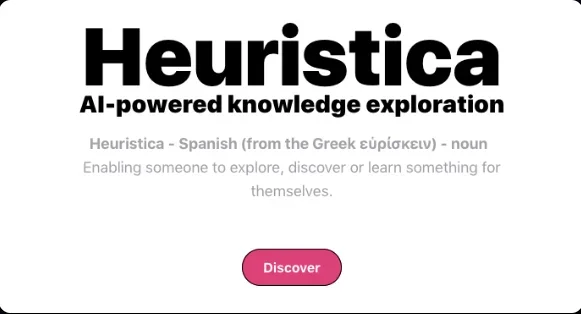
A smart AI-powered concept mapping tool for visual learning, academic research, and organizing information in an interactive way.
️ ✏What does this tool offer?
Heuristica provides the ability to turn any topic into an interactive visual concept map, where the user can enter text or a keyword, and the tool builds a comprehensive map that includes key concepts, definitions, prominent personalities, pros and cons, and logical links between elements, and the map can be linked to external sources Wikipedia, YouTube, arXiv, PubMed, podcasts, or PDF downloads. The tool also allows you to generate integrated content from these maps such as summaries, essays, review cards, assignments, quizzes, blog posts, and lesson plans, with the ability to customize the output in terms of language, style, tone, and level of expertise.
⭐ What does the tool actually deliver based on user experience?
The user starts by entering a specific topic and the tool generates a concept map that contains elements that can be expanded and customized, such as definitions, people associated with the topic, or positive and negative points, and these elements are displayed within a structured visual interface that allows editing, linking, and immediate expansion, and any element in the map can be converted into a written text, test, or review card automatically, and there is also the option to chat with the map itself through built-in artificial intelligence that helps answer questions related to its content, making the experience interactive and comprehensive from all aspects of education and content.
🤖 Does it include automation?
Yes, the tool includes an advanced AI-based automation system, where maps are automatically generated from multiple sources, as well as the ability to generate summaries, articles, review cards, and quizzes from the map itself with one click, and the map chat feature provides direct and intelligent interaction without the need for typing or manual setup.
💰 Pricing Model:
Heuristica adopts a Freemium pricing model, which includes a free plan with limited options, as well as a paid plan that gives access to all advanced features and customizable smart content.
🆓 Free Plan Details:
The free plan (Basic) allows users to use AI (LLaMA 3 - 70B) to create and save up to three concept maps only, but it does not support linking to external sources such as arXiv, PubMed, or YouTube, nor does it allow the use of features such as chatting with the map or customizing the content output, making it suitable for a limited experience of the app.
💳 Paid Plan Details:
The paid plan (Professional) costs 6.99 USD per month and gives the user the ability to create and save up to 100 concept maps, with the ability to link the maps to multiple external sources such as Wikipedia, PubMed, YouTube, podcasts, news, and PDFs. This plan also allows the automatic creation of all types of content (articles, summaries, review cards, quizzes, lesson plans, blog posts), and provides advanced customization tools in terms of style, tone, and language, along with the ability to chat interactively with the map and add custom prompts (Custom Prompts).
🧭 Access Method:
The tool can be used directly through the browser without the need to download or install any software, by creating an account with an email address on the Heuristica website, and is available for all devices, both desktop and mobile, and works entirely online.
🔗 Experience Link:
https://www.heuristi.ca/?ref=f