Visla
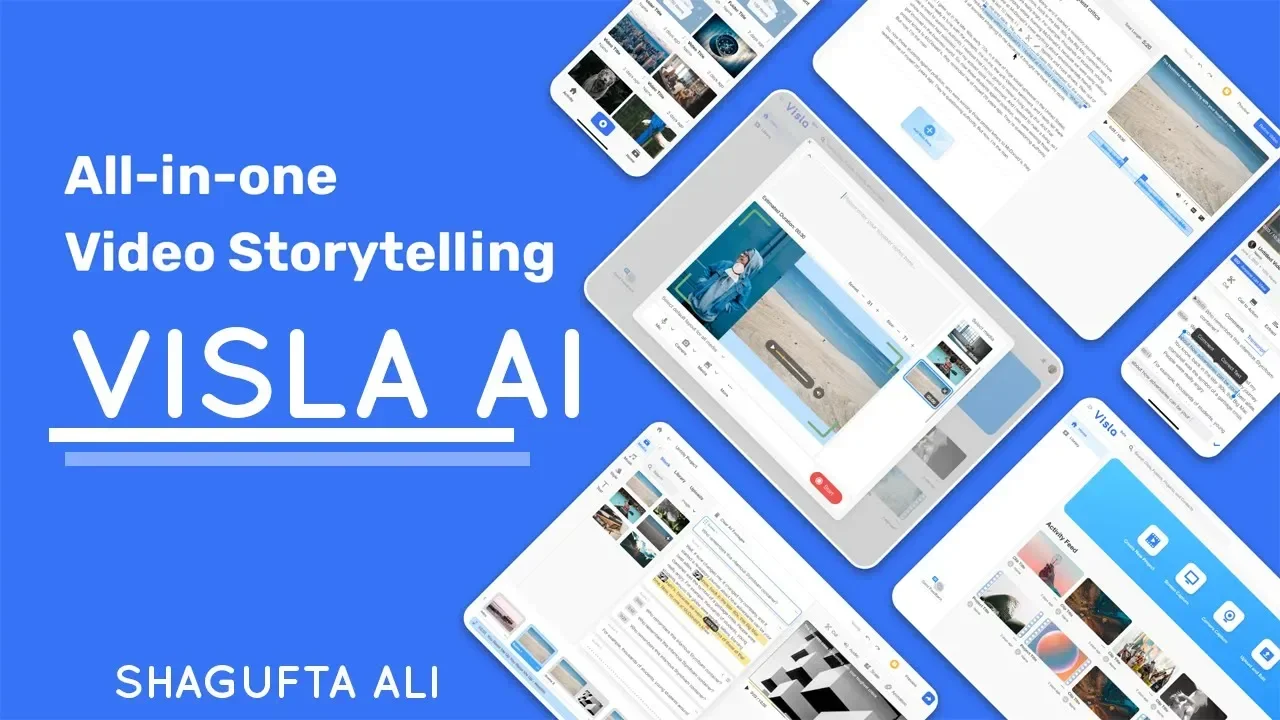
Description
️ Tool Name: 🖼
Visla
Categories: 🔖
- Video, Editing, and Motion
- Text and Photos to Video
- Video Ideas and Scripts
- Motion Graphics, Titles, and Subtitles
- Social Media Templates and Editing Automation
- Business Document Creation
- Video summaries and excerpts
- Text-to-Speech / Speech-to-Text
- Voice cloning
- Automation and Smart Agents
- Content Management and Publishing
- Customer Support and Customer Relationship Management
- Education and Research
- Teacher Tools and Assessment
- Teaching Assistants and Smart Notes
- Marketing and Sales
️ What does this tool offer? ✏
Visla is an integrated platform for creating and editing videos using artificial intelligence, designed for individuals, teams, and businesses to quickly produce professional videos from various sources such as text, ideas, articles, web pages, PDFs, PowerPoint presentations, audio files, and screen recordings—without the need for advanced editing experience.
The platform offers a wide range of video creation tools, most notably:
- Text-to-Video.
- Video creation from ideas, articles, or web pages.
- Converting PDF and PowerPoint files to video.
- Automatically creating videos based on visual storytelling.
- Creating videos using AI avatars.
- Create generative AI videos.
- AI voice-over.
- AI voice cloning.
- Translate videos into multiple languages using AI.
- Automatically suggest background music.
- Creating multilingual videos.
- Creating training, educational, and marketing videos.
- Creating short videos for social media platforms.
- Create videos for presentations.
- Create videos for sales and customer support.
It also includes advanced editing tools, such as:
- Editing videos using text.
- Editing video by scene.
- Removing unnecessary words, pauses, and silence.
- Extracting clips by topic.
- Automatically suggesting B-roll footage.
- Control background music.
- Add transitions and motion effects.
- Edit text, subtitles, and their timing.
- Add calls to action (CTAs).
- Merge and repeat clips.
- Select thumbnails.
- Download the script.
- Editing using audio waves.
The platform also offers professional recording tools, including:
- Recording the entire screen or a portion of it.
- Recording a specific window.
- System audio recording.
- Noise removal.
- Automatic zoom and panning.
- Record your phone screen.
- Create GIFs.
- Camera recording.
- Multi-camera shooting.
- Use the phone as a webcam.
- Teleprompter.
- Background removal.
- Add virtual backgrounds.
Collaboration and content management tools also include:
- Collaborative workspaces.
- Video and clip sharing.
- Comments and reviews.
- Permissions management.
- Closed captions.
- Embedding videos.
- Folder management.
- Search within media.
- Tags.
- Activity log.
- Media library management.
Visla provides professional media libraries featuring millions of royalty-free videos and images from Storyblocks and Getty Images, as well as a private media library that is automatically organized using artificial intelligence.
It also supports integration with:
- Slack
- Zoom
- Canva
- Adobe Express
- Zapier
- ChatGPT
- Video Maker GPT
It provides an API for creating videos and integrating Visla’s capabilities into various applications and systems.
What does it actually offer, based on user experience? ⭐
- Create professional videos in minutes using artificial intelligence.
- Automatically convert text, articles, and files into videos.
- Easily create educational and marketing videos.
- Produce multilingual videos.
- Create videos using AI characters.
- Automatically translate videos.
- Record your screen and create professional walkthroughs.
- Automatically remove silence and unnecessary words.
- Enhance videos by adding B-roll and music.
- Collaborate with team members on the same project.
- Create content tailored for social media.
- Manage media libraries within the platform.
- Create videos for sales, education, customer support, and marketing.
Does it include automation? 🤖
Yes.
Visla relies heavily on artificial intelligence and automation, including:
- Automatically generating videos from text, files, or links.
- Generating scripts and visual narratives.
- Automatically selecting appropriate clips.
- Suggesting background music.
- Removing pauses and unnecessary words.
- Create and translate subtitles.
- Voice cloning.
- Create and animate AI characters.
- Organize media libraries using AI.
- Create educational and marketing videos without manual editing.
- AI Director Mode.
- AI Video Agent.
- AI Step Recorder.
- AI Avatar.
- Advanced Avatar.
- AI Voice Cloning.
- AI Video Generator.
Pricing Model: 💰
Freemium (free plan with paid subscription plans, plus a credit system for creating videos).
🆓 Free Plan Details:
Feature Details Price $0 Create videos with artificial intelligence ✅ Create videos from text, ideas, and files ✅ AI video editing ✅ Screen and video recording ✅ Free Media Library ✅ Video Export Up to 1080p File Upload Size Up to 3 GB or 1 hour Collaboration within the workspace ✅ AI translation ✅ AI voice-over ✅ Create Public Avatars ✅ Paid Plan Details: 💳
Pro Plan
Feature Details Monthly Price (Annual) $15 per month Savings 32% Annual Credits 120,000 credits Video Transcripts Approximately 600 minutes Audio videos Approximately 546 minutes Explanatory videos About 686 minutes Script videos with Avatar About 240 minutes AI-generated video About 58 minutes Advanced generative video About 24 minutes Buy Additional Credits 150 Credits per dollar Storyblocks Over 2 million videos Collaborative workspace ✅ Unlimited collaborative editing ✅ Screen and video recording ✅ Video Content Management ✅ AI-Powered Video Translation ✅ Video API Standard Supported Devices Windows, Mac, iOS, Android Getty Images As a paid add-on Custom Avatar 2 Business Plan (Most Popular)
Item Details Monthly Price (Annual) $39 Savings 34% Annual Credits 240,000 Credits Video Transcripts Approximately 1,200 minutes Audio videos Approximately 1,091 minutes Explanatory videos Approximately 1,372 minutes Scripted videos with Avatar About 480 minutes Generative video About 115 minutes Advanced generative video About 48 minutes Purchase Additional Credits 100 credits per dollar Storyblocks + Getty Images Over 16 million videos Complete Brand Kit ✅ Private media library ✅ AI-powered media categorization ✅ Upload large files ✅ 4K export ✅ Usage Analytics Dashboard ✅ Two-Factor Authentication (2FA) Coming Soon Voice Cloning 3 Voices Custom Avatar 3 Video API Priority Enterprise Plan
Item Details Price Subject to consultation with the sales team All Business features ✅ Workspaces Unlimited Media library Over 16 million assets Brand Kits Multiple SSO ✅ Usage and Billing Limits Custom Account Manager Custom Training and Setup Available Cloned Voices Unlimited Custom Avatars Unlimited SCORM Download ✅ Video API Top Plan Comparison
Feature Free Pro Business Enterprise Price Free $15/month $39/month On demand AI Video Creation ✅ ✅ ✅ ✅ Storyblocks Free 2M+ 16M+ 16M+ Getty Images ❌ Add ✅ ✅ Video API ❌ Standard Priority Top 4K Export ❌ ❌ ✅ ✅ Brand Kit Essential Essential Complete Multiple Custom Avatars General Only 2 3 Unlimited Voice Cloning ❌ ❌ 3 Unlimited Workspace ✅ ✅ ✅ Unlimited 🔗 Link to the demo or official website: