Description
️ Tool Name: 🖼
Pixelcut
Categories: 🔖
Photo Design and Editing
Edit/Enhance/Upsample
Removing and Replacing Elements and Backgrounds
Marketing and Sales
Product Display and AR/VR
Integrations and API Interfaces
️ What does this tool offer? ✏
Pixelcut is an AI-powered image editing platform that provides a suite of tools for creating, editing, and enhancing images.
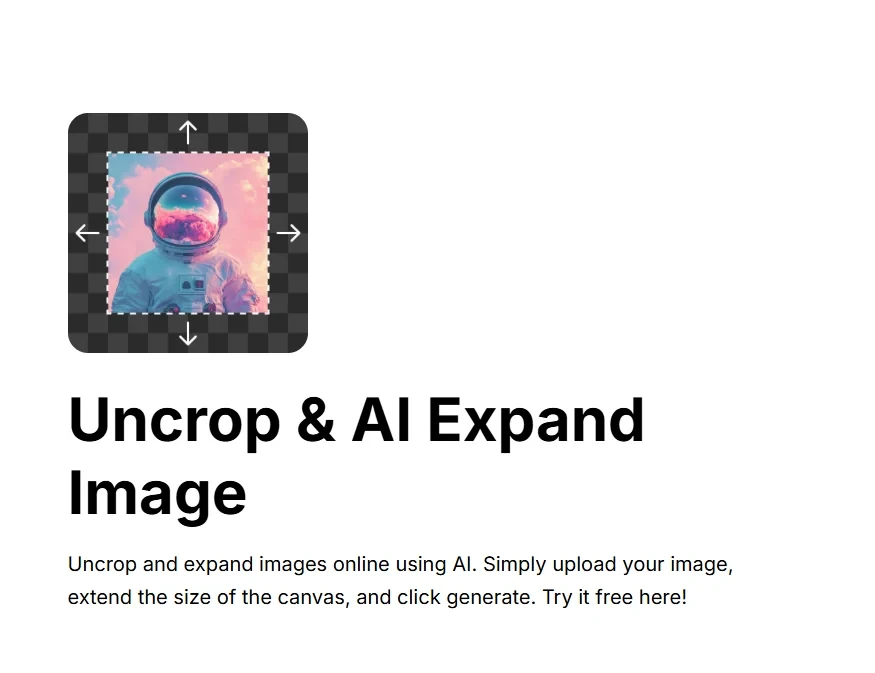
Among its most notable tools are Uncrop and AI Expand,which use AI to expand image boundaries and generate new sections outside the original frame.
Users can upload images in JPG, PNG, or HEIC formats, up to 100 MB in size and with a resolution of up to 8,000 × 8,000 pixels, then specify the desired aspect ratio or expand the image in the desired direction.
The AI then analyzes the image’s content and generates missing details in a way that blends seamlessly with the original scene, with the option to regenerate the results to explore different options before downloading the final image.
Pixelcut uses AI Outpainting technology to generate new content beyond the image’s original boundaries, while striving to maintain image quality and the consistency of details and colors.
The tool can be used to enlarge product images, add space for promotional text, adjust image dimensions to fit social media platforms and e-commerce sites, restore cropped sections, and create natural extensions of backgrounds.
The platform also offers a range of additional tools, including an AI image generator, Generative Fill, background removal, image resolution enhancement, a magic eraser, and batch image editing.
Pixelcut also offers mobile apps and a dedicated API for developers.
What does it actually offer based on user experience? ⭐
- Expand images using Uncrop and AI Expand.
- Create new parts outside the original image boundaries.
- Use AI Outpainting technology to generate image extensions.
- Supports JPG, PNG, and HEIC image formats.
- Handles images up to 100 MB in size.
- Supports resolutions up to 8000 × 8000 pixels.
- Select the desired aspect ratio before expanding the image.
- Extend the image in the direction specified by the user.
- Regenerate results to explore different options.
- Download HD-quality images for free and without a watermark, as indicated on the page.
- Enlarge product images.
- Add space for promotional text.
- Resize images to fit social media platforms.
- Resize images to fit e-commerce sites.
- Restore cropped parts of images.
- Create natural extensions for backgrounds.
- Provide an AI-powered image generator.
- Provide a Generative Fill tool.
- Remove backgrounds.
- Improve image resolution.
- Provide a Magic Eraser.
- Batch image editing.
- Provide mobile apps.
- Provide an API for developers.
Does it include automation? 🤖
Yes. Pixelcut uses artificial intelligence to automatically generate and expand image content.
In the Uncrop and AI Expand tools, AI analyzes the content of the original image and then generates missing details outside its boundaries in a way that matches the scene, colors, and existing details.
The platform also offers batch image editing capabilities, as well as an API for developers, allowing certain platform functions to be integrated into software workflows.
Pricing Model: 💰
Freemium / Paid Subscription
Pixelcut offers a free plan alongside paid Pro and Business plans, with the option to pay monthly or annually. The annual subscription offers savings of up to 20%.
🆓 Free Plan Details:
| Feature | Free |
|---|---|
| Price | $0 per month |
| Background Removal | Limited Use |
| Image Resolution Enhancement | Limited use |
| Export | Free |
| Watermark | No watermark |
Paid Plan Details: 💳
| Plan | Monthly Price | Features |
| Pro | $10 per month | 600 AI credits per month, access to all AI models, unlimited background removal, unlimited image enhancement, support for up to 3 team members, up to 1,000 bulk exports per month, and a commercial license |
| Business | About $30 per month | 3,600 AI credits per month, Access to all AI models, unlimited background removal, unlimited image enhancement, support for teams of up to 10 people, up to 2,000 bulk exports per month, and a commercial license |
Annual payment is available with savings of up to 20%.
How to access the tool: 🧭
- Web: Pixelcut can be used via the website.
- Mobile apps: The platform offers mobile apps.
- API: An API is available for developers.
- Batch image editing: Dedicated tools are available for processing and editing images in batches.
Demo link or official website: 🔗
https://www.pixelcut.ai/create