Renderforest – Text to Video AI
Description
Pricing Details
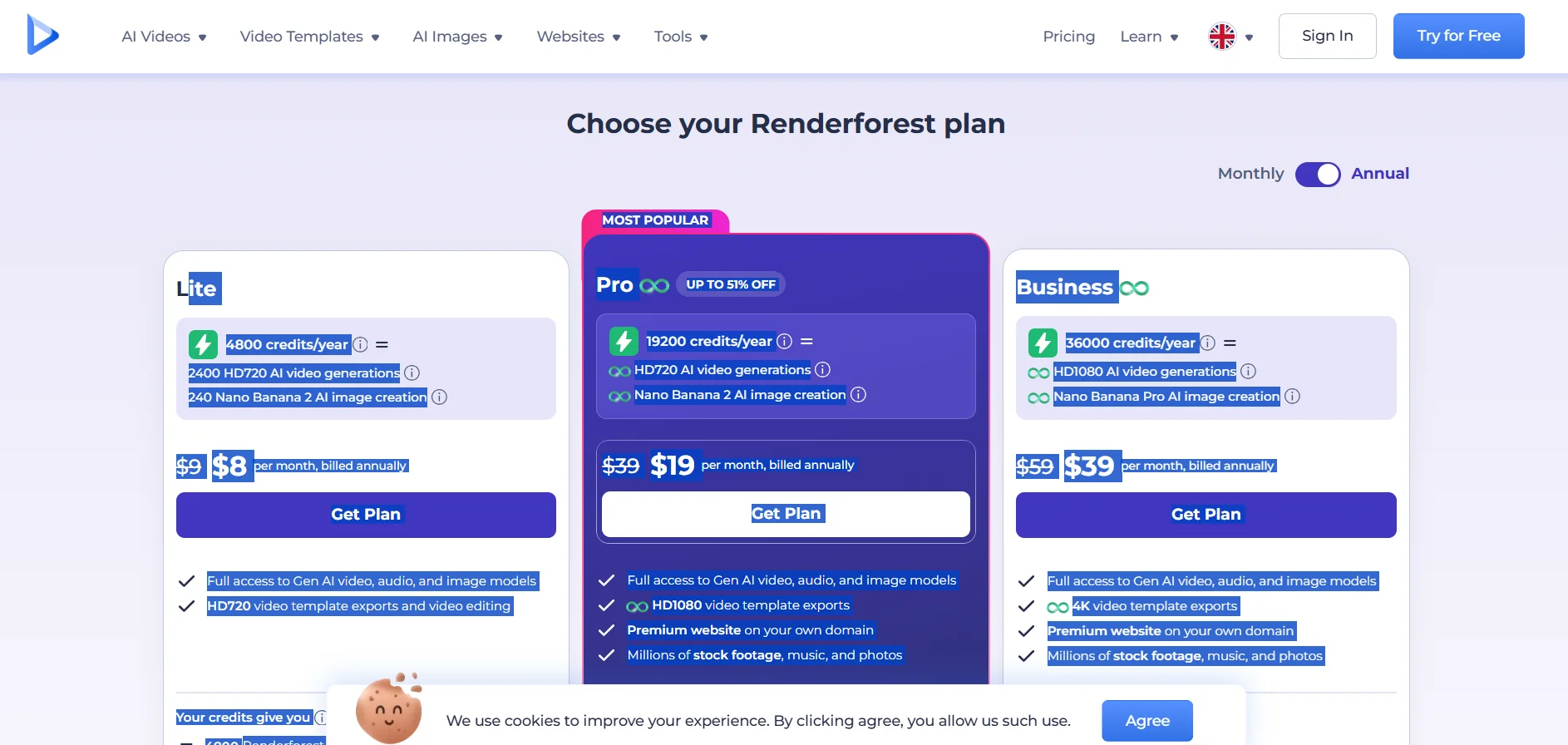
Renderforest uses a paid subscription system based on credits (Credits), with monthly plans paid annually that provide access to AI-powered video, image, and audio generation models, as well as video editing tools, templates, and ready-made content. The entry-level plan starts at $8 per month when paid annually (instead of $9) and provides 4,800 credits per year, with the ability to perform up to 2,400 AI-powered video generations in HD720 resolution and 240 image generations using Nano Banana 2, as well as full access to video, audio, and image generation models, and the ability to export and edit template videos in HD720 resolution. The credit value varies depending on the model used; it can include up to 4,800 Renderforest Fast videos, 240 Nano Banana 2 images, 120 Nano Banana Pro images, 86 Seedance 2.0 videos, or 146 Kling 3.0 Omni videos, or 40 Veo 3.1 videos, or 600 Grok Imagine images, or 240 GPT Image 2 images, in addition to 600 minutes of AI-generated audio, with the mobile app included in the subscription. The Pro plan, which is the most popular, costs $19 per month when paid annually instead of $39, and provides 19,200 credits per year, along with AI-generated videos and images, the ability to export template videos in 1080p HD, a premium website on a custom domain, and access to millions of pre-made clips, music, and images, The credits also include up to 480 Nano Banana Pro images, 343 Seedance 2.0 videos, 582 Kling 3.0 Omni videos, and 160 Veo 3.1 videos, 2,400 Grok Imagine images, 960 GPT Image 2 images, and 1,200 minutes of AI-generated audio, in addition to credits allocated for the remaining models. The Business plan costs $39 per month when paid annually instead of $59, and provides 36,000 credits annually, with full access to generative video, image, and audio models, as well as the ability to generate 1080p HD videos and images using Nano Banana Pro, export template videos in 4K resolution, the creation of a premium website on a custom domain, and access to millions of ready-made clips, music tracks, and images. This plan is geared more toward commercial use and intensive content production.