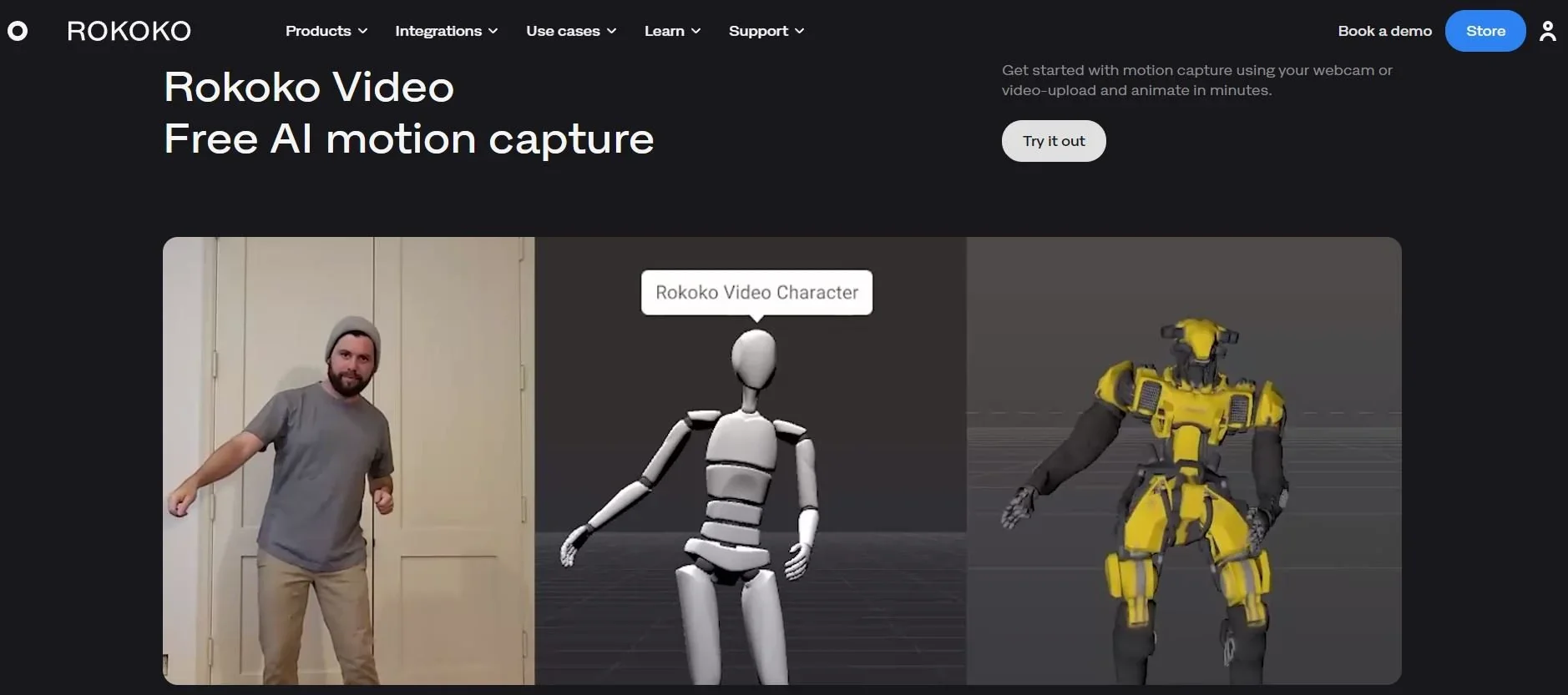
Description
️ Tool Name: 🖼
Rokoko Create
Categories: 🔖
- Text and Photos to Video
- Video, Editing, and Motion Graphics
- Game Asset Generation
- Entertainment and Games
- Education and Research
- Product presentations and AR/VR
️ What does this tool offer? ✏
Rokoko Create is a platform for creating 3D animations based on videos or text descriptions, with the ability to edit the animations within Rokoko Studio and then export them to the final 3D graphics engine. It allows users to upload a video or enter a text description to create the animation, without the need for specialized hardware.
The platform supports the creation of a variety of movements, such as smooth dance moves, jumping exercises, and fast-paced fencing moves. The official website also notes that it offers up to 10 times more processing power per dollar than the competition.
The platform operates through four basic steps: Create the animation from a video or text, then edit it within Rokoko Studio, and finally export it in FBX, BVH, or CSVformats ,with the option to follow a quick tutorial on the AI motion capture workflow.
Rokoko Create combines motion creation and editing with professional-grade full-body motion capture, all within a single ecosystem that integrates tools, hardware, and workflows under one account, subscription, and studio.
The platform also allows users to get started for free and create animations from text or video in minutes, with the option to upgrade for longer recordings or add full-body motion capture devices when greater accuracy is needed.
The Rokoko ecosystem includes full-body performance capture tools such as the Smartsuit Pro II,Smartgloves II,Coil Pro,Headrig, andHeadcam, in addition to the Rokoko Studio software. The system also integrates with a wide range of applications in animation, film, visual effects, gaming, augmented and virtual reality, research, education, and robotics.
The platform offers a help center, video tutorials, technical support, and free 3D resources.
What does it actually offer based on user experience? ⭐
- Create 3D animations from videos or text descriptions.
- Upload a video or enter a text description to create the animation.
- Create a variety of motions, such as dancing, walking, jumping exercises, and fencing moves.
- Edit animations within Rokoko Studio.
- Export animations in FBX, BVH, and CSV formats.
- Create animations without the need for specialized hardware.
- Get started for free and create animations from text or video in minutes.
- Upgrade to access longer recordings or add full-body motion capture devices.
- Integration with the Rokoko ecosystem of tools, hardware, and workflows.
- Use the system for animation, film, visual effects, games, augmented and virtual reality, research, education, and robotics.
- It offers a help center, video tutorials, technical support, and free 3D resources.
- The ability to use commercially generated motion data, according to the official FAQs.
Does it include automation? 🤖
The platform includes AI-powered automatic motion generation, either from a video clip or a text description. After the motion is generated, it can be edited within Rokoko Studio and then exported to the final 3D graphics engine.
The information provided makes no mention of standalone workflow automation beyond the mechanisms for creating, editing, and exporting animations.
Pricing model: 💰
Freemium / Paid subscription.
Rokoko Create lets you get started for free with the Starter plan priced at $0. The platform also offers paid plans— Basic,Plus,Pro, andEnterprise—with options for monthly or annual billing. The official pricing page mentions a 30% discount when choosing annual billing.
The paid plans differ in terms of AI video processing limits, the number of Text-to-Motion clips that can be imported into Rokoko Studio, as well as features such as importing custom characters, BVH and CSV export, live streaming, face capture, advanced APIs, and local storage.
🆓 Free Plan Details:
| Item | Details |
|---|---|
| Plan Name | Starter |
| Price | $0 |
| Duration | Free Forever |
| Record and export motion capture data | Available |
| Motion cleaning filters | Available |
| FBX export | Available |
| Vision AI Video Processing | 30 seconds per month |
| Text-to-Motion clips | Unlimited |
| Import Text-to-Motion clips into Studio | 5 clips per month |
| Cloud storage | 1 month |
| Devices | You can get started without dedicated hardware |
Paid plan details: 💳
| Plan | Monthly Price with Annual Billing | Monthly Price (Monthly Billing) | Features and Limits |
|---|---|---|---|
| Basic | $10 | $12 | All Starter features, plus custom character import and re-routing, BVH export, advanced options, a smoothing filter, and loop clips. Rokoko Create includes 600 secondsof Vision AI processing per month, unlimited Text-to-Motion clips, 100 clip imports per month to Studio, and unlimited cloud storage. |
| Plus | $20 | $28 | All Basic features, plus live streaming to external tools, unlimited team members and user management, custom skeleton settings, and support via chat and email. Rokoko Create includes 3,000 secondsof Vision AI processing per month, unlimited Text-to-Motion clips, 1,000 clip imports per month to Studio, and unlimited cloud storage. |
| Pro | $50 | $70 | All Plus features, plus face capture, an advanced command API, UDP messaging, CSV export, and a dedicated customer success manager. Rokoko Create includes 15,000 secondsof Vision AI processing per month, unlimited Text-to-Motion clips, unlimited imports to Studio, and unlimited cloud storage. |
| Enterprise | $100 per month starting at | $150 per month starting at | Custom solutions, with all Pro features, plus local storage without cloud synchronization, additional days of offline work, dedicated support hours, a custom onboarding plan, and a custom service level agreement. |
How to access the tool: 🧭
| Access Method | Details |
|---|---|
| Web | Available via web app |
| Create a motion | By uploading a video or entering a text description |
| Edit the animation | via Rokoko Studio |
| Export | in FBX, BVH, and CSV formats |
| Account | Rokoko Calculation |
| Hardware | Not required to get started with motion capture from video or text |
| API | The Pro plan includes an advanced command API, according to the official pricing page |
| Additional | Not mentioned |
| Standalone app | Not specified |
Trial link or official website: 🔗