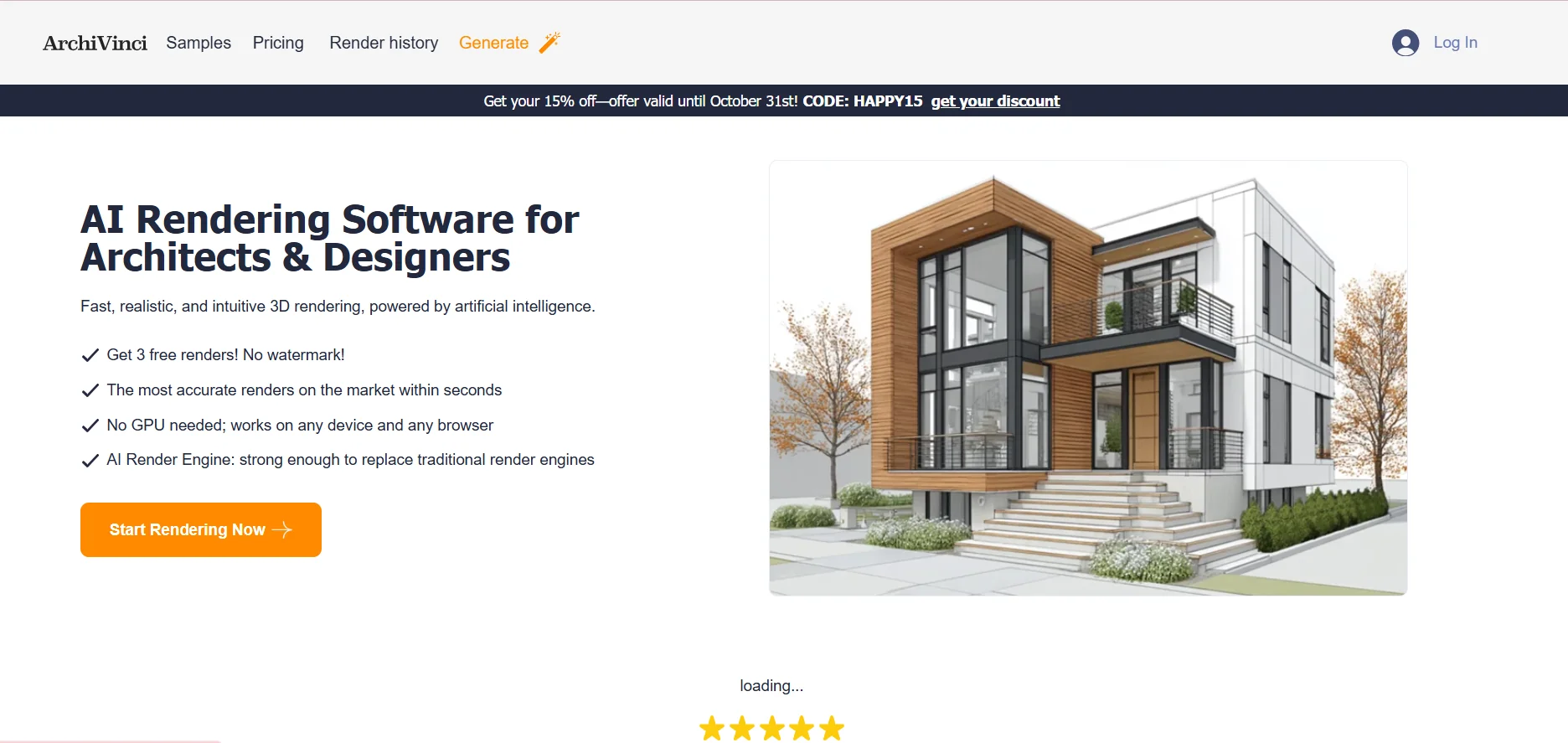
Description
️ 🖼Tool Name:
ArchiVinci
🔖 Categories:
3D and Architectural/Interior Design; 3D Modeling and Rendering; Smart Interior Design; Architecture and Interior Design; Image Design and Creation; Removal and Replacement of Elements and Backgrounds; Text and Images to Video; Video, Editing, and Motion Graphics; Product Showcase and AR/VR; Automation and Smart Agents.
️ ✏What does this tool offer?
ArchiVinci is a platform specializing in AI-powered architectural visualization and rendering, aimed at architects, interior designers, and other design professionals. It allows you to convert sketches, photos, floor plans, and 3D models into realistic visualizations in seconds. It runs in a browser without requiring a GPU and lets you start with three free, watermark-free renderings.
The platform supports a wide range of architectural workflows, including interior and exterior rendering, landscaping, floor plans, master plans, architectural redesign, virtual furnishing, image editing, lighting and style adjustments, and the generation of different design angles. It also provides tools for converting static designs into videos, as well as specialized tools for enhancing visualizations, increasing their accuracy, and creating HDRI maps.
The platform includes the AI Architecture Suite, which comprises AI Architecture Tools, AI Room Design, AI Urban Design, Virtual Staging AI, AI Concept Generator, Inpainting AI, and Architectural Calculators, as well as a wide range of unlimited rendering tools such as AI Interior Design, AI Exterior Design, Exact Render Generator, Furnish Empty Room, AI Modify Room Design, AI Modify Architecture, Dream Render Generator, Style Transfer AI, AI Masterplan Design, AI Render Enhancer & Upscaler, and AI Landscape Design.
ArchiVinci is compatible with workflows based on SketchUp, Revit, AutoCAD, and Enscape, and offers specialized tools for converting models and drawings into architectural visualizations.
⭐ What does it actually offer, based on user experience?
- It converts preliminary drawings and images into realistic architectural visualizations.
- Converts floor plans and technical drawings into colorful, 3D visualizations.
- Create interior and exterior visualizations of buildings.
- Redesign rooms, facades, and architecture with the ability to change materials and styles.
- Furnishing empty rooms and adding elements and furniture to the design.
- Create renderings of landscapes and master plans.
- Change the viewing angle of the design and create a different perspective of the same design.
- Adjust lighting, materials, and visual style.
- Clean up renderings and remove elements or furniture from them.
- Create HDRI maps.
- Enhance renderings and increase their resolution.
- Convert renderings into videos using the video module.
- Perform up to 4 simultaneous rendering operations in Premium plans.
- Use commercial rendering; the platform guarantees that users own the renderings they create, and that the three free renderings can also be used for professional and commercial work without a watermark.
🤖 Does it include automation?
Yes. ArchiVinci relies on artificial intelligence to automate the rendering and visual conversion process, from analyzing inputs such as drawings, images, and models to creating, modifying, and redesigning visualizations.
It also provides tools that directly perform specific tasks, such as furnishing, cleaning, relighting, changing styles, placing elements, rotating designs, modifying architecture, creating master plans, and optimizing visualizations. Premium plans provide access to all modules and the ability to run up to 4 rendering processes in parallel.
💰 Pricing Model:
Freemium + Paid Subscriptions + One-Time Payment Plans + Additional Coins.
ArchiVinci offers three free renderings without a watermark, while premium plans provide unlimited rendering using the ArchiVinci engine, plus a set number of credits for using other models and the video module.
🆓 Free Plan Details:
| Feature | Details |
|---|---|
| Free renderings | 3 free renderings |
| Watermark | No watermark |
| Commercial Use | The platform confirms that free templates can be used for professional and commercial purposes |
| GPU | No GPU required |
| Access | Works on any device via a web browser |
| Ease of Use | No complicated learning curve required |
The current homepage confirms that there are 3 free renderings without a watermark, and that the tool works on any device without requiring a GPU.
💳 Paid plan details:
| Plan | Price | Content |
|---|---|---|
| Weekly Subscription | $39 per week | Unlimited ArchiVinci renderings + 20 credits for other models |
| Monthly Subscription | $79 per month | Unlimited ArchiVinci renderings + 40 credits for other models |
| Yearly Subscription | $549 per year | Unlimited ArchiVinci renderings + 500 credits for other models |
| 3 Days – One-time | $49 one-time payment | 3-day access to all models + unlimited ArchiVinci renderings + 20 coins |
| 1 Month – One-time | $99 one-time payment | 1-month access to all templates + unlimited edits + 40 coins |
| 3 Months – One-time | $299 one-time payment | 3-month access + unlimited edits + 120 coins |
| 6 Months – One-time | $499 one-time payment | 6-month access + unlimited transactions + 300 coins |
| 1 Year – One-time | $599 one-time payment | 1-year access + unlimited builds + 500 coins |
Premium plans include unlimited access to the ArchiVinci engine, as well as Nano Banana 2, GPT Image 2, Qwen Multi-angle, Seedream 5.0 Lite, and Qwen Image 2.0 Pro using coins, along with ArchiVinci Video, access to all modules, simultaneous rendering of up to 4 tasks, internal and external rendering tools, master plans, floor plans, and landscapes, as well as Place Object, Rotate, Relight, Change Style, Furnish, Cleanup, and HDRI map creation.
Additional coins:
| Package | Price | Usage |
|---|---|---|
| 125 coins | $40 | Supported Models + Video |
| 250 coins | $65 | Supported Models + Video |
| 500 coins | $125 | Supported Models + Video |
| 5,000 coins | $1,100 | Supported Models + Video |
The image templates listed consume one coin per image, while videos consume between 5 and 20 coins, depending on the video quality.
🧭 How to Access the Tool:
| How to Access | Details |
|---|---|
| Web | Browser-based |
| Generation Editor | Generate interface for creating visualizations |
| Architectural Tools | A suite of tools for rendering, editing, planning, and video |
| SketchUp | Convert SketchUp models to visualizations |
| Revit | Convert Revit models to visualizations |
| AutoCAD | AutoCAD to Render Workflow |
| Enscape | Enscape to Render Workflow |
| Teams | Custom plans for teams with multi-user access |
| Payment | Stripe, with the option to request a PayPal invoice if there is a payment issue |
The official website highlights tools that integrate directly with SketchUp, Revit, AutoCAD, and Enscape, and the platform also offers team plans that provide access for multiple users.
🔗 Try it out or visit the official website: