Features
- Builds professional online forms without coding
- Collects data offline on mobile devices
- Supports image and document uploads
- Scans QR codes and barcodes
- Collects signatures and geolocation
- Turns phones and tablets into data collection kiosks
- Converts business cards into digital data
- Connects to CRM systems, email tools and cloud storage
- Exports and analyzes collected data
Pricing Details
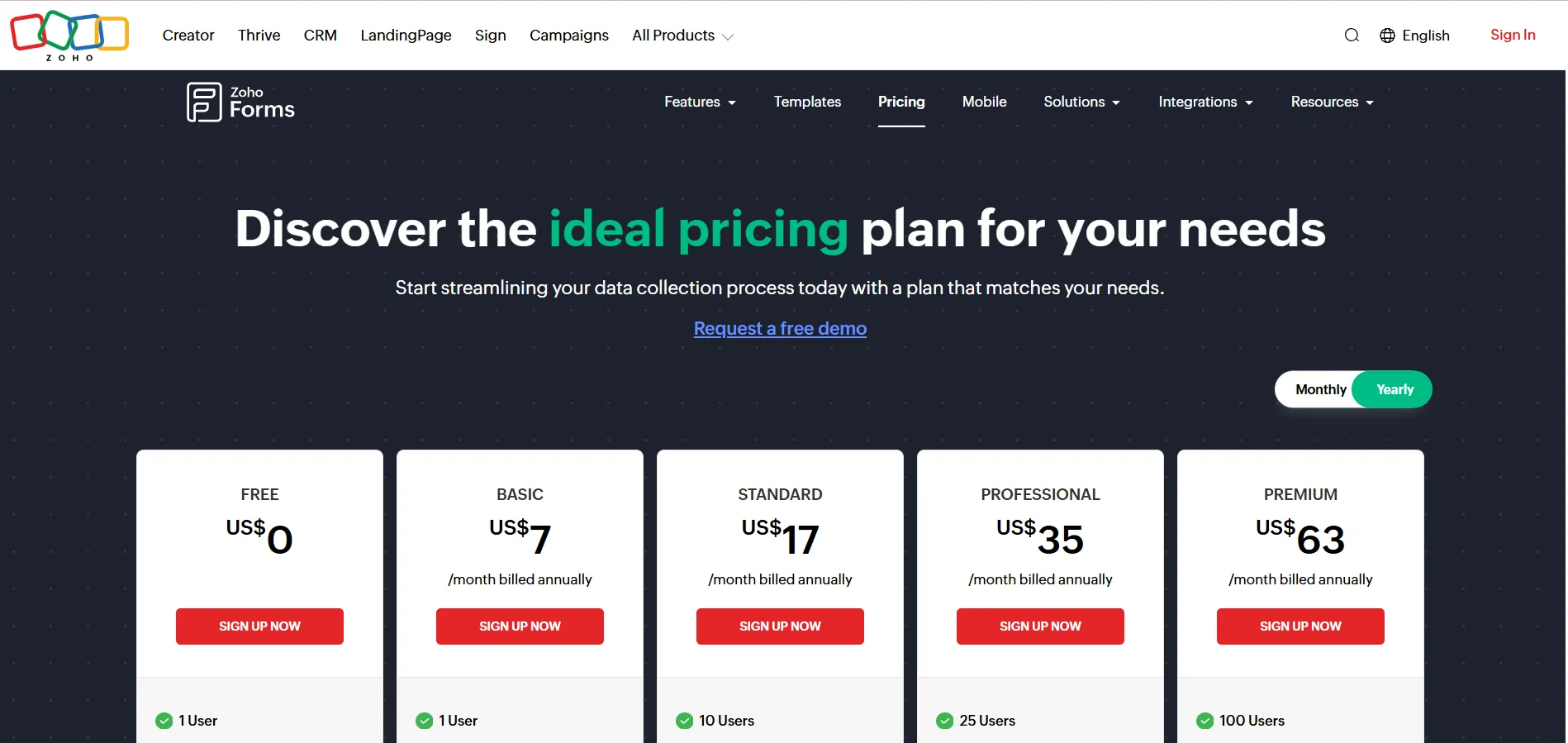
Zoho Forms plans are varied to suit the needs of individuals and businesses, starting with a free plan that costs $0 per month and allows one user to create three forms with 500 submissions per month and 200 MB of storage space. It supports ready-made templates, custom PDFs, Webhooks, integration with other tools, and UTM tracking. The Basic plan costs $7 per month when paid annually and includes one user with unlimited forms, 10,000 submissions per month, and 500 MB of storage, as well as payment gateways, brand and template customization, custom PDFs, Webhooks, integration with multiple tools, UTM and GTM tracking, email auditing, and an advanced email editor. The Standard plan, priced at $17 per month when paid annually, offers ten users, 25,000 forms per month, and 2 GB of storage, and includes all the features of the Basic plan plus approvals. The Professional plan costs $35 per month for 25 users with 75,000 forms per month and 5 GB of storage, with all the features of the Standard plan. The Premium plan costs $63 per month for 100 users with 150,000 forms per month and 10 GB of storage space. and includes all the benefits of the Professional plan plus HIPAA compliance, automatic deletion of responses, log auditing, SMTP service, and report scheduling. Zoho Forms also offers optional add-ons such as increased form counts, additional storage, Flow tasks, Prefill Webhooks, and adding a new user in the Premium plan, in addition to PDF, IM, and AI credits. These add-ons vary between annual and one-time purchases depending on your needs, giving you more flexibility to scale and use advanced features.