Description

🖼 Tool Name:

Riverside Free AI Transcription
🔖 Approved Categories:

  • No-Code Workflows

  • Study Assistants & Notes (Media transcribing, captioning, and content indexing)

✏️ What does this tool offer?

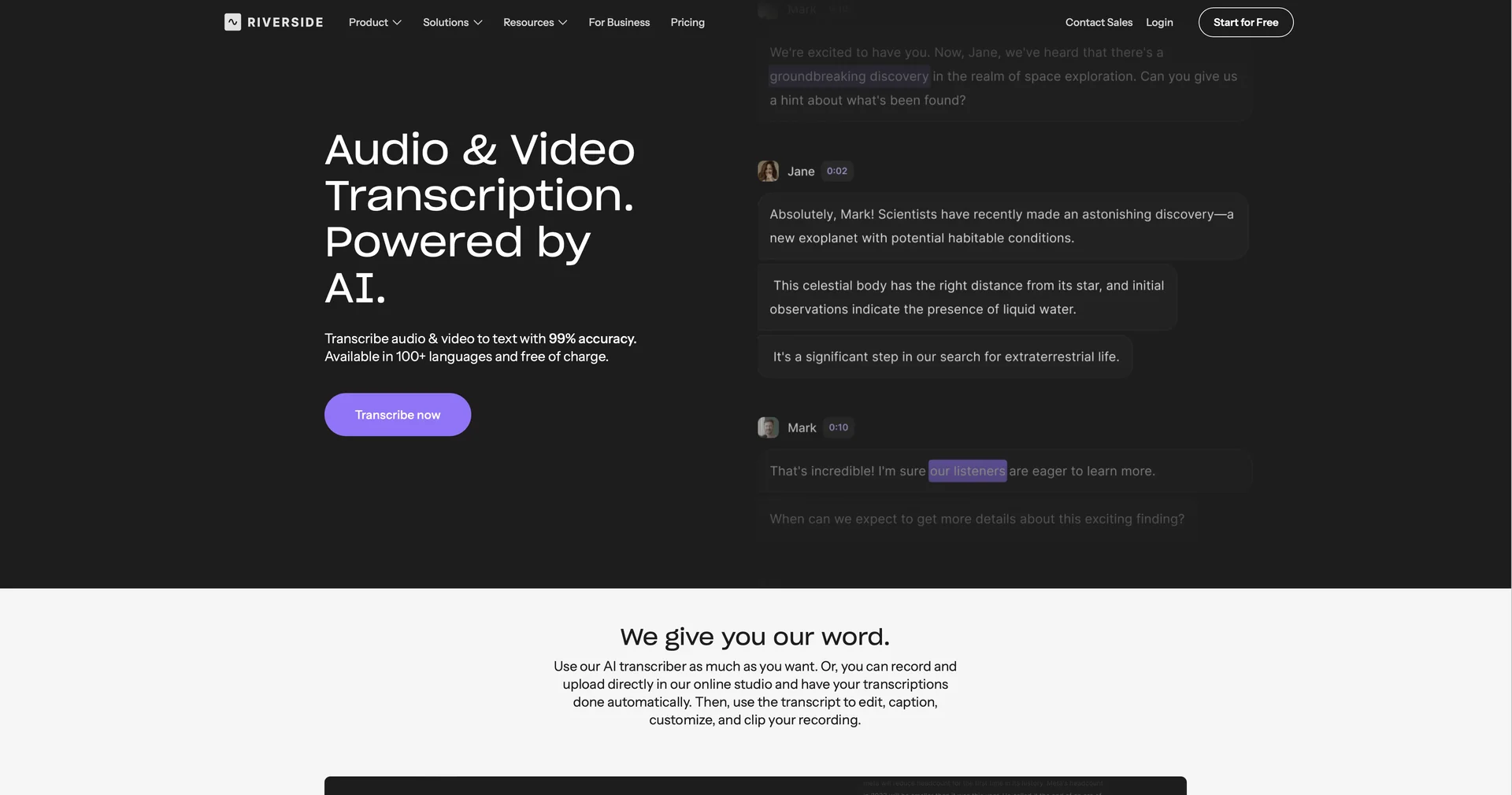
  • Instant Browser-Based AI Transcriber: This is a dedicated, zero-friction portal built by Riverside.fm that translates video and audio files into highly accurate text using advanced speech-recognition models.

  • No Sign-Up or Registration Required: Unlike standard software suites that wall functionality behind user onboarding, this utility allows anyone to drop a file on the webpage and generate a layout map of the spoken words instantly without creating an account.

  • Near-Human Accuracy (99%): Powered by sophisticated AI neural language training, the tool effectively parses regional dialects, deep accents, fast pacing, and technical terminology across over 100 languages and dialects with up to 99% accuracy.

  • Flexible Dual-Format Exports: Once processing concludes, you can instantly read a live preview of the text and download it in two specific structural formats:

    • TXT (.txt): Plain, clean text files optimized for copying, blogging, or drafting summaries.

    • SRT (.srt): Time-coded subtitle files ready to be dragged straight into video editors or uploaded to YouTube and TikTok for closed caption synchronization.

  • Wide Media Container Support: Accepts the most popular audio and video extensions seamlessly, supporting MP3, WAV, MP4, and MOV raw media files.

What does it actually offer based on user experience?

  • Zero System Bloat: Content creators and students highly appreciate being able to perform lightning-fast transcription tasks right within an open browser tab without downloading local software packages or apps.

  • Perfect for Quick Caption Drafting: Video editors love dropping raw short-form smartphone clips into the page to extract quick, time-aligned SRT subtitle packages in seconds.

  • Saves Hours of Manual Typing: Journalists and academic researchers find incredible value in bypassing manual, line-by-line audio listening loops by converting entire long interviews into readable documents instantly.

🤖 Does it include automation?

Yes, the transcriber runs entirely automated pipelines:

  • Automated Audio Segmentation: Instantly parses incoming audio waves to calculate pacing, track syllables, and anchor timestamps to text blocks.

  • Autonomous Language Auto-Detection: Automatically checks and aligns to the regional dialect being spoken if it isn't specified manually.

💰 Pricing Model

  • Item Details: 100% Free Public Utility Layer / Integrates with Riverside.fm SaaS.

  • General Concept: The specialized file transcription sandbox located directly at /transcription is completely free to use without limits. However, because it is an open sandbox tool, it does have a minor structural compromise: it merges all detected voices into a single speaker block.

To unlock full AI multi-speaker identification, text-based multi-track video editing, and native 4K local remote recording, users can transition directly into Riverside's premium unified creator plans.

🆓 Free Plan Details

  • Feature: Open Transcribing Sandbox.

  • Details: Unlocks unlimited text-to-speech file conversions, access to over 100 languages, and continuous TXT/SRT file downloads without requiring an account or credit card.

  • Cost: Free ($0).

💳 Integrated Platform Plans (Official 2026 Recording & Editing Standards)

Upgrading unlocks Riverside’s cloud recording studio, speaker separation maps, and text-driven video clipping.

Subscription PlanBilled Annually RateBilled Monthly RatePrimary Workspace Scope & Allowances
🌱 Free Forever Tier$0 / month$0 / monthUnlimited single-track cloud recording/editing, up to 720p resolution, and standard single-track transcription tools. (Includes Riverside watermark).
🚀 Pro Plan$24.00 / month$29.00 / monthBest for Podcasters & YouTubers. 15 hours of separate audio/video track downloads per month, crisp 4K visual quality, full AI Speaker Detection, text-based editing, teleprompter integration, and watermark removal.

🧭 How to access the tool:

Your raw media files can be converted to text without installation hurdles, video captions generated programmatically with zero cost, and hours of manual transcription bypassed entirely by uploading files at Riverside Free AI Transcription .

🔗 Official Website:

https://riverside.com/transcription

Pricing Details

💰 Pricing Model Item Details: 100% Free Public Utility Layer / Integrates with Riverside.fm SaaS. General Concept: The specialized file transcription sandbox located directly at /transcription is completely free to use without limits. However, because it is an open sandbox tool, it does have a minor structural compromise: it merges all detected voices into a single speaker block. To unlock full AI multi-speaker identification, text-based multi-track video editing, and native 4K local remote recording, users can transition directly into Riverside's premium unified creator plans. 🆓 Free Plan Details Feature: Open Transcribing Sandbox. Details: Unlocks unlimited text-to-speech file conversions, access to over 100 languages, and continuous TXT/SRT file downloads without requiring an account or credit card. Cost: Free ($0). 💳 Integrated Platform Plans (Official 2026 Recording & Editing Standards) Upgrading unlocks Riverside’s cloud recording studio, speaker separation maps, and text-driven video clipping. Subscription Plan Billed Annually Rate Billed Monthly Rate Primary Workspace Scope & Allowances 🌱 Free Forever Tier $0 / month $0 / month Unlimited single-track cloud recording/editing, up to 720p resolution, and standard single-track transcription tools. (Includes Riverside watermark). 🚀 Pro Plan $24.00 / month $29.00 / month Best for Podcasters & YouTubers. 15 hours of separate audio/video track downloads per month, crisp 4K visual quality, full AI Speaker Detection, text-based editing, teleprompter integration, and watermark removal.