NarraCut
NarraCut is a platform for converting text and visuals into ready-to-use narrated videos, where users can add their own narration and images or let artificial intelligence handle the creation of the visuals, The platform then generates voice-over and word-by-word captions, automatically synchronizes the audio, captions, and visuals, matches each image to the appropriate part of the narration, and exports the video in MP4 format. Users can paste the full script or create a rough draft of a topic using AI Polish, choose a Landscape, Vertical, or Square aspect ratio, select the audio, then upload their own images or generate images using AI, and finally select “Generate a video” to create the video. The platform relies on a unified timing system that uses the generated voiceover as the timing source, so that captions follow the spoken words, and images change according to the meaning of each section of the script rather than cycling through them on a fixed timer. NarraCut allows you to review the entire video, change the aspect ratio and motion settings, replace images associated with specific parts of the text, and export the current result in H.264 MP4 format. You can also start a new project by selecting “Create new video.” The platform supports the use of your own images, including product photos, screenshots, diagrams, and drawings, or create a cohesive set of visuals using artificial intelligence by specifying the number of images and the style, where the platform divides the text into consecutive sections and generates a visual concept for each section. It also offers tools such as AI Explainer Video Maker, Script to Video, Script to Video with Your Images, Whiteboard Animation, Add Voiceover to Video, Add Text to Video, and Photo Slideshow Maker. Uses include creating faceless videos for Shorts, Reels, and TikTok; converting news articles and comments into videos; creating videos for product updates, repurposing articles, news reports, and approved scripts into video format, publishing the same content in Landscape, Vertical, and Square formats, and creating recurring videos for clients within a standardized workflow. It also provides Whiteboard Animation tools to convert a single image into an animated line drawing with gradual color reveal, add AI-generated voiceovers and independently timed subtitles to an existing video, create MP4-format photo slideshows with individual durations, captions, and optional dissolve transitions, and add titles, labels, lower thirds, and text watermarks to existing videos.
Last updated
Features
- Turns text and images into narrated videos
- Generates voice-over and word-by-word captions
- Syncs captions and visuals to the voice-over timing
- Matches images to the relevant parts of the narration
- Generates images with AI or uses your own
- Supports Landscape, Vertical and Square aspect ratios
- Exports H.264 MP4 videos
- Includes Whiteboard Animation, slideshow, voiceover and text overlay tools
Pricing Details
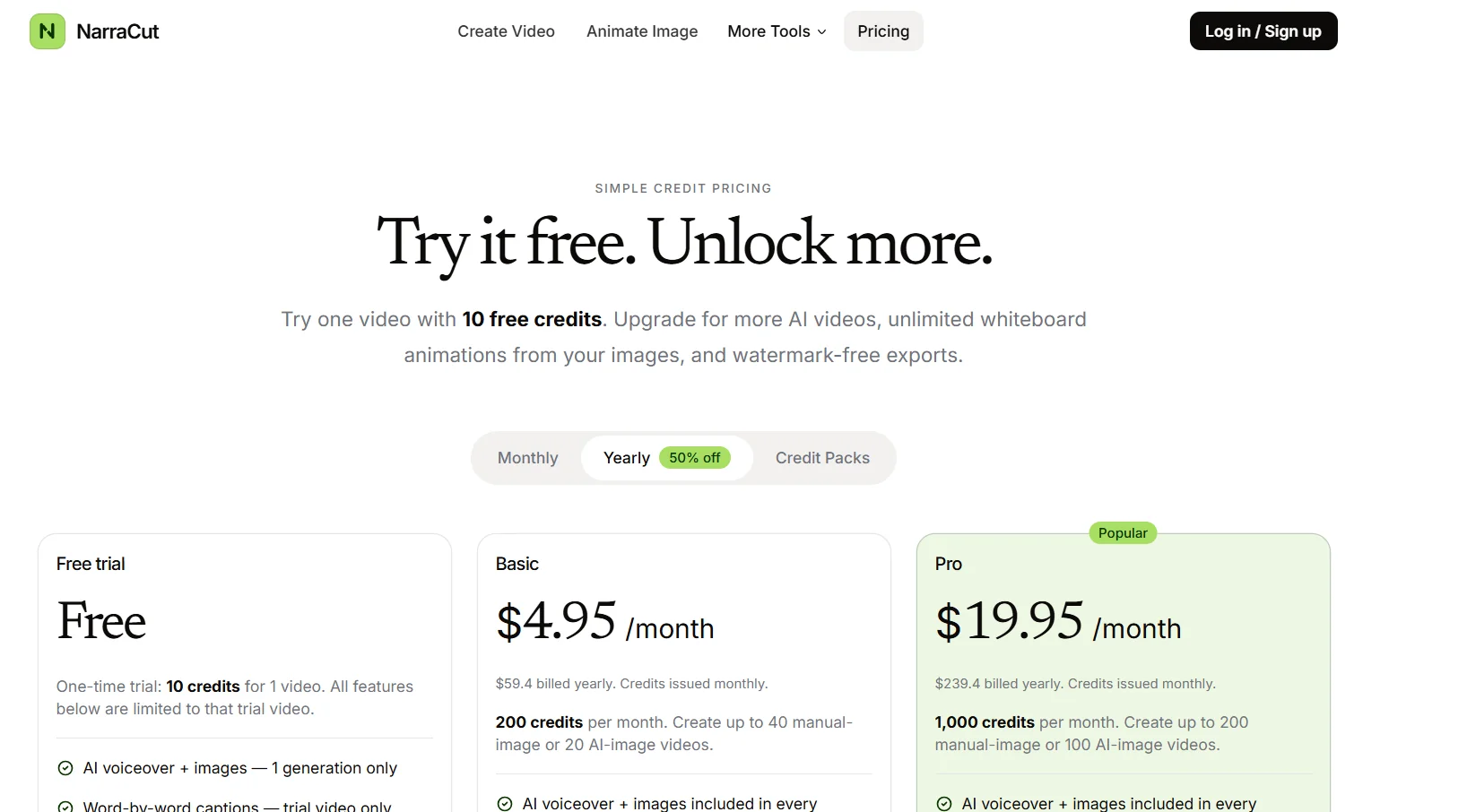
The platform is available on a monthly or annual subscription plan, with a 50% discount for the annual plan, in addition to Credit Packs. It also offers a one-time free trial that grants 10 Credits to create a single video, All features included in this trial are limited to the trial video only and include one-time AI-generated voiceover and images, word-for-word narration, image timing and replacement, Whiteboard-style animations, and video export in MP4 format with a watermark. The free trial does not provide recurring free credits, unlimited Whiteboard creation, or watermark removal. The Basic plan costs $4.95 per month, or $59.40 when paid annually. Credits are issued monthly, with 200 Credits provided each month, which allows you to create up to 40 videos using hand-drawn images or 20 videos using AI-generated images. It includes AI-generated voice-overs and images in every creation, unlimited edits to video captions, unlimited edits to image timing and image replacement, unlimited creation of whiteboard-style animations from images, and unlimited export of videos without a watermark. The Pro plan costs $19.95 per month, or $239.40 when paid annually. Credits are issued monthly, with 1,000 Credits provided each month, allowing you to create up to 200 videos using hand-drawn images or 100 videos using AI-generated images. It includes AI-generated voiceovers and images in every creation, unlimited edits to captions, unlimited edits to image timing and image replacement, unlimited creation of whiteboard-style animations, and unlimited export of videos without a watermark.
Related Tips
- A video prompt that gives you the feel of GTA with an Arabic twist · Video Generation & Editing, Text and Images to Video
- 2 million free tokens to create videos! on Seedance · Video Generation & Editing, Text and Images to Video
- How to Create a Series of Educational Videos Using ChatGPT, PixVerse, and Nabat? · Audio & Voice, Text-to-Speech / Speech-to-Text…
- An Explanation of GeminiGen AI for Creating Videos and Images for Children · Video Generation & Editing, Text and Images to Video…
- A brief overview of Vidu and how to create entertaining animated videos · Video Generation & Editing, Text and Images to Video