Neural Frames
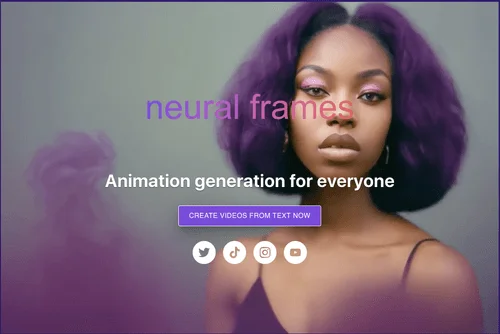
Description
️ 🖼Tool Name:
Neural Frames
🔖 Tool Category:
Text and Images to Video / Video, Editing, and Motion Graphics / Music and Effects Generation
️ ✏What does this tool offer?
Neural Frames is an advanced AI-powered platform for creating music videos in an easy and flexible way. It allows users to produce a complete music video, starting with uploading a song, through audio analysis, to converting it into fully integrated visual content. The platform offers three workflows:
Autopilot: Create a semi-automatic video with a visual style suggested for the song, with the option to edit later.
Text to Video: Greater control to build the video scene by scene, suitable for detailed projects.
Frame by Frame: The highest level of control, allowing you to create the video frame by frame, designed for advanced users.
The platform also supports organizing projects within the "Your Projects"section, exploring others’ work on the "Discover"page ,and training custom AI models on the "Your Models"page, enabling the production of customized and advanced videos.
⭐ What does it actually offer based on user experience?
Neural Frames provides users with a seamless experience to create a complete music video in minutes:
Upload a song and automatically analyze the audio.
Generate the video visually using available templates or with full manual control.
Manage projects and organize videos into folders.
Explore other users’ work for inspiration or to learn.
Ability to enhance quality and edit the video after creation using AI tools.
🤖 Does it include automation?
Yes, the platform relies primarily on automation in Autopilotmode ,where video is automatically generated from the song and visual scenes are suggested, with the ability for subsequent editing and enhancement. Custom AI models can also be used to improve results and increase professionalism.
💰 Pricing Model:
Neural Frames uses a subscription system based on credits per video, with pricing varying depending on the song’s duration, the AI model, and the subscription plan. There are three main plans:
🆓 Free Plan Details:
No information is available about a full free plan; the platform offers limited access to video creation, but most Autopilot features require a paid subscription.
💳 Paid Plan Details:
Neural Knight (~$28/month):
2,400 credits
7 AI models
Support for up to 5 minutes of audio
1,000 quality improvements
Up to 8x upscaling support
Intended for beginners or light use; not recommended for Autopilot
Neural Ninja (~$88/month):
7,200 credits
10 AI models
5-minute voice support
Automatic effects and 1,000 quality enhancements
Up to 4x upgrade support
Best for daily Autopilot use and a good balance between price and capabilities
Neural Nirvana (~$189/month):
24,000 credits
10 AI models
Automatic effects and 1,000 quality improvements
Upgrade support up to 4x and priority quality optimization
Designed for professionals or heavy users
️ ➡General notes on pricing:
The cost of each video depends on: song duration, the AI model used, and the subscription plan. Each video consumes a portion of the available credit, meaning the number of videos you can produce depends on your credit balance and usage patterns. All plans include access to generation tools, video editing, technical and community support, unlimited storage, high quality, and textprompt tools.
🧭 How to access the tool:
Access is via the platform’s website. After creating an account, users can upload songs, choose a workflow (Autopilot / Text to Video / Frame by Frame), and then produce and manage the video within the projects dashboard.
🔗 Demo link or official website:
https://www.neuralframes.com/