Integration of Sawan Kids Story Studio andPixVerse for Creating Print-Ready and Animated Children’s Stories
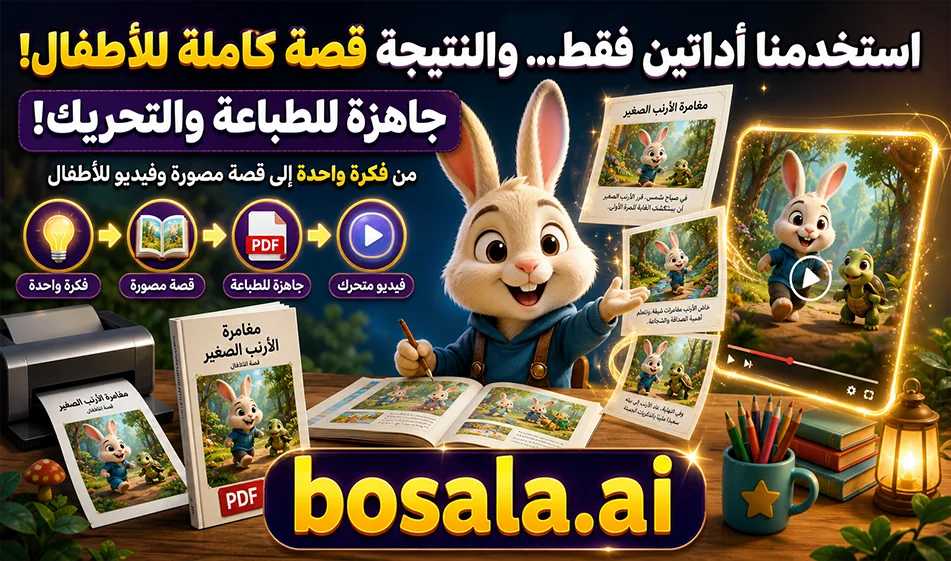
If you want to quickly create a complete children’s story, this integration between Sawan Kids Story Studioand PixVerse offers a practical and fun workflow. The process begins in Sawan Kids StoryStudio, where the tool can suggest a story idea for you, or you can write the idea yourself. You then select the story type, age group, and illustration style.
The tool then generates a complete story with images,including ready-to-use prompts for animating scenes,and even a print-ready PDF file . Based on our experience, the tool is completely free, and it’s best to open it in the Google Chrome browser for it to work properly.
After preparing the story and images, the second step involves PixVerse. Here, we take the image generated from the story, copy the animation prompt from the first tool, and upload it to PixVerse along with the image.The tool then converts the static scene into an animated video.
Links:
Stories link
Video link
How does this method work?
This idea is perfect for children’s content creators, teachers, and educational initiative leaders. Instead of starting from scratch by writing the story, then drawing it, and then figuring out how to animate it, the first tool builds the story visually and narratively, then gives you scenes that are almost ready to go.
Then you use PixVerse as a second step to turn each image into an animated clip, so you end up with a series of scenes that can be assembled in post-production to become a complete video story for kids.
What sets Sawan Kids Story Studioapart?
The main feature of this tool is that it doesn’t just give you a text-based story; it helps you build the entire project, from the idea to the final file. It helps you come up with a story idea or input your own, choose the story type, specify the age group, select the illustration style, create a complete story with images, prepare animation prompts, and then exporta print-ready PDF file.
This makes it an excellent tool for anyone who wants to quickly create a children’s story, whether for digital publishing, print, or animation.
What does PixVerse addto this process?
PixVerse isn’t used here to write the story, but to turn the illustrated scenes into short animated videos. This is very important, because while static images are beautiful, adding subtle movement or cinematic animation makes the result more appealing to children and better suited for Reels, Shorts, or educational YouTube videos.
Quick Steps
- Open Sawan Kids Story Studio in the Google Chrome browser.
- Write down your story idea, or let the tool suggest one for you.
- Choose the story type, age group, and drawing style.
- Let the tool generate the complete story with images.
- Copy the animation prompt for each image.
- Go to PixVerse.
- Upload the image to PixVerse.
- Paste the animation prompt.
- Choose the appropriate aspect ratio, such as 9:16 or 16:9.
- Click Generate to get an animated scene.
- Repeat the process with the rest of the scenes, then compile them in an editing software.
What does PixVerse offerfor free?
PixVerse providesusers with a daily renewable free credit, typically up to 30 creditsper day, though the number may vary depending on the account or updates. This credit allows you to try out the tool and generate some short clips without needing to subscribe right away.
Credit consumption varies depending on the video’s duration, resolution, the model used, and whether the video has audio or not. Therefore, the free credits may be sufficient for simple experiments or short clips, while frequent production or higher-quality output requires additional credits or a paid plan.
Compass Tip
The best way to take advantage of this integration is to keep the story short, clear, and divided into scenes. The clearer the images and the more precise the animation prompts, the better the final result will be. It’s also best to maintain the same character design across scenes so the story looks visually consistent when animated.
Summary
This integration is perfect for anyone who wants to go from a simple idea to a full children’s story and then to an animated video.
Sawan Kids Story Studio provides you with the idea, story, images, animation prompts, and aprint-ready PDF file.
PixVerse, on the other hand , turns images into animated videos quickly and easily.
The end result: an illustrated children’s story that’s printable and can be turned into an engaging video in just a few simple steps and a short amount of time.