I spend a lot of time preparing a simple video for social media.
· 1 min read
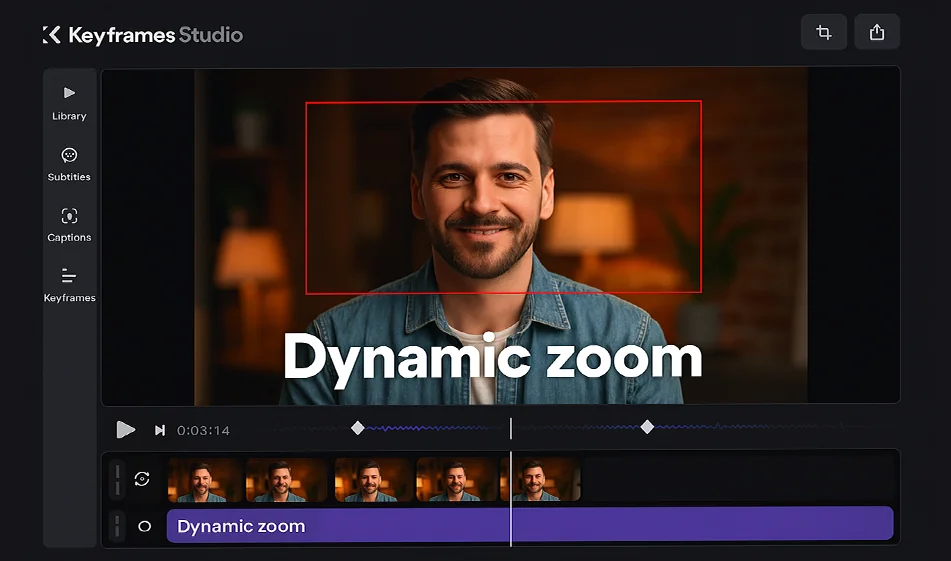
The solution is Keyframes Studio.
You open the tool from the browser, upload your shot, and it automatically suggests keyframes for dynamic movements like zooming and panning.
You can add text, comments, or forward the video directly to social platforms.
✨ The most important feature: Reduces hours of editing to minutes with professional quality.
The tool is free to try, and paid plans start at $15 per month.
From a raw video... to an interactive clip ready to publish instantly.
Try Keyframes Studio now.
And for more tools: 🌐 bosala.ai
#KeyframesStudio #VideoEditing #AI #Montage#Social Media #Digital Creation #VideoDesign #ShortVideos #VisualContent
About Keyframes Studio
- Suggests optimal keyframe placement for zooming and panning camera movements
- Generates automatic subtitles in multiple languages with highlight or karaoke-style effects
- Converts videos to platform-ready aspect ratios
- Libraries of stock images, GIFs and viral sounds
- Team collaboration with unlimited projects
- Applies brand logos, fonts and colors across brand collections
- Browser-based with no installation
Related Tips
- Wafeq Overview: An Arabic accounting software program suitable for business owners and accountants
- How to Create a Series of Educational Videos Using ChatGPT, PixVerse, and Nabat?
- Revid AI vs. Fliki: Which is better for creating ready-to-go Reels from a single idea?
- Integrating Claude and JXP Veo to Create Fun Science Videos for Kids
- A Comparison of Twistly and PageOn for Creating AI-Powered Presentations