Recraft
Description
🖼️ Tool Name:
Recraft
🔖 Tool Category:
AI-powered vector and graphic design tool; it falls under the category of Design & Creativity and Image Generation.
✏️ What does this tool offer?
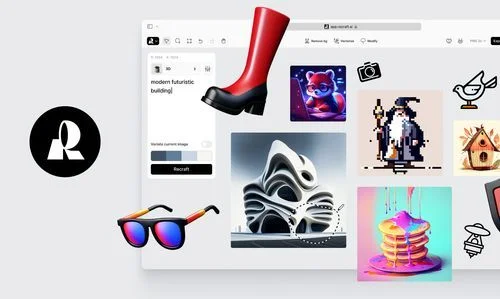
Recraft is an AI design tool that enables users to generate vector art, illustrations, icons, and logos from text prompts. It’s tailored for designers and branding professionals who want to create scalable, editable assets (like SVGs) with creative control and professional polish — all powered by generative AI.
⭐ What does the tool actually deliver based on user experience?
• AI-generated vector illustrations and icons from natural language prompts
• Output in fully editable formats (SVG, PNG, JPG)
• Control over design elements: color palettes, shapes, styles
• Presets for UI design, branding, social graphics, and more
• Ability to refine, remix, or evolve designs iteratively
• Simple and intuitive interface for professionals and beginners alike
• Great for logo design, pitch decks, infographics, and brand kits
🤖 Does it include automation?
Yes —
• Generates editable vector graphics from text
• Suggests style options and improvements
• Auto-adjusts visual balance and scaling for different use cases
• Allows for batch generation and quick edits
💰 Pricing Model:
Freemium
🆓 Free Plan Details:
• Unlimited personal use
• Export with watermark or limited resolution
• Access to core design styles and prompt options
💳 Paid Plan Details:
• Pro version includes:
High-res and watermark-free downloads
Commercial usage license
Priority rendering and advanced editing tools
Team collaboration and brand workspace features
🧭 Access Method:
• Web App
🔗 Experience Link: