Thing Translator
Description
️ Tool name: 🖼
Thing Translator
Tool category: 🔖
Study aids and smart notes, product visualization and AR/VR, automation and smart agents.
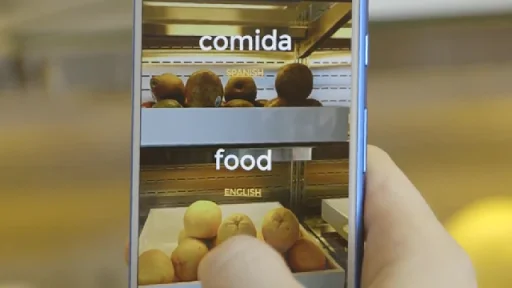
️ What does this tool offer? ✏ Thing Translator is a simple and ingenious prototype from Google that demonstrates the power of artificial intelligence in understanding the physical world. The tool allows you to point your phone (or computer) camera at any object around you (e.g., a chair, a cup, a pair of glasses), and the system will immediately identify the object and pronounce its name in another language of your choice. The tool relies on optical recognition and cloud translation technologies to provide an instant learning experience that links the word to its real image.
What does it actually offer based on user experience? ⭐ Users consider Thing Translator to be a "fun and educational" tool, especially for children or beginners learning new languages. It is not a professional tool for deep translation, but rather an interactive experience that makes learning vocabulary dynamic. The actual experience confirms that it is a great way to discover the names of everyday objects in foreign languages, and it works very well in good lighting conditions to recognize basic elements.
Does it include automation? 🤖 Yes, it includes full automation in the "recognition and linking" process, where the image is automatically sent to the Google cloud for recognition, and then the result is converted into text and voice translation without any manual intervention from the user other than taking the picture.
Pricing model: 💰 Completely free (open educational project).
🆓 Free plan details: As an educational experiment from Google, it is available for unlimited use via a browser. It does not require creating an account, does not contain ads, and anyone can access it and use its source code to build similar applications.
Paid plan details: 💳 There are no paid plans; the tool is not a commercial product for sale but a technical demonstration of the capabilities of Google's application programming interfaces (APIs).
How to access the tool: 🧭 Via the official Google AI Experiments website; the experiment works directly through the browser (web-based) and requires permission to access the camera to start working.
Link to the experiment or official website: 🔗 https://experiments.withgoogle.com/thing-translator