Description

️ 🖼Tool name:
Bandy AI

🔖 Tool category:

  • Image design and creation

  • Productivity and scheduling

  • Motion graphics, titles, and subtitles

  • Automation and smart agents

  • Product visualization and AR/VR

  • Marketing and sales

️ ✏What does this tool offer?
Bandy AI enables brands and online stores to transform flat images of clothing into realistic images on virtual models. Clothes can be tried on ready-made models, uploaded with a favorite face or mannequin, or generated entirely by AI. It also allows you to change models and backgrounds, create multiple shooting modes, and design product videos at high speed without the need for expensive photo shoots.

What does it actually offer based on user experience?
Users confirm that the tool provides very realistic images that maintain color and material accuracy and offer a smooth virtual clothing experience. It also provides high production speed, product consistency, and facilitates the rapid launch of seasonal marketing campaigns without the need for a full photography team.

🤖 Does it include automation?
Yes, it includes automation in generating images and videos, selecting models and backgrounds, and creating multiple shooting modes quickly and repeatedly without much manual intervention.

💰 Pricing model:

🆓 Free plan details:
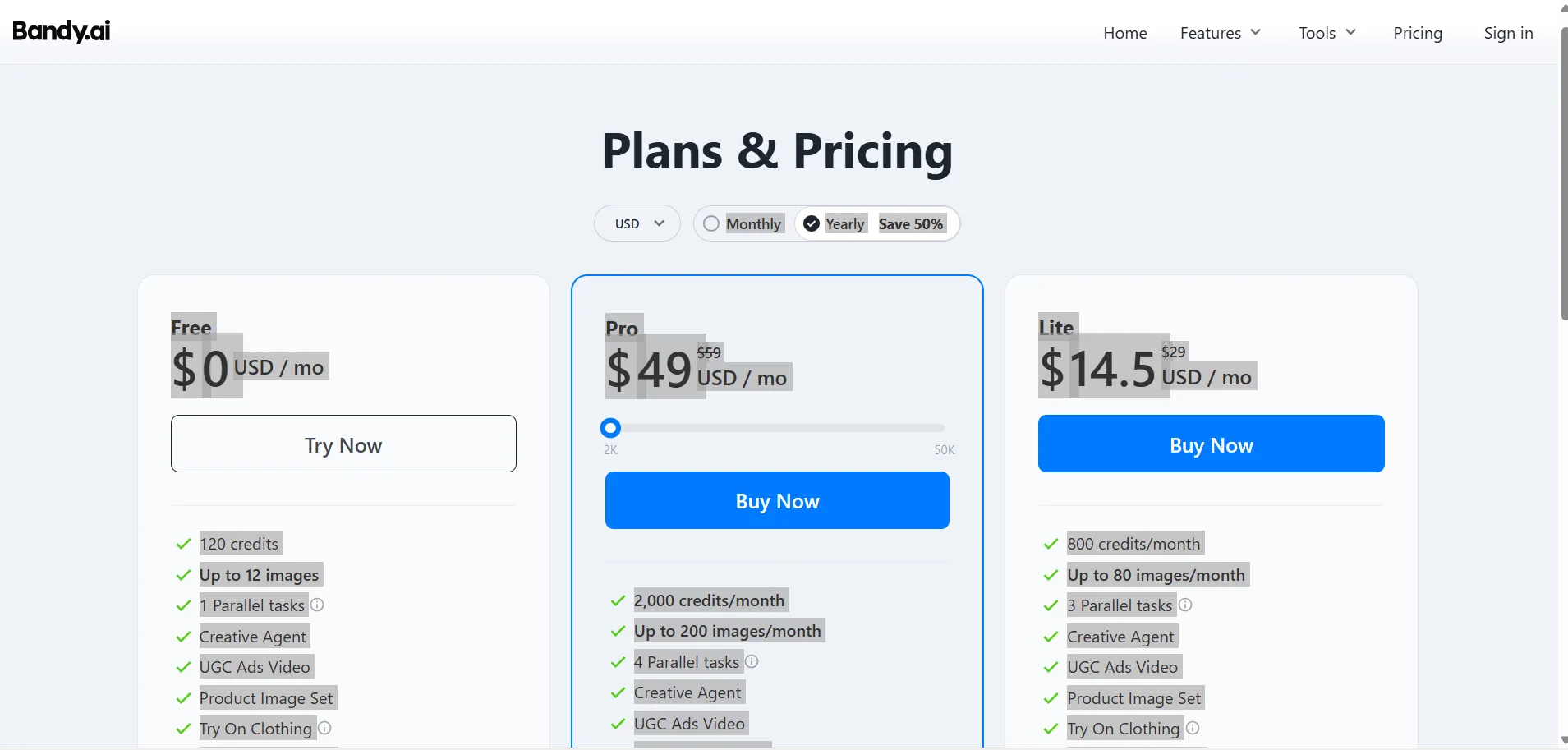
The free plan offers 120 credits per month, the ability to create up to 12 images, and one parallel task, with access to tools such as clothing trials, product image and video creation, and multiple shooting mode generation.

💳 Paid plan details:
The Lite plan, priced at $29 per month, includes 800 credits per month, up to 80 images, 3 parallel tasks, faster generation speed, watermark-free results, and priority support.
The Pro plan, priced at $59 per month, includes 2,000 monthly credits, up to 200 images, 4 parallel tasks, faster generation speed, watermark-free results, priority support, and full access to all tools.

🧭 How to access the tool:
The tool can be accessed directly through your browser, where you can upload photos or select models to try on clothes and create photos and videos directly.

🔗 Experience link or official website:
Experience Link

Pricing Details

The platform uses a pricing model that combines a free plan with paid plans to meet the needs of both beginners and professionals. The free plan offers 120 credits per month, with the ability to create up to 12 images and one parallel task, along with access to tools such as clothing trials, product image and video creation, and multiple shooting modes. The platform uses a pricing model that combines a free plan with paid plans to meet the needs of different users. The free plan offers 120 credits per month, with the ability to create up to 12 images and one parallel task, as well as access to tools such as clothing try-on, product image and video creation, and multiple shooting modes. The paid plans start with the Lite plan at $29 per month, which includes 800 credits per month, the ability to create up to 80 images, 3 parallel tasks, higher generation speed, watermark-free results, and priority support. This is followed by the Pro plan at $59 per month, which gives you 2,000 monthly credits, the ability to generate up to 200 images, 4 parallel tasks, faster generation speed, watermark-free results, priority support, and full access to all advanced tools, making it the ideal choice for users who want to produce professional visual content with high efficiency.