AI Image to Image
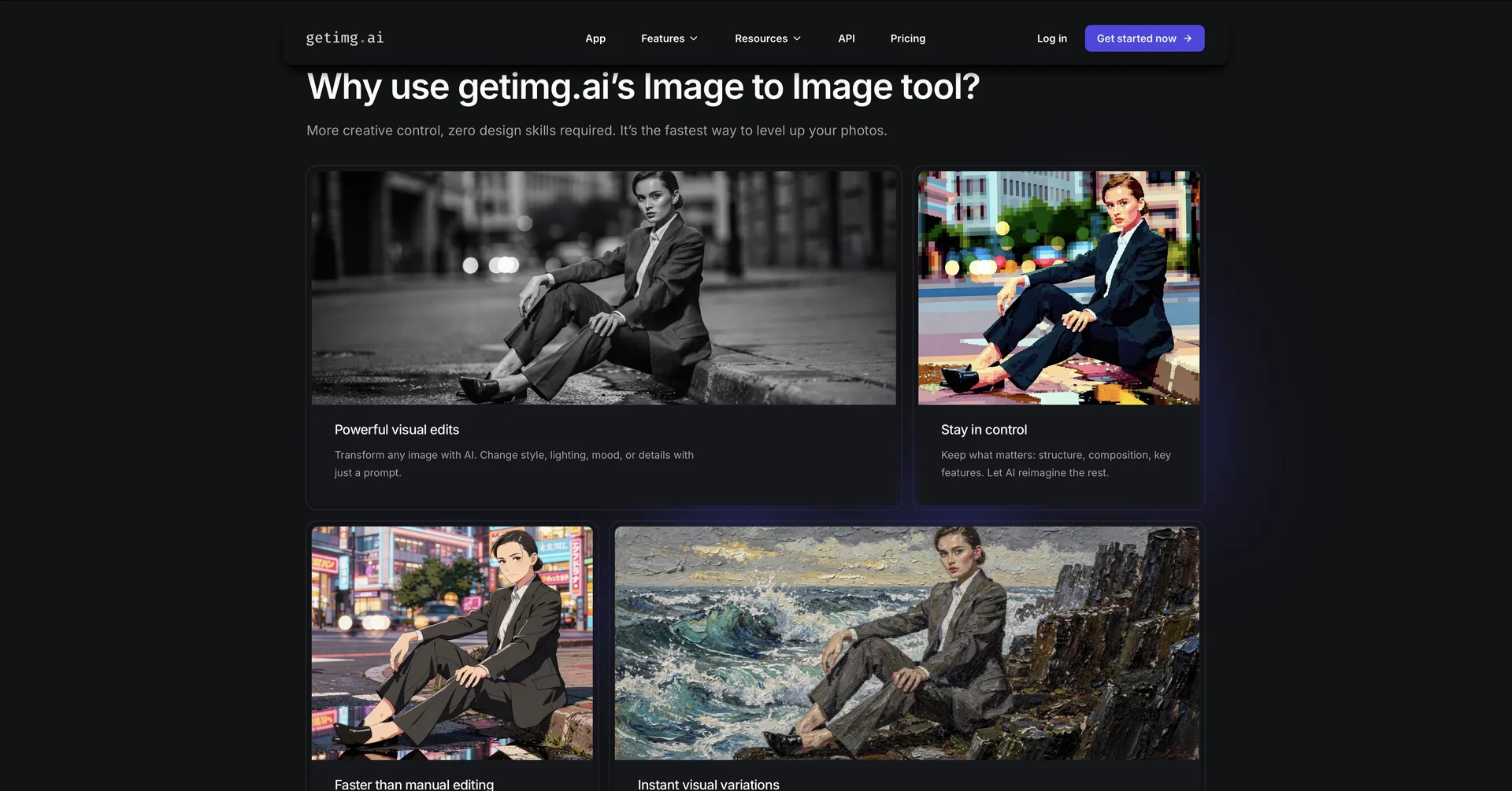
Description
🖼️Tool Name:
AI Image to Image
✏️ Overview & Key AI Features (2026 Edition):
Structural Fidelity: The AI maintains the "bones" of your image (where things are placed) while changing the "skin" (textures, style, and lighting).
Strength/Variance Slider: (Crucial Feature) A precision control that lets you decide how much the AI should deviate from the original. A low setting makes minor edits; a high setting creates a wild artistic transformation.
Sketch-to-Render: Perfect for designers; you can upload a rough hand-drawn sketch, and the AI will turn it into a photorealistic 3D render or a polished digital painting.
Style Transfer & Remixing: Upload a photo of yourself and a photo of a Van Gogh painting; the AI will "remix" your portrait into that specific artistic style.
Character Consistency: Used by storytellers to take a character from one photo and place them in a completely new environment or costume while keeping their face identical.
Upscaling & Detail Injection: It doesn't just change the style; it can inject "imagined" details (like skin pores or fabric textures) to turn a low-res image into a 4K masterpiece.
⭐️ User Experience (2026):
"The Control Freak's Favorite": Rated 4.7/5 by professional artists. It is favored over "Text-to-Image" because it removes the randomness of AI, giving the user 90% control over the final composition.
💵 Pricing & Plans (February 2026 Status):
Most tools in this niche operate on a "Credit" or "Token" basis:
🎁 How to Get Started:
Go to the platform (e.g., imgtoimg.ai). Upload your "Source Image," choose a style or write a prompt like "Turn this living room into a futuristic cyberpunk lounge," adjust the Denoising Strength, and hit Generate.
⚙️ Access or Source:
Major Platforms: Midjourney (V6.1+), GetImg.ai, Leonardo.ai, Adobe Firefly.
Category: Generative AI, Computer Vision, Digital Art.
Primary Use Case: Interior design prototyping, social media "avatars," and turning concepts into high-fidelity visuals.
🔗 Experience Link:
https://getimg.ai/features/image-to-image