Description
️ 🖼Tool Name:
PicTools.AI
🔖 Categories:
- Image Design and Creation
- Generate Images from Text
- Removing and Replacing Elements and Backgrounds
- Edit/Enhance/Upsample
- Style and Batch Conversion
️ ✏What does this tool offer?
PicTools.AI is an AI-powered image platform that allows users to create images by converting text descriptions into unique images in seconds, without the need for advanced design skills.
To use the tool, simply enter an idea or description of what you want to create, and the AI will interpret the text and generate the desired image. Each image creation or edit costs one credit.
The platform offers a wide variety of visual styles and genres, including realistic, surreal, cyberpunk, dark fantasy, characters and games, anime, paintings, futuristic designs, logos, and more.
PicTools.AI also offers a range of additional image tools, such as a text command editor, AI image filters, a professional headshot generator, hair color changer, travel photo creation, and a face shape detector.
Users can sign up and get started with free credits, then earn additional credits by subscribing to one of the Pro plans or purchasing separate credit bundles.
⭐ What does it actually offer based on user experience?
- Converting text and descriptions into images using AI.
- Creates images in a variety of visual styles.
- Generates realistic, surreal, cyberpunk, and dark fantasy images.
- Create images of characters, games, and anime.
- Create artwork, futuristic designs, and logos.
- Edit images using AI.
- Apply AI-powered photo filters.
- Create professional headshots using Headshot.
- Change hair color in photos.
- Create travel-related photos.
- Use the face detector.
- Use the text command editor.
- Get Ultra Quality with paid plans and credit bundles.
- Remove the watermark as part of paid features.
- Merge images and save your work as part of paid features.
- Purchase credits separately without a recurring subscription.
- Use purchased credits without an expiration date.
🤖 Does it include automation?
Yes, PicTools.AI uses artificial intelligence to automate image creation and editing. The user enters a description or uses one of the image tools, and the system then processes the request and creates or edits the image without the need for manual design work.
💰 Pricing model:
Freemium + Pro subscriptions + one-time credit packs.
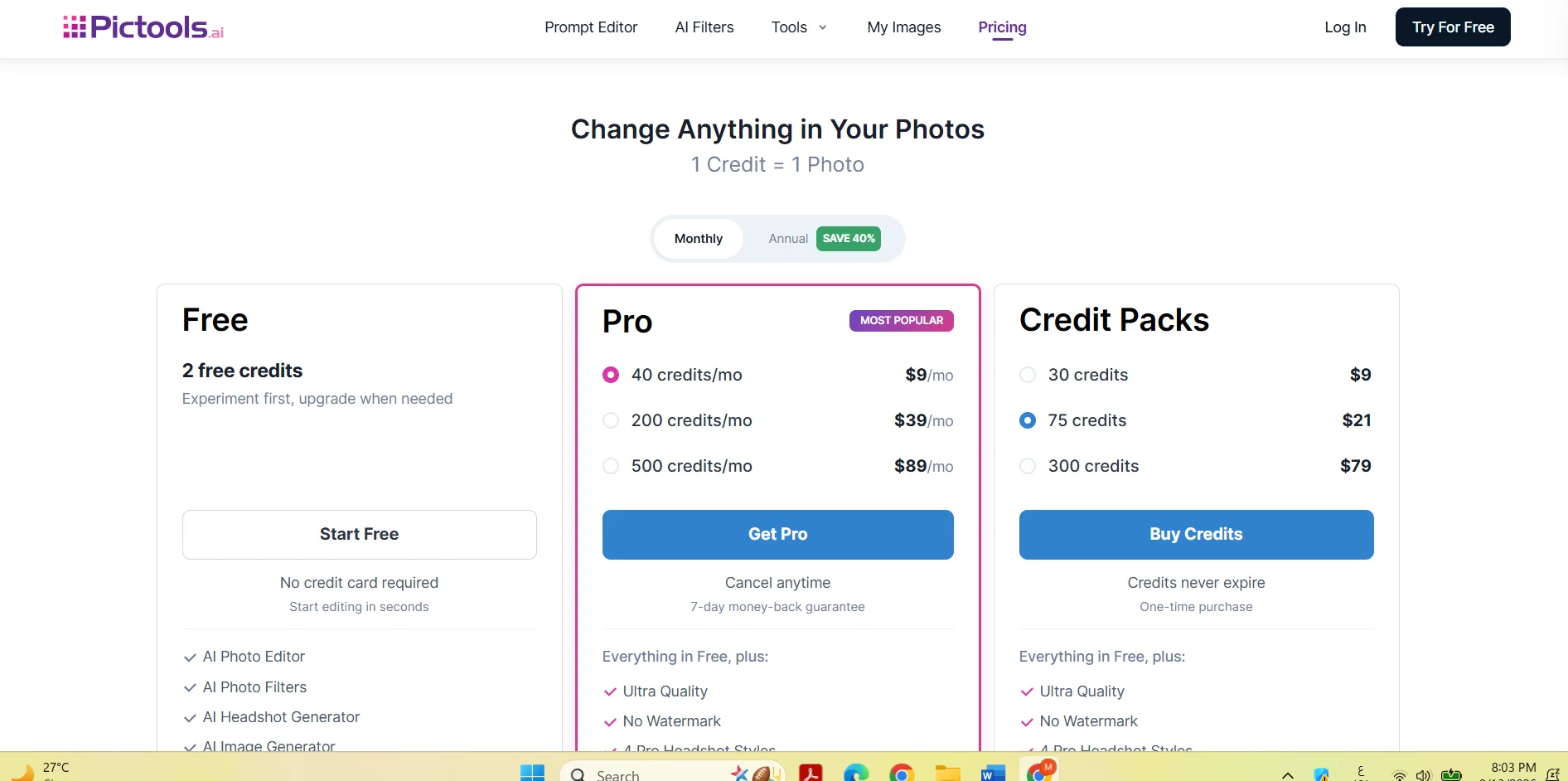
PicTools.AI provides free credits to get started, along with Pro plans based on monthly credit allowances, and additional credit packages that can be purchased separately.
Paid plans offer the option of monthly or annual billing, with a 40% discount for annual payments, according to the information provided.
Creating or editing each image consumes one credit, and credits purchased through Credit Packs do not expire.
🆓 Free Plan Details:
| Plan | Price | Details |
|---|---|---|
| Free | Free | Get 2 Credits for free—no credit card required to get started. Includes essential tools like AI Photo Editor and AI Photo Filters, with the option to try out some other features. |
💳 Paid Plan Details:
| Plan | Price | Features and Differences |
|---|---|---|
| Pro – 40 Credits | $9 per month | Our most popular plan, which includes all the benefits of the free plan plus Ultra Quality and advanced features, with the ability to cancel at any time and a 7-day money-back guarantee. |
| Pro – 200 Credits | $39 per month | 200 credits per month, with advanced Pro benefits, including Ultra Quality and premium features. |
| Pro – 500 Credits | $89 per month | 500 credits per month, with advanced Pro benefits, including Ultra Quality and premium features. |
| Credit Pack – 30 Credits | $9 one-time payment | 30 Credits to use as needed, with no monthly subscription, and credits never expire. |
| Credit Pack – 75 Credits | $21 one-time payment | 75 credits to use as needed; credits never expire. |
| Credit Pack – 300 Credits | $79 one-time payment | 300 credits to use as needed; credits never expire. |
Advanced Pro Features:
Paid plans include Ultra Quality, watermark removal, 4 professional portrait modes, photo merging, work saving, and priority support based on the information provided.
🧭 How to Access the Tool:
| How to Access | Details |
|---|---|
| Web | Use PicTools.AI directly through the website. |
| Image Generator | Create images from text descriptions. |
| Image Editor | Edit images using AI tools. |
| AI Photo Filters | Apply AI photo filters. |
| Headshot Generator | Create professional headshots. |
🔗 Try it out or visit the official website:
