️ Tool name: 🖼
OctiAI
Tool category: 🔖
• Automation and smart agents
• No-code workflows
• Integrations and APIs
• Code generation and review
• Content and text writing
• Image generation from text
️ What does this tool offer? ✏
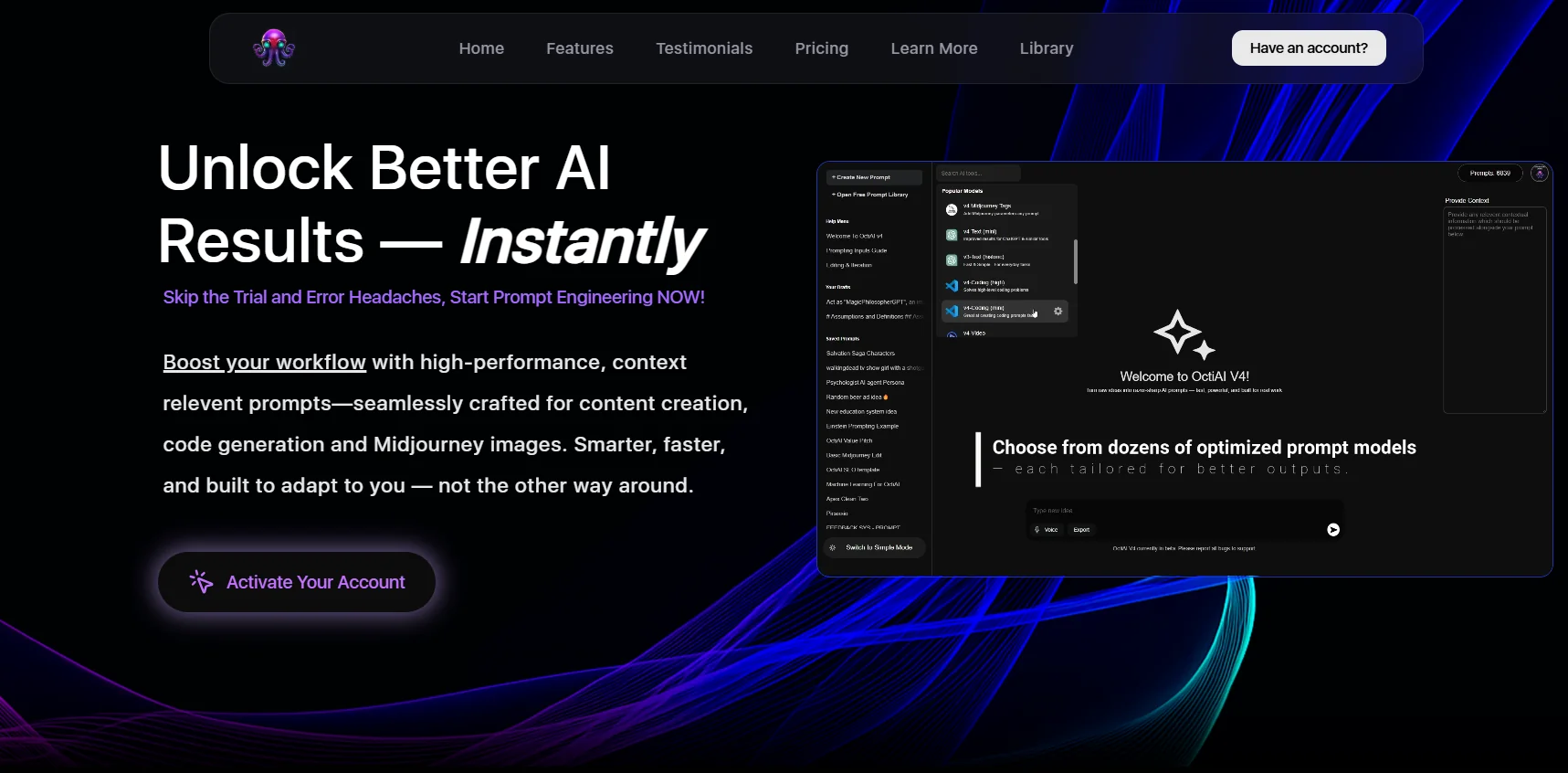
OctiAI offers a comprehensive system for transforming prompt-based work from scattered individual experiences into an organized and traceable workflow. Prompt version management allows you to document changes and preserve the original intent, with the ability to quickly revert to any previous version. It provides a searchable library for efficient reuse of patterns and tracks execution history to see what was run, why it succeeded, and what changed. The platform is based on the "Bring Your Own Key" principle, which gives the user complete control over billing and settings with the service provider, such as OpenAI, while OctiAI remains an organizational and optimization layer on top. It also provides easy-to-use context engineering to add background knowledge without cluttering the core instructions, and an automatic prompt optimization system that allows you to modify any part and explore alternative formulations in a single flow. In addition, it enables users to design reusable prompt engines without writing code, with access to dozens of ready-made templates that are regularly updated, and support for use cases such as content creation, code generation, Midjourney images, and integration with ChatGPT and APIs.
What does it actually offer based on user experience? ⭐
User testimonials indicate that OctiAI has significantly improved the quality of results and accelerated workflows, highlighting its ease of use and responsiveness. Users in the fields of search engine optimization, marketing, and content creation describe it as a tool that fosters creativity and shortens years of trial and error through improved communication models with artificial intelligence. Founders and AI experts have also noted that the platform consistently delivers high-quality results and is an essential addition to their daily tools, thanks in particular to its advanced text and image prompts and instant formatting improvements within the same interface.
Does it include automation? 🤖
Yes, OctiAI includes clear automation elements, such as automatic prompt optimization, built-in context engineering, and the design of reusable prompt engines without code, along with version control and execution history tracking, enabling repeatable, reusable operations with predictable spending control.
Pricing model: 💰
OctiAI is based on a default monthly subscription with the option to activate annual billing when available. The platform offers a 30-day money-back guarantee, with the option to cancel at any time, and secure payment via Stripe. Users can use their own OpenAI key so that consumption is billed directly through OpenAI, with a weekly usage reward feature where OctiAI covers part of the cost. Plans are dynamically charged from the billing interface, and clear spending control is available.
🆓 Free plan details:
The available information does not indicate a permanent free plan, and usage begins with a subscription to one of the paid plans, with a 30-day money-back guarantee.
Paid plan details: 💳
The Simple plan, priced at $8 per month, is suitable for getting started and includes access to the workspace, instant and balanced templates and thinking templates, version management for saved prompts, and an additional weekly usage allowance.
The Plus plan, priced at $12 per month, is the most popular for advanced users and includes all the benefits of Simple, plus the OctiAI smart assistant, Swift and Genius models, context engineering features, and additional monthly prompts.
The Pro plan, priced at $25 per month, is for those who need deeper control and support. It includes all the benefits of Plus, with a higher usage allowance, additional monthly prompts, and ready-made frameworks and flows (coming soon).
How to access the tool: 🧭
OctiAI can be accessed via the web by creating an account and activating a subscription, then managing prompts, releases, and execution history from within the control panel, with the ability to link the user's OpenAI key for direct control over billing and consumption.
Trial link or official website: 🔗
https://www.octiai.com/