AVCLabs Video Enhancer
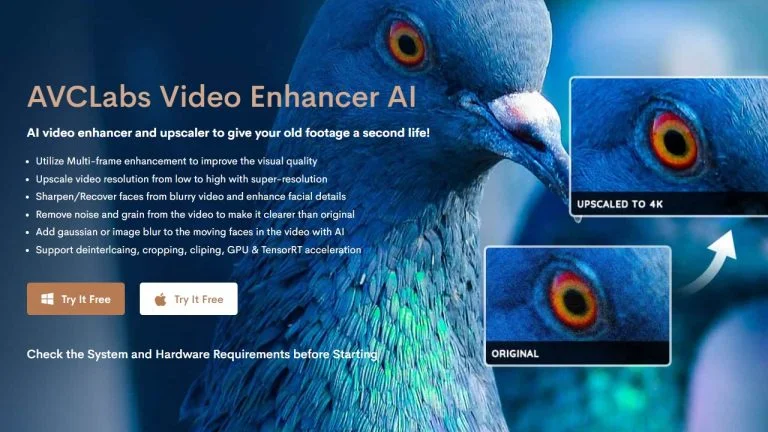
Description
🖼️ Tool Name:
AVCLabs Video Enhancer AI
✏️ What does this tool offer?
Super-Resolution Upscaling: Transforms SD (480p) or HD (720p) footage into crisp 4K or 8K resolution using deep learning models that add realistic detail rather than just blurring edges.
AI Face Refinement: Specifically detects blurry or low-fidelity faces in videos and reconstructs facial features (eyes, skin texture, hair) for stunning clarity.
AI Video Colorizer: Uses neural networks to automatically add natural-looking colors to old black-and-white or grayscale films.
Smart Denoising: Effectively removes "grain" and digital noise from videos shot in low-light conditions or heavily compressed files.
Frame Interpolation (Motion Smoothing): Generates new frames between existing ones to boost frame rates (e.g., from 24 FPS to 60 or 120 FPS), creating ultra-smooth motion or high-quality slow-motion effects.
Video Stabilization: Fixes shaky footage from handheld cameras without the heavy cropping typical of traditional stabilizers.
⭐️ What does the tool actually offer? (User Experiences)
"Digital Restoration Lab": Users often treat it as a personal restoration studio for VHS and family archives, praising the Ultra (Multi-Frame) model for its depth and texture.
Beginner-Friendly Interface: Unlike complex professional suites, its "one-click" models make high-end video processing accessible to non-editors.
Privacy Focused: Because it processes everything locally on your PC/Mac, it is the preferred choice for sensitive or personal content that users don't want to upload to the cloud.
🤖 Does the tool have automation features?
Yes, it is a Processing Automation Tool:
Automated Batch Processing: You can queue dozens of videos with specific enhancement presets and let the software process them sequentially.
AI Model Recommendation: The software can analyze a clip and suggest whether it needs the "Anime," "Standard," or "Face Refinement" model.
💵 Pricing (2026 Updates)
AVCLabs continues to offer a "Lifetime" ownership model, which remains a key selling point against subscription-only competitors.
🎁 Is the free version a trial or completely free?
It is a Limited Free Trial. You can download the full software and use all AI models to preview the results. However, the free version is restricted to converting only a few videos (typically the first 3) and adds a large watermark to the center of the output.
💳 What does the Paid version offer?
Watermark Removal: Clean, professional-grade output.
Unlimited Conversions: No limit on the number or length of videos processed.
Priority Tech Support: Assistance with optimizing GPU settings for faster rendering.
Lifetime Updates: Access to the latest AI models as they are released (for Annual/Lifetime plans).
⚙️ Access or Source:
Official Website
Compatibility: Available for Windows 10/11 (64-bit) and macOS 12+.
🔗 Experience Link: