Type Studio
Description
🖼️ Tool Name:
Type Studio
🔖 Tool Category:
Text-based video editing and subtitling platform; it falls under the category of Video Editing, with strong relevance to Content Creation & Communication, Translation & Languages, and Productivity & Automation.
✏️ What does this tool offer?
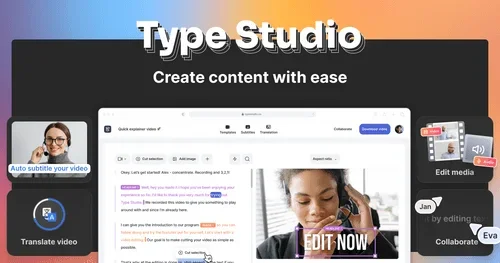
Type Studio allows users to edit videos by editing text — making video editing as simple as modifying a transcript. It supports subtitles, translations, resizing for social media, and repurposing content across platforms, especially useful for podcasters, educators, and marketers.
⭐ What does the tool actually deliver based on user experience?
• Edit videos by editing the transcript (auto-generated)
• Add and style subtitles automatically
• Translate videos into 30+ languages
• Resize and crop videos for platforms like YouTube, TikTok, and Instagram
• Supports screen recordings and podcast-to-video workflows
• Browser-based with no software installation needed
🤖 Does it include automation?
Yes — Type Studio automates:
• Speech-to-text transcription
• Subtitle creation and timing
• Video resizing and repurposing for different platforms
• Multilingual translation and subtitle syncing
💰 Pricing Model:
Freemium (with subscription upgrades)
🆓 Free Plan Details:
• Limited export minutes/month
• Watermark on videos
• Access to basic editing and subtitle tools
💳 Paid Plan Details:
• Starts at ~$12/month
• Includes more export minutes, watermark removal, team collaboration, and translation features
• Higher tiers for agencies or content teams
🧭 Access Method:
• Web App (browser-based)
🔗 Experience Link: