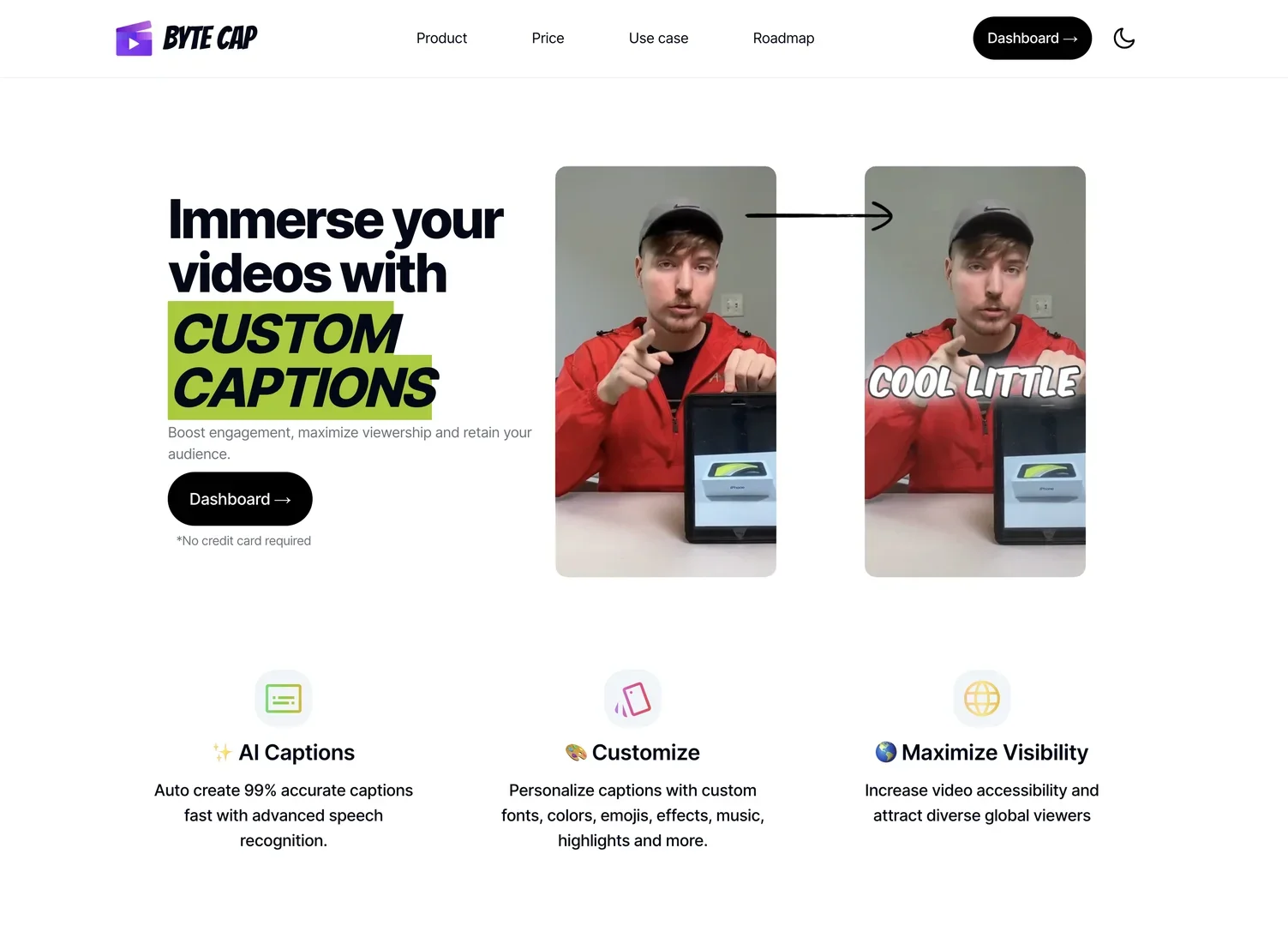
Description

️ Tool Name: 🖼

Bytecap

Categories: 🔖

  • Video, Editing, and Motion
  • Video Summarization and Clips
  • Text and Images to Video
  • Motion Graphics, Titles, and Subtitles
  • Social Media Templates and Editing Automation
  • Content Calendars and Scheduling
  • Content and Script Writing
  • Audio, Voice-Over, and Music
  • Audio cleaning and mixing
  • Image Design and Production
  • Marketing and Sales
  • Data and Analytics
  • Automation and Smart Agents

️ What does this tool offer? ✏

Bytecap is an AI-powered platform for video editing and creating short-form content, helping content creators, editors, podcasters, livestreamers, marketers, and agencies turn long videos into engaging, publish-ready short clips.

The platform is designed for a variety of uses, including:

  • Creating viral short videos for content creators without the need for advanced editing skills.
  • Streamlining the work of video editors using AI tools.
  • Converting podcast episodes and live streams into short clips with captions.
  • Creating customized real estate video tours.
  • Producing health and educational content.
  • Create ads and marketing videos.
  • Turn products into videos that help boost sales.
  • Support athletes, coaches, influencers, companies, and agencies in producing high-quality content.

Bytecap offers a wide range of AI-powered video editing tools, including:

  • AI Clipping:
    Automatically convert long videos into engaging short clips.
  • AI Captions:
    Generate captions with up to 99% accuracy.
  • Auto Reframe:
    Convert 16:9 videos into editable 9:16 projects with object tracking.
  • AI Video Editor:
    An AI-powered video editor for editing text, removing silence, and adding close-ups, layers, and B-roll footage.
  • Motion Graphics:
    Add ready-made motion graphics.
  • Content Calendar:
    Plan, schedule, and publish videos across different channels.
  • Analytics:
    Track reach, engagement, and growth.

The platform also allows you to create faceless videos, automatically add B-roll footage, generate images and videos using AI, create engaging titles (AI Hook Title), a thumbnail generator,and a Brand Kit that brings together a brand’s fonts, assets, and wording in one place.

Bytecap relies on Moment Intelligence technology, which analyzes the entire video—not just the text—by examining:

  • visual movement;
  • Reactions.
  • Scene timing.
  • The progression of events.
  • Audio energy.
  • Elements of appeal.
  • Final context.

This technique is used to identify the moments most likely to succeed as standalone short clips.

It also evaluates the segments based on elements including:

  • Hook: 9.0/10.
  • Payoff: 8.0/10.
  • Curiosity: 7.0/10.
  • Pacing: 10.0/10.
  • Standalone Value: 8.0/10.
  • Overall Viral Score: 85/100.

Bytecap supports multiple types of content, such as:

  • Podcasts.
  • Interviews.
  • Content creator content.
  • Gaming.
  • Sports.
  • Travel.
  • Lifestyle.
  • Education and Lessons.

It allows users to specify the type of moments they want using text commands, such as:

  • Goals.
  • Funny moments.
  • Strong opinions.
  • Educational moments.
  • Reactions.

The platform works in three main steps:

  1. Import or upload videos from:
    • YouTube.
    • TikTok.
    • Instagram.
    • Facebook.
    • X.
    • Twitch.
    • Rumble.
    • Local videos.
    • Dropbox.
    • Google Drive.
  2. Auto-editing, including:
    • Adding captions.
    • Removing pauses.
    • Resizing frames.
    • Creating engaging headlines.
  3. Schedule and post on:
    • TikTok.
    • Instagram.
    • YouTube Shorts.
    • Twitter.
    • Facebook.
    • LinkedIn.

It supports exporting videos at resolutions up to 4K and at 60 fps.

Bytecap also provides a full-featured video editor that allows you to control:

  • Editing captions and timing.
  • Adding B-roll.
  • Adding audio.
  • Adding graphics and layers.
  • Timeline editing.

Additional features include:

  • Removing unnecessary words.
  • Automatically removing silence.
  • Smart zoom (AI Auto Zoom).
  • AI-generated thumbnails.
  • AI translation.
  • Audio effects.
  • Filters.
  • GIFs.
  • Stickers.
  • Progress bars.
  • Vintage effects.

The animated graphics library also contains more than 56+ ready-to-use elements across 10 categories:

  • Callouts.
  • Social.
  • Titles.
  • Data.
  • Lists.
  • Notifications.
  • Audio.
  • Accents.
  • Frames.
  • Others.

What does it actually offer based on user experience? ⭐

  • Convert long videos into short clips ready for sharing.
  • Automatically finds the best moments in a video.
  • Create short clips powered by artificial intelligence.
  • Add automatic captions.
  • Resize videos to fit different platforms.
  • Create thumbnails and eye-catching titles.
  • Schedule and publish content from one place.
  • Track video performance through analytics.
  • Create videos without people appearing in them.
  • Automatically add B-roll, effects, and graphics.
  • Support for podcasts, live streams, educational content, and marketing content.
  • Access to a library of ready-to-use animated graphics.
  • Export videos in high quality up to 4K and 60 fps.

Does it include automation? 🤖

Yes, Bytecap relies on AI-powered automation for many processes, including:

  • Automatically extracting the best moments from long videos.
  • Creating short clips.
  • Adding captions.
  • Removing silence and unnecessary words.
  • Automatically reframing videos.
  • Add B-roll.
  • Create titles and thumbnails.
  • Schedule and publish content across social media platforms.
  • Track and analyze content performance.

Pricing Model: 💰

Paid Subscription, which includes three main plans:

  • Starter.
  • Pro.
  • Business.

🆓 Free Plan Details:

FeatureDetails
Free PlanNot specified
TrialNot specified
Free UseNot specified (unconfirmed)

Paid plan details: 💳

PlanMonthly PriceKey Features
Starter$15/month150 Credits, AI Clipping, AI Animated Captions with automatic translation into over 30 languages, 3 Automations, automatic posting across all social media channels, analytics for all social media channels, AI Video Maker, Thumbnail Generator, AI Playground, 1GB asset library, Brand Vocabulary, watermark-free export, priority processing.
Pro$29/monthAll Starter features, plus 300 Credits, 5 Automations, 4K + 60 FPS export, support for 6 custom fonts, creation of 6 custom templates, and high-priority processing.
BusinessCustomAll Pro features, custom monthly credits, custom video creation limits, custom storage limits, and dedicated support.

How to access the tool: 🧭

Access MethodAvailable
Web
Import from YouTube
Import from TikTok
Import from Instagram
Import from Facebook
Import X
Import from Twitch
Import Rumble
Dropbox
Google Drive
APINot listed (unconfirmed)
Mobile appNot listed (unconfirmed)

Demo link or official website: 🔗

https://www.bytecap.io/price

Pricing Details

Bytecap operates on a paid subscription model that includes three main plans: Starter, Pro, and Business. There is no free plan mentioned in the available information, and details regarding a free trial or free usage are not mentioned and remain unconfirmed. The Starter plan costs $15/month and includes 150 credits, the AI Clipping feature for converting long videos into short clips, AI Animated Captions with automatic translation into over 30 languages, plus 3 Automations, automatic posting across all social media channels, analytics for all social channels, the AI Video Maker tool, a Thumbnail Generator, AI Playground, an asset library with 1GB of storage, the Brand Vocabulary feature, watermark-free video export, and priority processing. The Pro plan costs $29/month and offers all the features of the Starter plan, plus 300 credits, 5 Automations, video export in 4K + 60 FPS, support for 6 custom lines, the ability to create 6 custom templates, and high-priority processing. The Business plan is available on request and offers all the features of the Pro plan, plus custom monthly credits, custom video creation limits, custom storage limits, and dedicated support. The Bytecap tool is accessible via the web and supports importing content from YouTube, TikTok, Instagram, Facebook, X, and Twitch, as well as from Dropbox and Google Drive. However, the information provided does not mention the availability of an API or a mobile app, and this remains unconfirmed.