Description

️ Tool Name: 🖼
Canva AI Headshot Generator
Categories: 🔖
Design and Image Creation
Edit/Enhance/Upgrade Resolution
Removing and Replacing Elements and Backgrounds
Branding and Logos

️ What does this tool offer? ✏
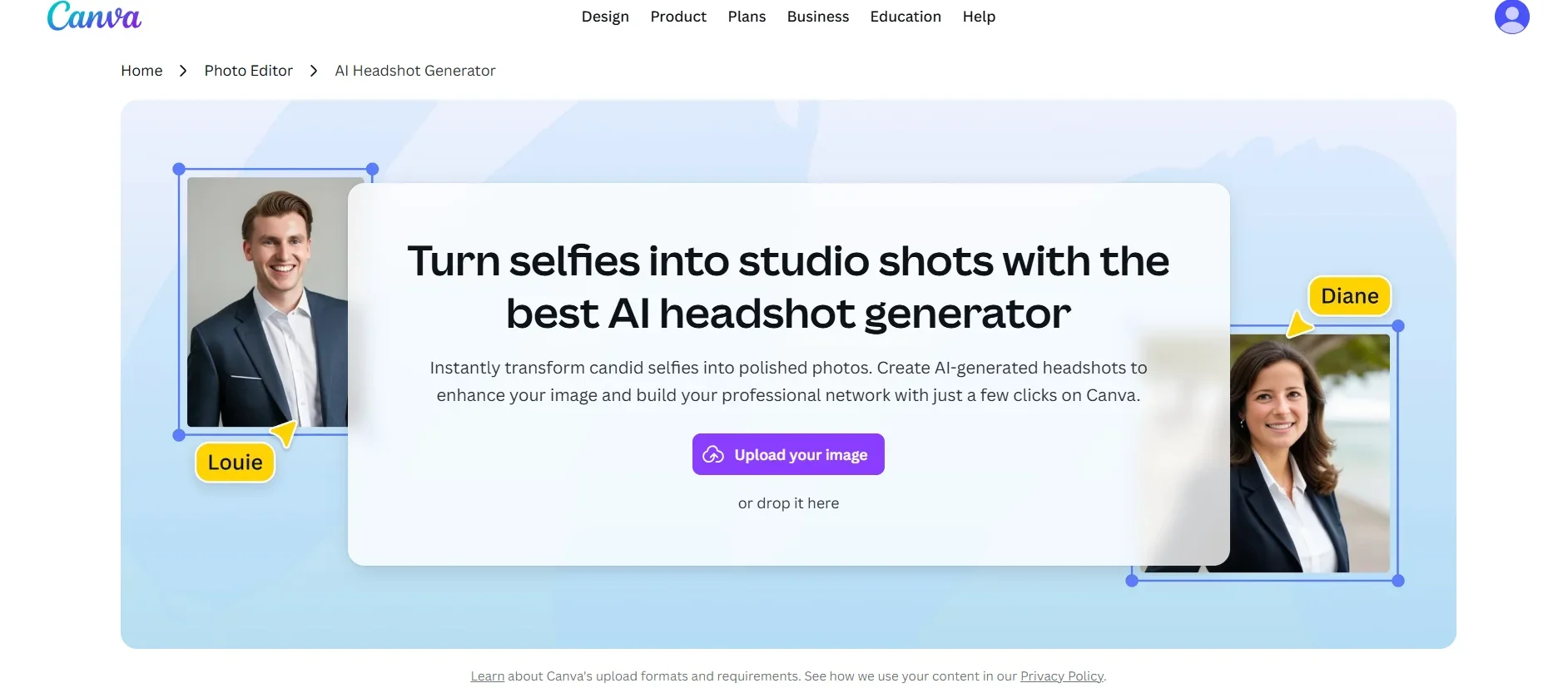
Canva AI Headshot Generator is an AI-powered tool that allows users to transform ordinary selfies into professional-looking photos suitable for use in profiles, resumes, and social media platforms such as LinkedIn.

The tool uses AI technologies to enhance the image’s appearance by adjusting lighting, improving detail quality, adjusting the background, and adding a professional look similar to studio-quality photos—all without the need for professional photo shoots or design experience.

The tool allows users to upload a photo and select the appropriate style for the image; it then automatically generates an enhanced version with improved facial details, color balance, lighting, and background.

The resulting images can also be edited using other Canva tools, such as removing backgrounds, applying filters, and converting images to different styles—such as black-and-white or creative styles—suitable for personal branding and social media accounts.

The tool is aimed at job seekers, professionals, entrepreneurs, content creators, and anyone who wants to enhance their digital presence with a high-quality profile picture.

What does it actually offer based on user experience? ⭐

  • It transforms ordinary profile photos into professional-looking images using artificial intelligence.
  • It enhances image quality, lighting, and overall appearance.
  • Adjusts the background and removes unwanted elements.
  • Creating photos suitable for professional profiles and resumes.
  • Provide multiple styles for profile photos.
  • Edit the results using other Canva tools.
  • Integrate the resulting images directly into various Canva designs.
  • Quickly create professional-looking photos without needing photography or design skills.

Does it use automation? 🤖
Yes, the tool relies on AI-powered automation, automatically analyzing the profile photo and enhancing facial details, lighting, and the background to create a professional-looking image without the need for full manual editing.

You can also integrate the results with other Canva tools to complete your design and editing processes.

Pricing model: 💰
Freemium + Paid Subscription

Canva AI Headshot Generator operates on a freemium model, offering free use with a limited number of uses, while providing access to additional features through Canva’s paid subscription plans.

The free plan allows you to try out the tool and create a limited number of headshots, while paid plans offer additional AI tools, advanced editing features, and broader capabilities for individual users, teams, and organizations.

🆓 Free Plan Details:

PlanDetails
Free PlanPrice: $0 per month. Includes access to the AI-powered avatar creator, with 2 free credits to create professional-quality images. Once your credits are used up, you can wait 24 hours to receive additional free credits or purchase more credits directly within the Canva editor. This includes uploading a photo and converting it into an enhanced image with improved lighting, background, and overall appearance.

Paid Plan Details: 💳

PlanPrice and Features
Canva ProApproximate price: $144 per year per user (about $12 per month when paid annually). Offers broader access to AI tools and Magic Studio features, as well as advanced photo editing tools, automatic background removal, a larger library of professional templates, images, and elements, and more storage space.
Canva Business / TeamsPricing depends on the number of users and team size, and typically starts with custom pricing or per-user pricing depending on the selected plan. It offers collaboration among team members, brand management, control over assets and designs, and advanced AI tools for creating content and images.
Canva EnterprisePricing is customized and determined based on the organization’s needs. It is designed for large organizations and includes advanced security features, user management, enterprise-level control, and dedicated enterprise support.

How to access the tool: 🧭

MethodDetails
WebAvailable via the Canva web platform.
AppCanva’s services are accessible via the Canva apps; there is no mention of a standalone app specifically for the AI Headshot Generator tool.
APIThere is no mention of an API for this tool.
PluginThere is no mention of a standalone extension.

Demo link or official website: 🔗
https://www.canva.com/features/ai-headshot-generator

Pricing Details

Free Plan: $0 per month. This plan gives you access to the AI-powered profile picture generator, along with 2 free credits to create professional-looking images. Once you’ve used up your credits, you can wait 24 hours to receive additional free credits or purchase more credits directly within the Canva editor. This includes uploading a photo and converting it into an enhanced image with improved lighting, background, and overall appearance. 💳 Paid Plan Details: Plan Price and Benefits Canva Pro Approximate price: $144 per year per user (about $12 per month when paid annually). It provides broader access to AI tools and Magic Studio features, as well as advanced photo editing tools, automatic background removal, a larger library of professional templates, images, and elements, and more storage space. Canva Business / Teams Pricing depends on the number of users and team size, typically starting with custom pricing or per-user pricing depending on the selected plan. It offers collaboration among team members, brand management, control over assets and designs, and advanced AI tools for creating content and images. Canva Enterprise Pricing is custom and determined based on the organization’s needs. It is aimed at large organizations and includes advanced security features, user management, enterprise-level control, and dedicated enterprise support. 🧭 How to access the tool: Block Canva AI Headshot Generator uses a Freemium + paid subscription pricing model, where the tool offers free use with a limited number of attempts, while additional and advanced features are available through Canva’s paid plans. The free plan allows users to try creating professional AI-generated headshots, while paid plans offer broader capabilities, including advanced AI tools and professional editing features, and options suitable for individuals, teams, and organizations. The Free Plan, priced at $0 per month, offers access to the AI-powered profile picture creator along with 2 free credits to create professional images. After using up these credits, users can wait 24 hours to receive additional free credits or purchase more credits directly within the Canva editor. The plan allows users to upload a portrait and transform it into an enhanced image by adjusting the lighting, improving the background, and enhancing the overall quality of the image. As for paid plans, they start with Canva Pro, which costs approximately $144 per year per user (about $12 per month when paid annually), and provide broader access to AI tools and Magic Studio features, as well as advanced photo editing tools, automatic background removal, and a larger library of professional templates, images, and elements, along with additional storage space. Canva also offers Business and Teams plans designed for teams and businesses, where pricing is determined by the number of users and team size. These plans include features for team collaboration, brand management, asset and design organization, and the use of AI tools to create content and images on a larger scale. For large organizations, Canva offers an Enterprise plan with custom pricing based on the organization’s needs, including advanced security features, user management, enterprise-level controls, and dedicated support. The Canva AI Headshot Generator can be accessed through the Canva website or the Canva app. Users navigate to the Photo & AI Tools section, select the AI Headshot Generator, and upload the desired photo. After that, the system processes the image and creates a professional-looking version that can be edited using Canva’s various tools and then saved or shared.