Levio
Description
️ Tool Name: 🖼
Jupitrr AI – Levio
Categories: 🔖
- Automation and Smart Bots
- Social Media Templates and Video Editing Automation
- Video, Editing, and Motion
- Video Ideas and Scripts
- Summaries, Headlines, and Ideas
- Text and Images to Video
- Motion Graphics, Titles, and Subtitles
- Content Calendars and Scheduling
- Content Management and Publishing
- Marketing and Sales
- Audio, Voice-Over, and Music
- Audio Cleaning and Mixing
️ What does this tool offer? ✏
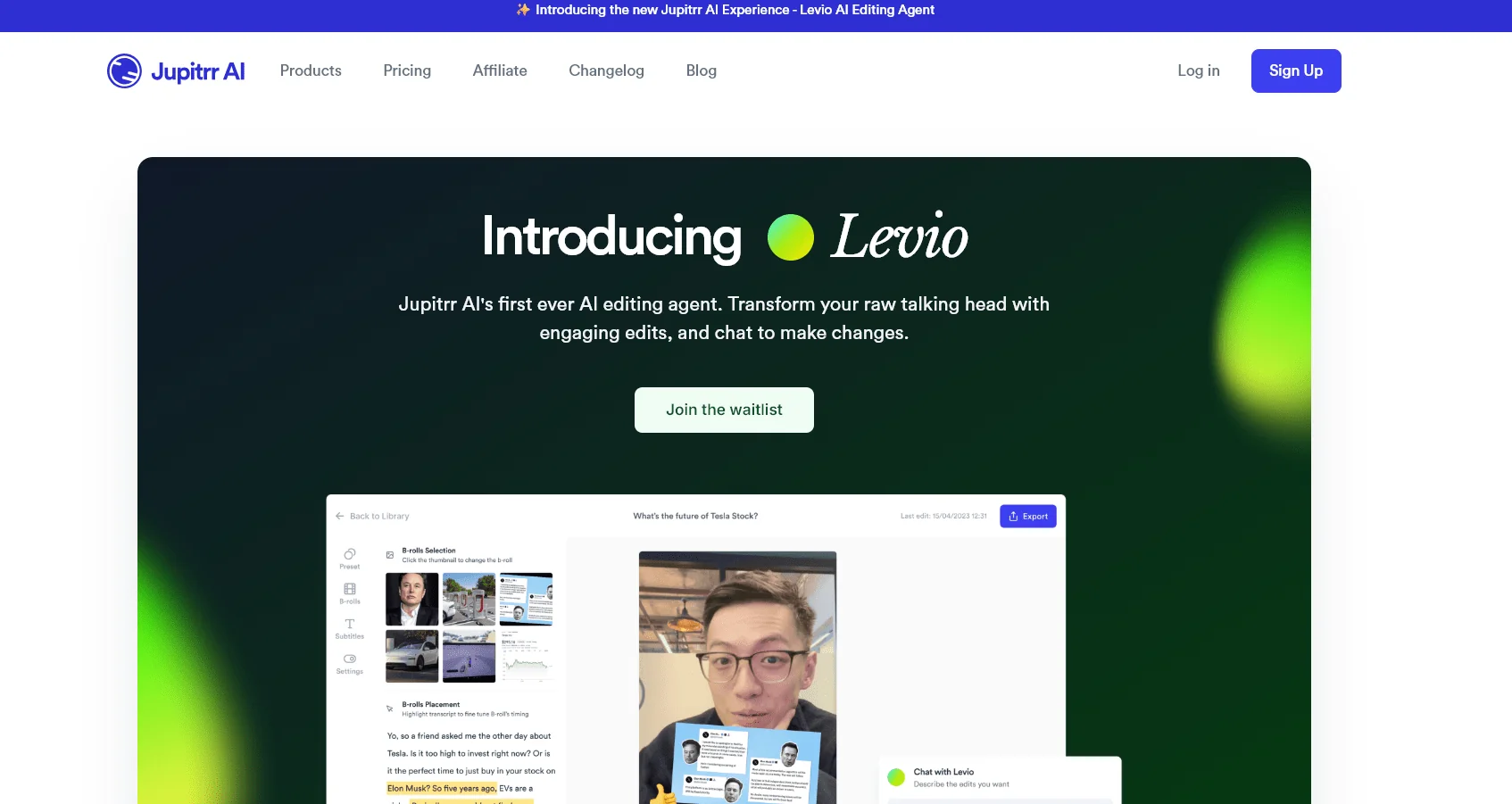
Jupitrr AI is a platform for creating and editing video content, specifically designed for trainers, consultants, business owners, marketers, and content creators. It provides a suite of tools that help transform raw footage—especially “talking head”videos —into professional, publish-ready videos. The platform features Levio, an AI-powered video editing assistant that allows users to upload raw footage and then automatically adds editing elements within seconds, including AI-generated hooks, animated subtitles, B-rollfootage ,GIFs, emojis, motion graphics, transitions, a brand logo, a closing sequence, AI-generated background music, and color correction and grading.
Levio doesn’t stop at creating the first draft of the video; as users can make further adjustments via chat: they simply type the change they want, and Levio implements it, allowing them to refine the video through messages rather than making manual edits.
Jupitrr AI also includes a Talking Headvideo editor, an audio-to-video converter, an editor for converting long videos into short clips, a teleprompterapp, unlimited access to premium iStock B-roll clips in paid plans, as well as tools for searching trending videos, AI-powered scriptwriting, content curation, social media publishing, video analytics,AI Persona,audio recording,Branded Presets,and an AI-powered content planner.
The platform also offers additional tools, including trending video search, text generation, video summarization and short clip creation, B-roll generation, subtitle creation, video creation from articles or blog posts, video templates, social media publishing, video analytics, brand kits, team collaboration, and audio-to-video conversion, as well as free tools such as screen recording with a webcam, a webcam recorder, a vertical video recorder, a screen recorder, Teleprompter recorder, video merging, video compression, resizing, converting video to MP4 or MP3, creating LinkedIn posts and headlines, and generating hooks and writing scripts for TikTok, YouTube Shorts, and Instagram Reels.
The platform supports a wide range of use cases, including real estate agents, startups, coaches, and consultants,and provides guides and comparisons with tools such as CapCut, InVideo, Submagic, Opus Clip, Descript, and VEED.
What does it actually offer based on user experience? ⭐
- Bryan Guerra, an e-commerce coach with 78,000 YouTube subscribers, noted that Jupitrr AI makes creating professional-quality videos a quick and easy process, and that it’s suitable for people who want to monetize their videos without having to appear on camera.
- Jordan Wilson, an AI expert and podcast host, mentioned that the tool helps content creators and small business owners make educational and training videos more than just on-camera appearances, by highlighting different elements and creating B-roll footage for them.
- Tomas Loucky, a LinkedIn podcast specialist, described Jupitrr AI as a simple and fast tool that allows users to create polished videos without needing video editing skills.
- Novie Dizon, a finance coach, noted that Jupitrr AI saves consultants time and helps them easily find the right B-roll footage.
- Jay Kapoor, a tech content creator with 600,000 followers on Instagram, mentioned that Jupitrr AI is a useful and unique tool that helps content creators save time and resources when posting content on social media.
Does it include automation? 🤖
Yes. Jupitrr AI and the Levio agent include a clear set of automation features for video editing. Users can upload their footage, and Levio automatically adds hooks, animated captions, B-roll clips, GIFs, emojis, animations, transitions, a brand logo, a closing sequence, AI-generated background music, and color grading.
The tool also allows for additional edits via chat; the user types the desired change, and Levio responds and implements the edit, rather than requiring manual editing. The platform also includes automation features related to content creation, such as writing scripts, searching for trending videos, planning content, creating B-roll, creating subtitles, converting long videos into short clips, and posting to social media.
🆓 Free Plan Details
| Feature | Details |
|---|---|
| Price | $0 per month |
| Search for trending videos | 30 times per month |
| Video Brief | 3 times per month |
| Teleprompter App | Available |
| AutoCut Features | Available |
| Video Uploads | 3 times per month |
| Video Exports | With watermark |
| Dimensions | 9:16 |
| Maximum video duration | 2 minutes |
| Maximum file size | 50 MB |
| B-roll from Pexels | Available |
| Web Images | Available |
| AI Persona | Available |
| Branded Presets | Available |
| GIFs | Available |
| Subtitles | Available |
| Export Quality | Social Media |
Paid Plan Details 💳
| Plan | Monthly Price | Previous Price | Seats | Monthly Video Uploads | Maximum Video Upload Duration |
|---|---|---|---|---|---|
| Starter | $18 | $22 | 1 | 10 | 5 minutes |
| Pro | $39 | $49 | 2 | 30 | 20 minutes |
| Team | $89 | $149 | 5 | 50 | 30 minutes |
Plan Details
| Plan | Details |
|---|---|
| Starter — $18/month | Designed for content creators who edit videos from time to time, and includes everything from recording to exporting, the AI-powered Talking Head video editor, the Audio to Video editor, the Long to Short editor, the Teleprompter app, and unlimited access to premium iStock B-roll clips. |
| Pro — $39/month | The best-value plan, designed for business owners ready to publish consistently. It includes all the features of the Starter plan, plus a Personalized AI Scriptwriter, Viral Video Search, Content Calendar, Social Media Publishing, Video Analytics, AI Persona, Voice Recording, Branded Presets, and AI Content Planner. |
| Team — $89/month | Designed for marketing teams that collaborate daily, this plan includes all Pro features, plus collaboration between team members within the video editor, a Custom Brand Kit, and publishing from multiple accounts. |
One-time purchase plan 🎯
| Plan | Price | Payment Type | Duration/Features |
|---|---|---|---|
| The Video Accelerator | $299 | One-time | The first month of video production in collaboration with the team, a customized business-related video strategy, a one-on-one session with the platform’s founder, the B2B Video Playbook, 3 months of full access to the Pro plan, and a 3-day money-back guarantee. |
How to access the tool: 🧭
- Web: The Jupitrr AI platform via the official website.
- App: The Jupitrr Cut Teleprompter App is available.
- AI Agent: Levio / Jupitrr Agent for AI-powered video editing and chat.
- Free Web-Based Tools: Includes a screen recorder, webcam recorder, teleprompter, video compressor, video resizer, video converters, text and caption generators, and more.
- Social Media Integration: The Social Media Publishing feature is available in supported plans.
Trial link or official website: 🔗