PhonicMind
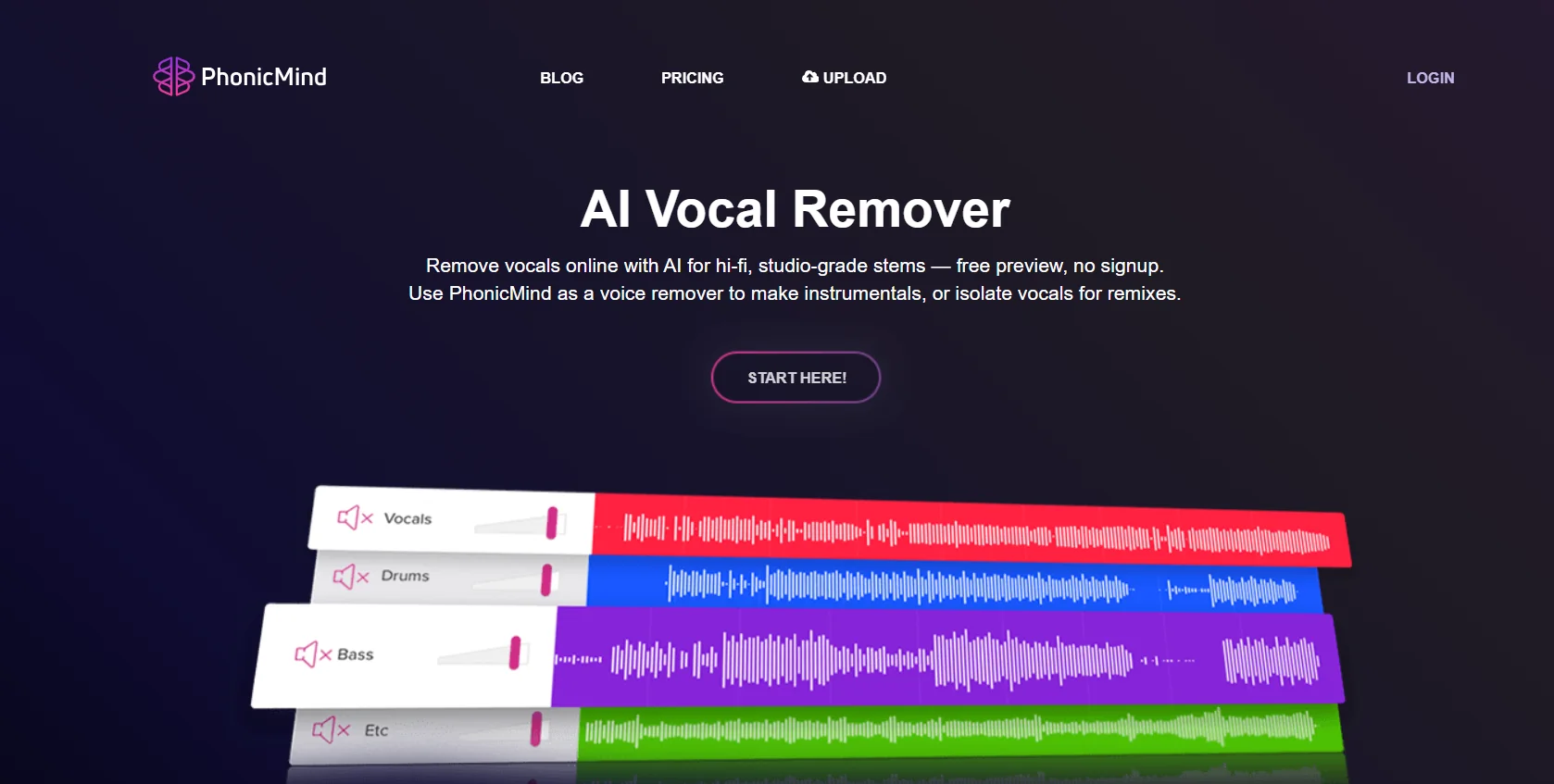
PhonicMind is an AI-powered tool for removing vocals and separating audio tracks from songs; it works directly online without the need to install any software. PhonicMind V.2.0 analyzes the entire song, automatically identifies the vocal and instrumental layers within it, and then separates them in a single, integrated process rather than handling each instrument separately.
- Audio & Voice
- Audio Cleanup & Mixing
- Music & SFX Generation
- Editing, Enhancement & Upscaling
- Education & Research
Last updated
Features
- Removes vocals and separates songs into tracks online without installation
- Automatically detects vocal and instrument layers in a single pass
- Separates lead and backing vocals, drums, bass, guitars, keyboards, strings and winds
- Up to 8 usable tracks from 16 categories
- Interactive player with lyrics, chords, metronome and mixer
- Creates karaoke tracks, instrumentals and a cappella
- MP3 downloads and lossless FLAC export in the Studio plan
- Accepts MP3, AAC, WMA, FLAC, WAV and AIFF files up to 100MB
- Free preview before full conversion
Pricing Details
PhonicMind V.2.0 uses a pricing system that allows users to choose the level of track separation they need, ranging from a workflow tailored for singing with lyrics, all the way to full track separation with a metronome, chords, and lossless export options, with the ability to preview the song before selecting a plan. PhonicMind V.2.0 can recognize up to 16 categories of audio tracks and provides an interactive player that combines lyrics, chords, rhythm, a metronome, and isolated tracks within a single player, It also offers various levels of output, ranging from simple audio playback within the player, through multi-track practice, to a full production export workflow. The Sing plan is available for $9.99 per month and allows you to convert any song into karaoke by separating Lead Vocals, Back Vocals (if present), and the Instrumental track within the V2 player, complete with synchronized lyrics. Processing speed is 1 song per 30 minutes, with a maximum song length of up to 5 minutes. It includes lyrics, Lead Vocals, and Back Vocals (if the song contains them), an instrumental stem, and 192 kbps MP3 playback within the player; downloads are not available. The Play plan, which is the most popular, costs $18.99 per month and offers a fully interactive V2 track separation with automatically recognized tracks, chords, a metronome, and the ability to download MP3 files for any custom mix or isolated track, The processing speed is 1 song per 10 minutes, with a maximum song length of up to 10 minutes. It includes up to 8 recognized tracks from 16 track categories, a metronome, chords, 256 kbps MP3 playback, and the ability to download MP3 files for any custom mix or isolated track. It is suitable for learning, practicing, and working on musical arrangements. The Studio plan offers a complete export workflow, costs $29.99 per month, and includes all the features of the Play plan, plus 320 kbps MP3 playback within the player, the ability to download Mix.flac and Stems.flac.zip files, and priority in the fastest processing queue. It is designed for production, remixing, and professional use, with a processing speed of 1 song per minute and a maximum song length of up to 20 minutes. PhonicMind also offers a one-time payment option called “Single Studio Conversion” for $6.99, which allows you to process just one song with the full PhonicMind V.2.0 Studio experience on demand, including the highest playback quality, full track separation, a metronome, chords, professional export options, 320 kbps playback quality, and lossless export capability—ideal for obtaining a single complete conversion without subscribing to a plan. To get started, upload a song and preview the separation results before committing to a full conversion, then choose the appropriate separation level—Sing, Play, or Studio—depending on whether you need vocal training, full interactive tracks, or professional export options. The same uploaded song can also be moved from the preview to the full conversion using V.2.0 without having to start over. The plans also differ in player and output quality, as well as export capabilities: Sing offers 192 kbps MP3 quality, provides Lead + Back Vocals + Instrumental, and includes a custom recognition level tailored for vocal workflows, along with lyrics—but without chords, MP3 downloads, or FLAC export—and a processing speed of 1 song per 30 minutes with a maximum song length of 5 minutes. Meanwhile, the Play plan offers 256 kbps MP3 quality, up to 8 tracks plus a metronome, recognition of up to 16 track categories, lyrics and chords, and MP3 downloads for any custom mix or isolated track, without FLAC export, a processing speed of 1 song / 10 min, and a maximum song length of up to 10 min. Studio, on the other hand, offers 320 kbps MP3 quality, up to 8 tracks plus a metronome, recognition of up to 16 track categories, lyrics and chords, MP3 downloads for any custom mix or isolated track, export of Mix.flac and Stems.flac.zip, a processing speed of 1 song per minute, and a maximum song length of up to 20 minutes. PhonicMind supports uploading audio files in .mp3, .aac, .wma, .flac, .wav, and .aiff formats, with a maximum size of 100 Mb, It also offers Acapella Extractor, Karaoke Maker, Instrumental Maker, and Drums Remover services.
Related Tips
- How to Use the Pokecut Tool to Easily Extract Images · Image Design and Creation, Editing, Enhancement & Upscaling…
- How to Create a Series of Educational Videos Using ChatGPT, PixVerse, and Nabat? · Audio & Voice, Text-to-Speech / Speech-to-Text…
- AI Room Designer Explained: How to Redesign Rooms in Your Home Using a Single Photo? · Image Design and Creation, Editing, Enhancement & Upscaling…
- AI Room Designer Explained: How to Redesign Rooms in Your Home from a Single Photo? · Image Design and Creation, Editing, Enhancement & Upscaling…
- An explanation of the Kittl Vectorizer tool for converting images into editable vectors · Image Design and Creation, Editing, Enhancement & Upscaling…