Description
️ Tool Name: 🖼
BookWitch
Categories: 🔖
Content and Copywriting, Video Ideas and Scripts, Automation and Smart Agents, Education and Research, Rewriting and Style Improvement, Business Document Creation, Image Design and Creation
️ What does this tool offer? ✏
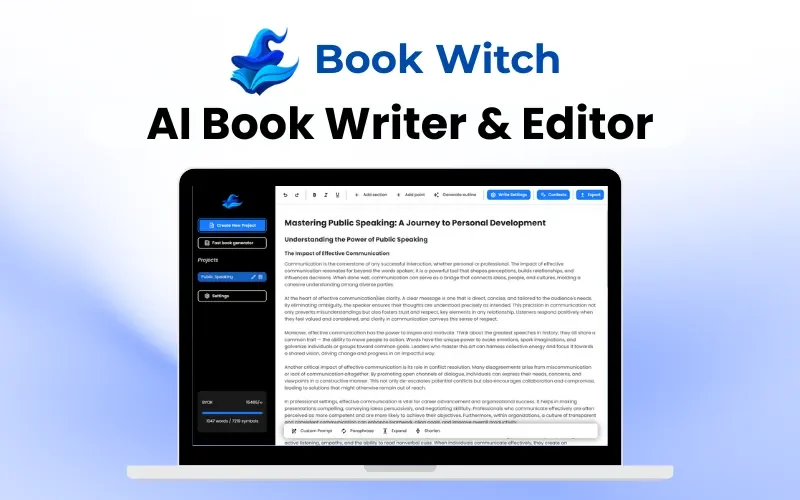
BookWitch offers an AI-powered writing studio designed for novelists, focusing on keeping the novel’s characters, plot, style, and context in the project’s memory and utilizing them during writing, generation, and editing processes. The platform features a Story Bible where you can define characters, locations, factions, and objects once; this information is then automatically used during generation, with names linked as you write and the ability to hover over any entity to view its details without leaving the page.
Writing tools include scene navigation via keyboard shortcuts, as well as the ability to condense, expand, or adjust the tone of the text, with AI suggestions displayed in a “Diff” format that the writer can accept, modify, or reject. The platform emphasizes that while AI makes suggestions, the final decision rests with the writer, and the final text remains their property.
BookWitch supports writing in 48 languages; the process of planning, writing, and editing takes place directly in the project’s language, while the user interface itself is available in English, French, Spanish, Portuguese, and German. You can also import an existing novel from a .docx or .epub file, and the editor divides the file into editable chapters and scenes.
The novel-writing journey includes tools for brainstorming, planning, and plot development, as well as a scene board to move scenes from “To Write” to “Done,” as well as novel analysis and critique to identify issues with pacing, repetition, and plot holes, in addition to Project Copilot, which can answer questions about the manuscript based on the Story Bible and chapters. The platform also offers cover design and book export.
BookWitch supports preparing the novel for publication via Amazon KDP by generating a Kindle EPUB that includes a table of contents and a print-ready Paperback PDF in 16 KDP sizes, with margins calculated based on the number of pages. It also generates KDP metadata, including the title, 7 keywords, categories, and book description, and provides a Pre-flight Check to verify that the book complies with Amazon’s publishing guidelines before submission. Publishing the book through KDP and completing the final publishing process remain the author’s responsibility.
You can start a project by selecting the genre and language and writing a two-line synopsis, with the option to import a .docx or .epub file or start from scratch, then add Story Bible cards and use Copilot to generate, refine, or continue the scene.
The platform supports explicit romance, dark fantasy, and mature content intended for adults, as explained by BookWitch for use in adult-oriented fiction within the bounds of the law.
What does it actually offer based on user experience? ⭐
BookWitch features testimonials from writers on its official website, including a fantasy author who noted completing a first draft after using the platform, and a user in the erotica genre who mentioned that the “Diff” view of changes helped them review the AI’s edits, and a romance author who praised the EPUB export for having no layout issues. These testimonials are published by BookWitch itself and are not independent reviews.
The platform demonstrates in practice that a writer can create a project, add story information to the Story Bible, and then use Copilot for generation, refinement, and follow-up—reviewing each suggestion before incorporating it into the text. It also notes that you can start writing the first chapter in just two minutes, without needing a credit card.
Does it include automation? 🤖
Yes. BookWitch automatically uses AI in conjunction with the project context and the Story Bible during generation and editing, links entities as you write, and can track scenes, analyze the novel, generate KDP data, and format EPUB and PDF files. It also offers a Pre-flight Check to review the book before uploading it to KDP.
Pricing Model: 💰
BookWitch offers a free trial with no credit card required, while the website interface indicates that subscription plans are available for unlimited use of AI features. No clear pricing information for the paid plans was found on the verified official page, so the subscription cost cannot currently be confirmed without a clear, official pricing source.
🆓 Free Plan Details:
| Item | Details |
|---|---|
| Price | Free to start |
| Credit Card | Not required |
| Sign In | Magic Link |
| Getting Started | Start the first lesson in two minutes |
| Free Tools | Uncensored AI Chat, Plot Generator, Book Title Generator, Name Generators, AI Story Generator, AI Text Shortener |
| Writing | Start a project and write a novel |
| Export | The website mentions EPUB and PDF, without specifying the limits of free use for each format |
The Tools page explains that the small free tools are available without registration and without credits, and include unlimited chat tools, plot, title, and character generators, and a text shortener.
Paid plan details: 💳
| Plan | Price | Details |
|---|---|---|
| Paid Plans | Unconfirmed | The website mentions a subscription for unlimited AI use, but the price and plan name were not clearly listed on the verified official page |
| Features associated with the subscription | Unconfirmed | Usage limits, the number of projects, or the details of each plan cannot be confirmed without an official, visible pricing table |
How to access the tool: 🧭
| How to access | Details |
|---|---|
| Web | Available via the BookWitch website |
| Novel Editor | Work directly within the BookWitch editor |
| Import Files | .docx and .epub |
| Export | EPUB, PDF, and document |
| Publishing | Preparing the files and data needed for upload to Amazon KDP |
| Free Tools | Stand-alone browser-based tools, some of which are available without registration |
Demo link or official website: 🔗